పరిచయం
This manual provides essential information for setting up, operating, maintaining, and troubleshooting your FUNYET 14-inch Laptop N5095. Please read this guide thoroughly to ensure optimal performance and longevity of your device.

చిత్రం: ముందు భాగం view of the FUNYET 14-inch Laptop N5095, highlighting its key specifications on the screen.
1. ప్రారంభ సెటప్
1.1 అన్బాక్సింగ్ మరియు మొదటి పవర్ ఆన్
- Carefully remove the laptop and all accessories from the packaging. The box should contain the laptop, AC adapter, warranty card, and this instruction manual.
- Connect the AC adapter to the laptop's DC-in port and then to a power outlet.
- ల్యాప్టాప్ మూత తెరవండి. ల్యాప్టాప్ స్వయంచాలకంగా పవర్ ఆన్ కావచ్చు లేదా మీరు కీబోర్డ్పై ఉన్న పవర్ బటన్ను నొక్కాల్సి రావచ్చు.
1.2 Windows 11 Pro కాన్ఫిగరేషన్
మొదటి బూట్ తర్వాత, మీరు Windows 11 Pro సెటప్ ప్రక్రియ ద్వారా మార్గనిర్దేశం చేయబడతారు. స్క్రీన్పై ఉన్న సూచనలను అనుసరించండి:
- మీ ప్రాంతం మరియు కీబోర్డ్ లేఅవుట్ను ఎంచుకోండి.
- Wi-Fi నెట్వర్క్కి కనెక్ట్ చేయండి.
- మీ Microsoft ఖాతాతో సైన్ ఇన్ చేయండి లేదా కొత్తదాన్ని సృష్టించండి.
- త్వరిత లాగిన్ కోసం పిన్ను సెటప్ చేయండి.
- గోప్యతా సెట్టింగ్లను సర్దుబాటు చేయండి.

Image: The Windows 11 Pro operating system interface shown on the laptop screen.
2. మీ ల్యాప్టాప్ను ఆపరేట్ చేయడం
2.1 కీబోర్డ్ మరియు టచ్ప్యాడ్
The laptop features a full-sized keyboard and a large, responsive touchpad for navigation. Refer to the image below for key layout.

చిత్రం: వివరణాత్మకం view ల్యాప్టాప్ కీబోర్డ్ మరియు టచ్ప్యాడ్.
2.2 కనెక్ట్ పెరిఫెరల్స్
మీ ల్యాప్టాప్ బాహ్య పరికరాలను కనెక్ట్ చేయడానికి వివిధ పోర్ట్లతో అమర్చబడి ఉంది:
- USB 3.0 పోర్ట్లు: Two ports for high-speed data transfer with USB devices.
- HDMI పోర్ట్: బాహ్య డిస్ప్లేలు లేదా ప్రొజెక్టర్లకు కనెక్ట్ చేయండి.
- హెడ్ఫోన్ జాక్: హెడ్ఫోన్లు లేదా బాహ్య స్పీకర్లకు ఆడియో అవుట్పుట్ కోసం.
- TF కార్డ్ స్లాట్: For expanding storage with a TF (MicroSD) card.
- DC-ఇన్ పోర్ట్: AC పవర్ అడాప్టర్ను కనెక్ట్ చేయడానికి.
Wireless connectivity includes Bluetooth and Wi-Fi (2.4G/5G) for connecting to networks and wireless accessories.
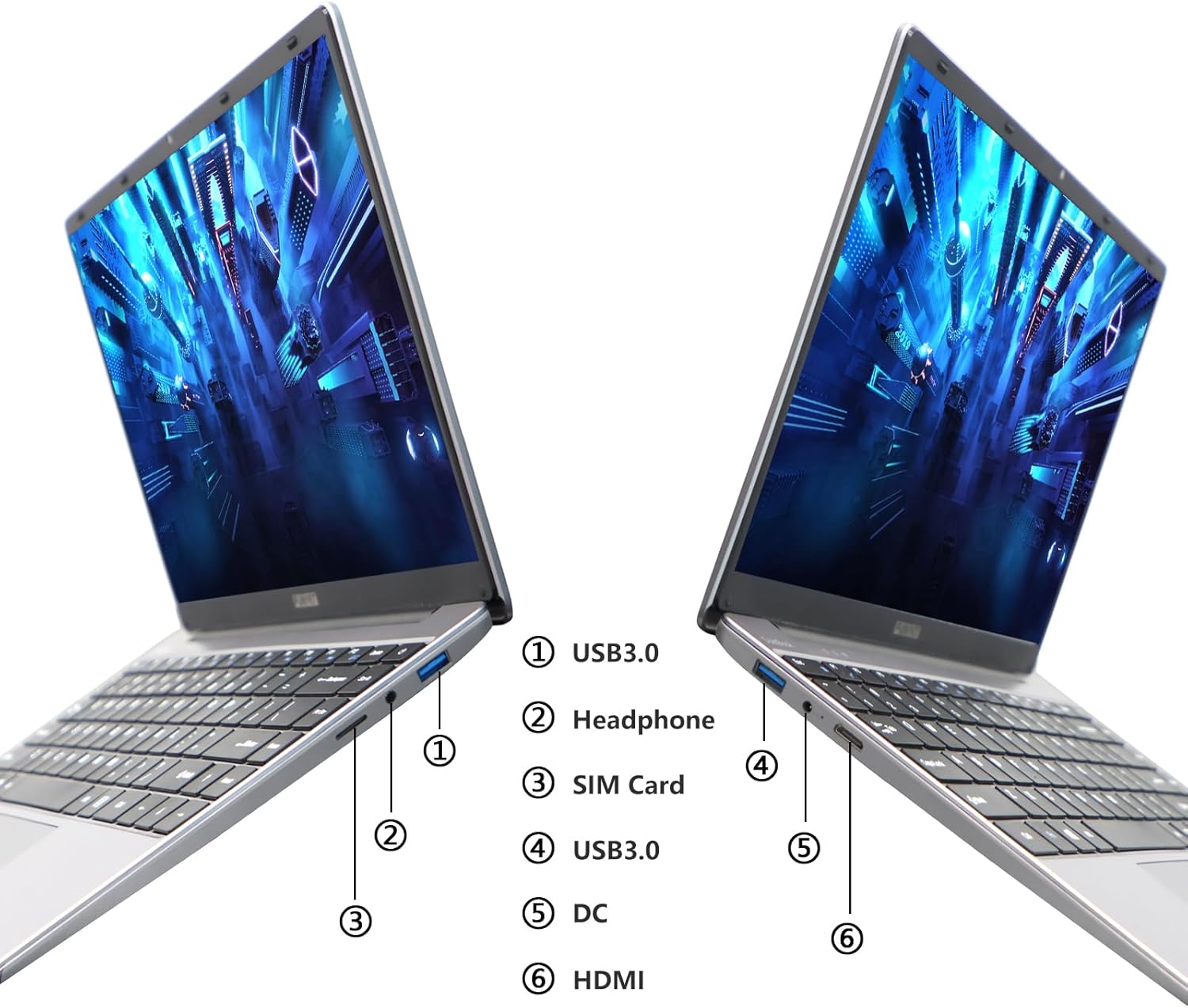
Image: Diagram illustrating the various ports on the sides of the laptop.
2.3 డిస్ప్లే ఫీచర్లు
The 14.1-inch FHD IPS display offers a 1920x1080 resolution. The laptop supports a 180-degree opening angle, allowing for flexible viewస్థానాలు.

Image: The laptop's screen fully opened to a 180-degree flat position.
2.4 బ్యాటరీ నిర్వహణ
The laptop is equipped with a 3800mAh (7.6V/5000mAh) battery. For optimal battery life, ensure the laptop is fully charged before first use. Unplug the AC adapter once the battery is fully charged to prevent overcharging. For extended storage, charge the battery to approximately 50% and store the device in a cool, dry place.

Image: Laptop screen showing a full battery charge indicator.
3. నిర్వహణ
3.1 సాధారణ సంరక్షణ
- Keep the laptop clean by wiping surfaces with a soft, dry cloth. Avoid liquid cleaners directly on the screen or keyboard.
- Ensure proper ventilation. Do not block the air vents to prevent overheating.
- ల్యాప్టాప్ను తీవ్రమైన ఉష్ణోగ్రతలు, ప్రత్యక్ష సూర్యకాంతి లేదా అధిక తేమకు గురిచేయకుండా ఉండండి.
- Handle the laptop with care to prevent physical damage.
3.2 నిల్వ విస్తరణ
The laptop's storage can be expanded using a TF (MicroSD) card. Insert the TF card into the designated slot until it clicks into place. To remove, gently push the card in until it springs out.
4. ట్రబుల్షూటింగ్
| సమస్య | సాధ్యమైన కారణం | పరిష్కారం |
|---|---|---|
| ల్యాప్టాప్ పవర్ ఆన్ చేయడం లేదు. | తక్కువ బ్యాటరీ లేదా పవర్ అడాప్టర్ సమస్య. | Ensure the AC adapter is securely connected and the power outlet is functional. Charge the laptop for at least 30 minutes before attempting to power on again. |
| Wi-Fi కనెక్షన్ సమస్యలు. | తప్పు Wi-Fi పాస్వర్డ్, రూటర్ సమస్యలు లేదా Wi-Fi అడాప్టర్ నిలిపివేయబడింది. | Verify the Wi-Fi password. Restart your router. Check Windows settings to ensure Wi-Fi is enabled. |
| నెమ్మదిగా పనితీరు. | Too many applications running, low storage space, or outdated drivers. | Close unnecessary applications. Check available storage on the SSD. Update Windows and device drivers. |
| స్క్రీన్ ఖాళీగా ఉంది లేదా మిణుకుమిణుకుమంటోంది. | Display driver issue, external display conflict, or hardware problem. | Restart the laptop. If connected to an external monitor, disconnect it. Update graphics drivers. |
If you encounter issues not listed here or if the suggested solutions do not resolve the problem, please contact FUNYET support.
5. సాంకేతిక లక్షణాలు
| ఫీచర్ | వివరాలు |
|---|---|
| మోడల్ పేరు | DuetBook N5095 |
| ప్రాసెసర్ | Intel 11th Gen Celeron N5095 (up to 2.9 GHz, 4 Cores, 4 Threads) |
| గ్రాఫిక్స్ | ఇంటెల్ UHD గ్రాఫిక్స్ (ఇంటిగ్రేటెడ్) |
| RAM | 16GB DDR4 |
| నిల్వ | 512GB SSD (Expandable via TF card) |
| ప్రదర్శించు | 14.1-inch FHD IPS (1920 x 1080 pixels) |
| ఆపరేటింగ్ సిస్టమ్ | Windows 11 ప్రో |
| వైర్లెస్ కనెక్టివిటీ | వై-ఫై (2.4G/5G), బ్లూటూత్ 4.2 |
| ఓడరేవులు | 2x USB 3.0, 1x HDMI, 1x Headphone Jack, 1x DC-in, 1x TF Card Slot |
| బ్యాటరీ | 3800mAh (7.6V/5000mAh) Lithium Ion |
| కొలతలు (LxWxH) | 12.7 x 8.3 x 0.8 అంగుళాలు |
| బరువు | 3 పౌండ్లు |

Image: Visual summary of key laptop features and specifications.
6. వారంటీ మరియు మద్దతు
FUNYET provides comprehensive support for your laptop:
- వారంటీ: కొనుగోలు చేసిన తేదీ నుండి 2 సంవత్సరాల వారంటీ.
- రిటర్న్స్/ఎక్స్ఛేంజ్లు: 6 months of free replacement or return service.
- ఆన్లైన్ మద్దతు: 24/7 online support with instant responses.
- ఫోన్ మద్దతు: Available every business day from 4 PM to 10 PM Pacific Time.
For assistance, please contact FUNYET support:
- టెలిఫోన్: +1 800-986-9631
- ఇమెయిల్: funyetstore@outlook.com
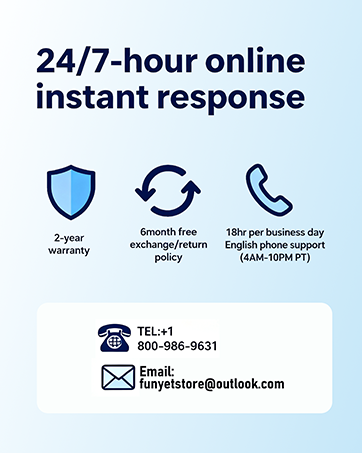
Image: FUNYET customer support and warranty details.


