1. పరిచయం
Welcome to the world of Tonies! This instruction manual provides essential information for setting up, operating, and maintaining your Tonies Toniebox 2 Audio Player Starter Set. Designed for independent play, the Toniebox offers screen-free audio entertainment for children aged 1 and up.

Image: The Tonies Toniebox 2 in Cloud Pink, accompanied by the Playtime Puppy Tonie.
2. సెటప్
2.1 What's Included in the Starter Set
- 1x Toniebox 2 Speaker Unit (Cloud Pink)
- 1x 8.6” (22cm) USB-C Charging Cable
- 1x Playtime Puppy Tonie
Note: Power Adapter, longer charger cable, and additional Tonies are sold separately. Wi-Fi is needed for initial setup. The included USB-C Charging Cable is 8.6" to meet child safety standards for little listeners aged 1+.

Image: Visual representation of the Toniebox 2 Starter Set components.
2.2 ప్రారంభ సెటప్
- Charge the Toniebox: Connect the Toniebox to a power source using the provided USB-C charging cable. Ensure it is fully charged before first use.
- Wi-Fiకి కనెక్ట్ చేయండి: The Toniebox requires a Wi-Fi connection for its initial setup and to download content for new Tonies. Follow the instructions in the Tonies app or on the Tonies website to connect your device.
- Place a Tonie: Once connected, place the Playtime Puppy Tonie on top of the Toniebox. The content will automatically download and be ready for playback.

Image: The short USB-C charging cable, designed for child safety.
3. ఆపరేటింగ్ సూచనలు
3.1 ప్రాథమిక ప్లేబ్యాక్
- ప్లేబ్యాక్ ప్రారంభించండి: Place any Tonie audio character on top of the Toniebox. Playback begins automatically.
- వాల్యూమ్ సర్దుబాటు: Press the small "ears" on top of the Toniebox. Pressing the larger ear increases volume, and the smaller ear decreases it.
- Change Tracks: Tap the sides of the Toniebox to skip forward or backward through tracks.
- పాజ్/రెస్యూమ్: Remove the Tonie from the box to pause. Place it back on to resume.

Image: Simple steps for independent play with the Toniebox 2.
3.2 Sleep Timer and Sunrise Alarm
The Toniebox 2 includes smart bedtime and wake-up features. These can be configured via the Tonies app to help establish sleep routines.
- Sleep Timer with Light: Set a duration for the Toniebox to play content and emit a soft light, gradually fading as the child falls asleep.
- Sunrise Alarm: Program the Toniebox to gently wake your child with light and sound at a set time.
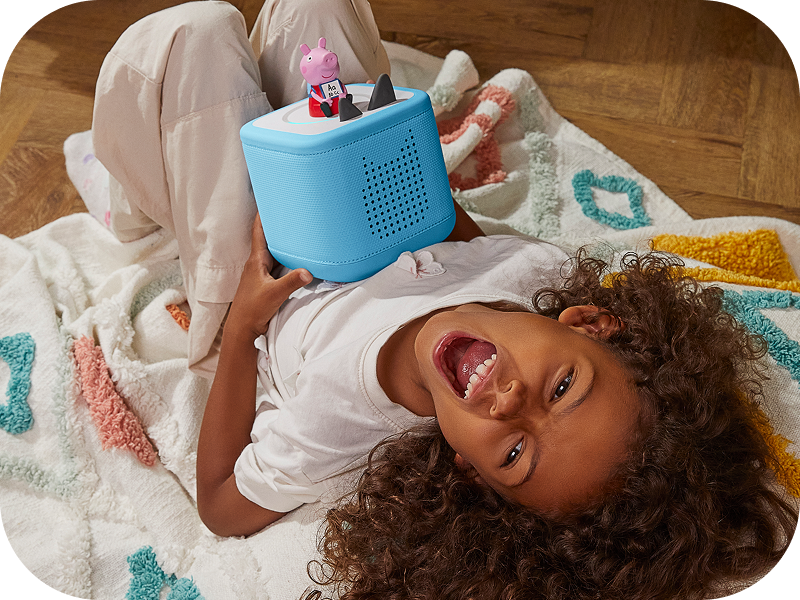
Image: A child sleeping peacefully next to a Toniebox 2, highlighting its sleep timer function.
4 కీ ఫీచర్లు
- స్వతంత్ర ఆట: Kid-friendly, intuitive controls allow children to explore stories, songs, and games on their own.
- మన్నిక: Built to last for ages 1-9+, supporting a wide range of Tonies and Tonieplay games.
- స్క్రీన్ రహిత వినోదం: Provides a safe, ad-free experience without screens, microphones, or cameras.
- Tonieplay: Supports interactive games, adventures, challenges, and quizzes (Tonieplay controller sold separately).
- విస్తృతమైన కంటెంట్ లైబ్రరీ: Access hundreds of Tonies with new releases monthly, covering diverse stories, songs, and educational content.
- తల్లిదండ్రుల నియంత్రణ: Monitor usage and manage settings via the Tonies app.

చిత్రం: పైగాview of the main features of the Toniebox 2.
5. నిర్వహణ
- శుభ్రపరచడం: Wipe the Toniebox with a soft, dry cloth. Avoid using harsh chemicals or abrasive materials.
- నిల్వ: Store the Toniebox and Tonies in a cool, dry place away from direct sunlight and extreme temperatures.
- బ్యాటరీ సంరక్షణ: బ్యాటరీ జీవితకాలం గరిష్టంగా ఉండాలంటే, తరచుగా బ్యాటరీని పూర్తిగా డిశ్చార్జ్ చేయకండి. క్రమం తప్పకుండా ఛార్జ్ చేయండి.
6. ట్రబుల్షూటింగ్
6.1 సాధారణ సమస్యలు మరియు పరిష్కారాలు
| సమస్య | సాధ్యమైన కారణం | పరిష్కారం |
|---|---|---|
| Toniebox not turning on | బ్యాటరీ తక్కువగా ఉంది; పవర్ బటన్ సరిగ్గా నొక్కబడలేదు. | Charge the Toniebox fully. Press and hold one of the ears for a few seconds to power on. |
| Tonie not playing content | Content not fully downloaded; Poor Wi-Fi connection | Ensure the Toniebox is connected to Wi-Fi and the Tonie is placed correctly. Allow time for content to download. Check Wi-Fi signal strength. |
| Sound issues (too low/high, distorted) | Volume settings; Speaker obstruction | Adjust volume using the Toniebox ears. Ensure speakers are not covered. |
For further assistance, please refer to the official Tonies support webసైట్ లేదా కస్టమర్ సేవను సంప్రదించండి.
7. స్పెసిఫికేషన్లు
| ఫీచర్ | వివరాలు |
|---|---|
| మోడల్ పేరు | Toniebox 2 |
| బ్రాండ్ | టోనీలు |
| రంగు | Cloud Pink |
| అంశం మోడల్ సంఖ్య | Toniebox 2 |
| UPC | 840147443373 |
| ఉత్పత్తి కొలతలు | 5"డి x 5"వా x 5"హ |
| వస్తువు బరువు | 2.6 పౌండ్లు |
| మెటీరియల్ | పత్తి |
| శక్తి మూలం | బ్యాటరీ ఆధారితం (1 లిథియం అయాన్ బ్యాటరీ కూడా ఉంది) |
| కనెక్టివిటీ టెక్నాలజీ | Wi-Fi |
| నియంత్రణ పద్ధతి | టచ్ |
| ప్రత్యేక ఫీచర్ | Shockproof, USB Port, Network Ready |
| సిఫార్సు చేసిన ఉపయోగాలు | Indoor/Outdoor, Home entertainment for kids, Educational and interactive play, Bedtime and sleep routine support |
8. వారంటీ మరియు మద్దతు
The Toniebox 2 comes with a limited warranty. For detailed information regarding warranty coverage, terms, and conditions, please refer to the official Tonies webసైట్ లేదా మీ ఉత్పత్తితో చేర్చబడిన వారంటీ కార్డ్.
For customer support, technical assistance, or to register your product, visit the official Tonies support portal or contact their customer service team directly. Contact information can typically be found on the Tonies webసైట్ లేదా ఉత్పత్తి ప్యాకేజింగ్లో.
ఆన్లైన్ వనరులు:


