1. భద్రతా సమాచారం
Please read all safety information before using your device to ensure safe and proper use. Failure to follow these instructions may result in injury or damage to the device.
- బ్యాటరీ భద్రత: Do not disassemble, puncture, or modify the battery. Avoid exposing the battery to high temperatures or direct sunlight.
- నీరు మరియు ధూళి నిరోధకత: The OUKITEL G3 is IP68/IP69K rated for water and dust resistance. Ensure all ports are securely closed before exposing the device to water or dust. Avoid prolonged submersion or exposure to high-pressure water jets.
- ఉష్ణోగ్రత: Operate the device within a temperature range of 0°C to 35°C (32°F to 95°F). Extreme temperatures can damage the device and reduce battery life.
- సేవ: Only authorized service personnel should repair this product. Unauthorized repairs may void your warranty.
2. ప్యాకేజీ విషయాలు
Verify that all items are present in your OUKITEL G3 package:
- 1x OUKITEL G3 Rugged Phone
- 1x 10W Charger
- 1x Data Cable (USB-C)
- 1x మాన్యువల్

Image: The OUKITEL G3 smartphone, charger, data cable, and user manual as found in the product packaging.
Video: An unboxing demonstration of the OUKITEL G3 Rugged Smartphone, showcasing the phone and its included accessories.
3. సెటప్
3.1 ప్రారంభ సెటప్
- పవర్ ఆన్: Press and hold the Power button located on the right side of the device until the OUKITEL logo appears.
- ఆన్-స్క్రీన్ ప్రాంప్ట్లను అనుసరించండి: The device will guide you through selecting your language, connecting to Wi-Fi, and setting up your Google account.
3.2 SIM/TF కార్డ్ని చొప్పించడం
The OUKITEL G3 supports Dual SIM (Nano + Nano) or Nano + TF card for flexible network and storage options.
- ఫోన్ పక్కన సిమ్ కార్డ్ ట్రేని గుర్తించండి.
- ట్రేని తెరవడానికి అందించిన SIM ఎజెక్టర్ సాధనాన్ని ఉపయోగించండి.
- Carefully place your Nano-SIM card(s) and/or TF card into the designated slots.
- ప్లేస్లోకి క్లిక్ చేసే వరకు ట్రేని పరికరంలోకి సున్నితంగా నెట్టండి.

Image: The SIM card tray of the OUKITEL G3, showing the correct placement for Nano-SIM cards and a TF (microSD) card.
3.3 పరికరాన్ని ఛార్జ్ చేస్తోంది
The OUKITEL G3 is equipped with a 6300mAh battery and supports 10W fast charging.
- Connect the USB-C end of the data cable to the phone's charging port.
- Connect the USB-A end of the data cable to the 10W charger.
- పవర్ అవుట్లెట్లో ఛార్జర్ను ప్లగ్ చేయండి.
- ఛార్జింగ్ సూచిక తెరపై కనిపిస్తుంది.
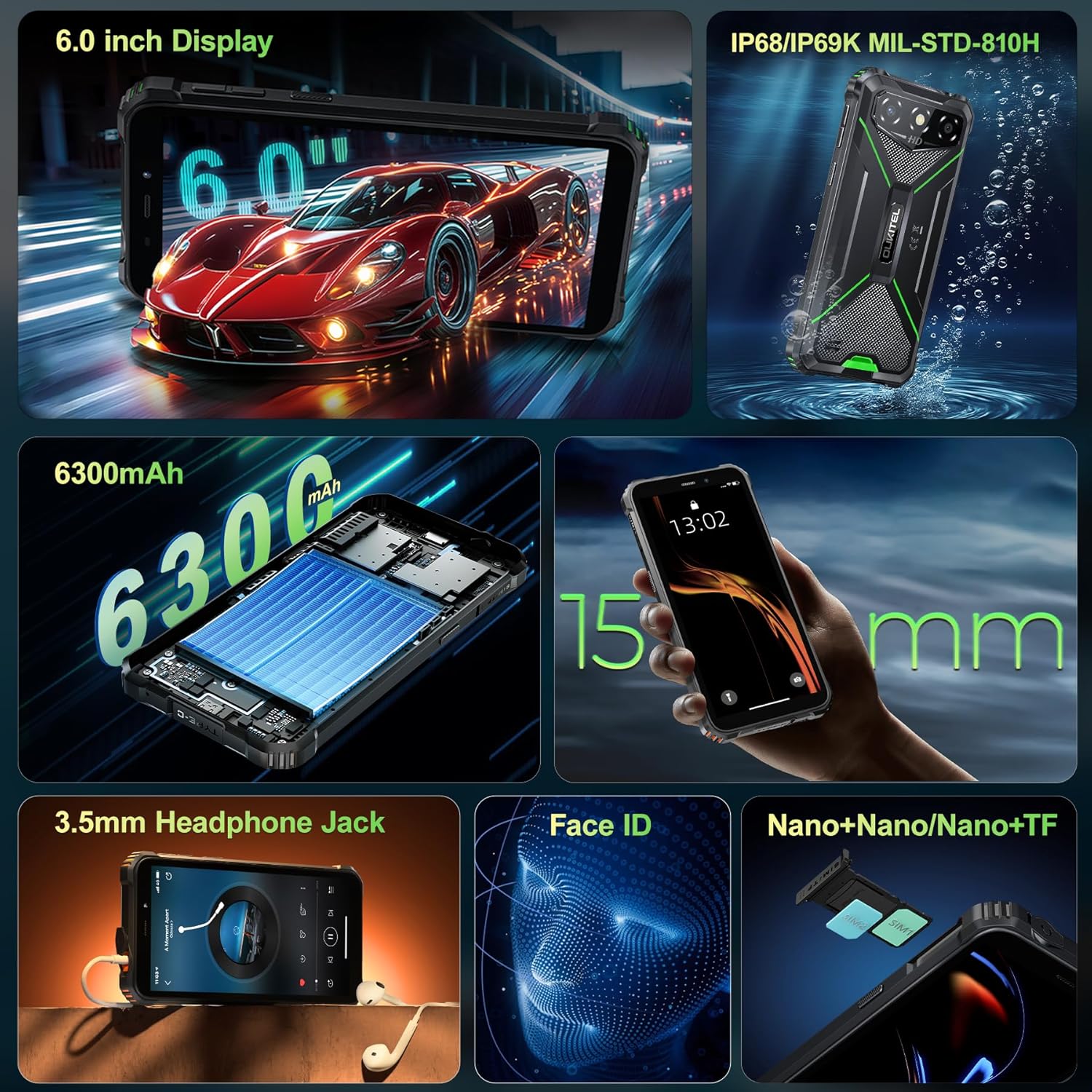
Image: The OUKITEL G3 phone being charged with its included 10W charger and USB-C cable.
4. Operating Your OUKITEL G3
4.1 ప్రాథమిక నావిగేషన్
Your OUKITEL G3 runs on the latest Android 14, offering a clean and responsive user interface.
- హోమ్ స్క్రీన్: విభిన్న హోమ్ స్క్రీన్ ప్యానెల్లను యాక్సెస్ చేయడానికి ఎడమ లేదా కుడి వైపుకు స్వైప్ చేయండి.
- యాప్ డ్రాయర్: Swipe up from the bottom of the screen to open the app drawer and view అన్ని ఇన్స్టాల్ చేసిన అప్లికేషన్లు.
- నోటిఫికేషన్లు & త్వరిత సెట్టింగ్లు: నోటిఫికేషన్లను మరియు త్వరిత సెట్టింగ్ల టోగుల్లను యాక్సెస్ చేయడానికి స్క్రీన్ పై నుండి క్రిందికి స్వైప్ చేయండి.
4.2 డిస్ప్లే ఫీచర్లు
The 6-inch HD display provides a bright and clear viewing అనుభవం.
- ప్రకాశం సర్దుబాటు: Adjust screen brightness manually or enable adaptive brightness in Settings > Display.
- రిఫ్రెష్ రేట్: The display operates at a 60Hz refresh rate for smooth visuals.
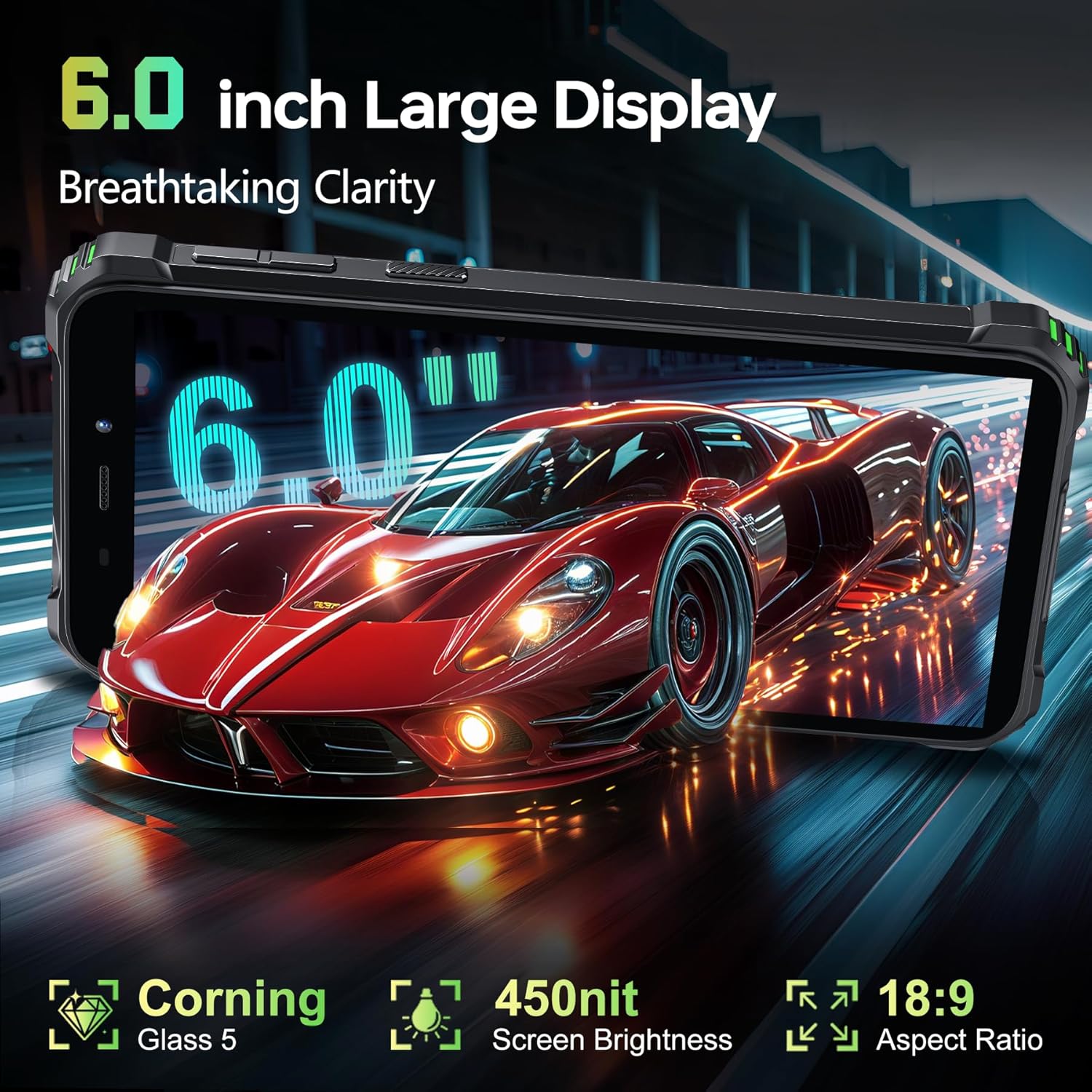
Image: The OUKITEL G3's 6-inch HD display showcasing a dynamic image, highlighting its clarity and color reproduction.
4.3 కెమెరా వినియోగం
Capture moments with the 13MP main camera and 5MP front camera.
- Open Camera App: Tap the Camera icon on your home screen or app drawer.
- కెమెరాలను మార్చండి: Tap the camera switch icon to toggle between the rear and front cameras.
- Capture Photo/Video: ఫోటో తీయడానికి లేదా వీడియో రికార్డింగ్ ప్రారంభించడానికి/ఆపడానికి షట్టర్ బటన్ను నొక్కండి.
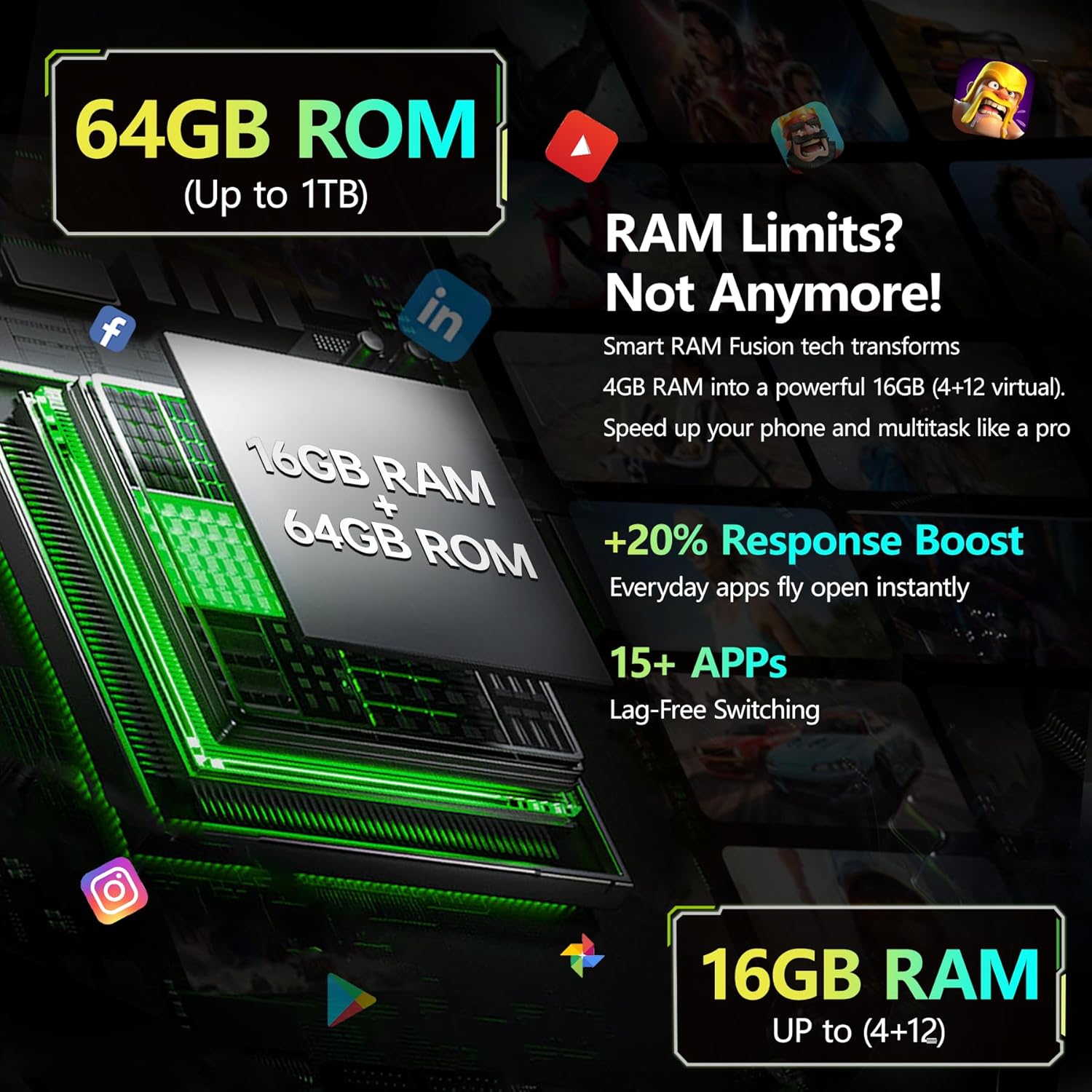
చిత్రం: వివరణాత్మక view of the OUKITEL G3's rear camera setup, featuring the 13MP main camera lens and LED flash.
4.4 కనెక్టివిటీ
Stay connected with various connectivity options.
- 4G Dual SIM: Supports two Nano-SIM cards for separate mobile networks.
- Wi-Fi: Connect to 2.4G and 5G Wi-Fi networks for internet access.
- బ్లూటూత్: Pair with Bluetooth devices like headphones or speakers.
- GPS: ఖచ్చితమైన నావిగేషన్ కోసం GPS, GLONASS, Beidou మరియు Galileoలను ఉపయోగించండి.
4.5 ప్రత్యేక లక్షణాలు
- ఫేస్ ID: Unlock your phone securely using facial recognition.
- USB OTG: Connect USB devices such as flash drives or keyboards using an OTG adapter (sold separately).
- 3.5mm ఆడియో జాక్: ఆడియో ప్లేబ్యాక్ కోసం వైర్డు హెడ్ఫోన్లను కనెక్ట్ చేయండి.
Video: A promotional video highlighting various features of the OUKITEL G3 Rugged Phone, including its durability and performance.
5. నిర్వహణ
5.1 Waterproof and Dustproof Care
The OUKITEL G3 is designed to withstand harsh environments with IP68, IP69K, and MIL-STD-810H certifications.
- Ensure all port covers are tightly sealed before exposing the phone to water or dust.
- After exposure to water, dry the device thoroughly before charging or opening any ports.
- Avoid using the phone in extreme underwater conditions or high-pressure water.
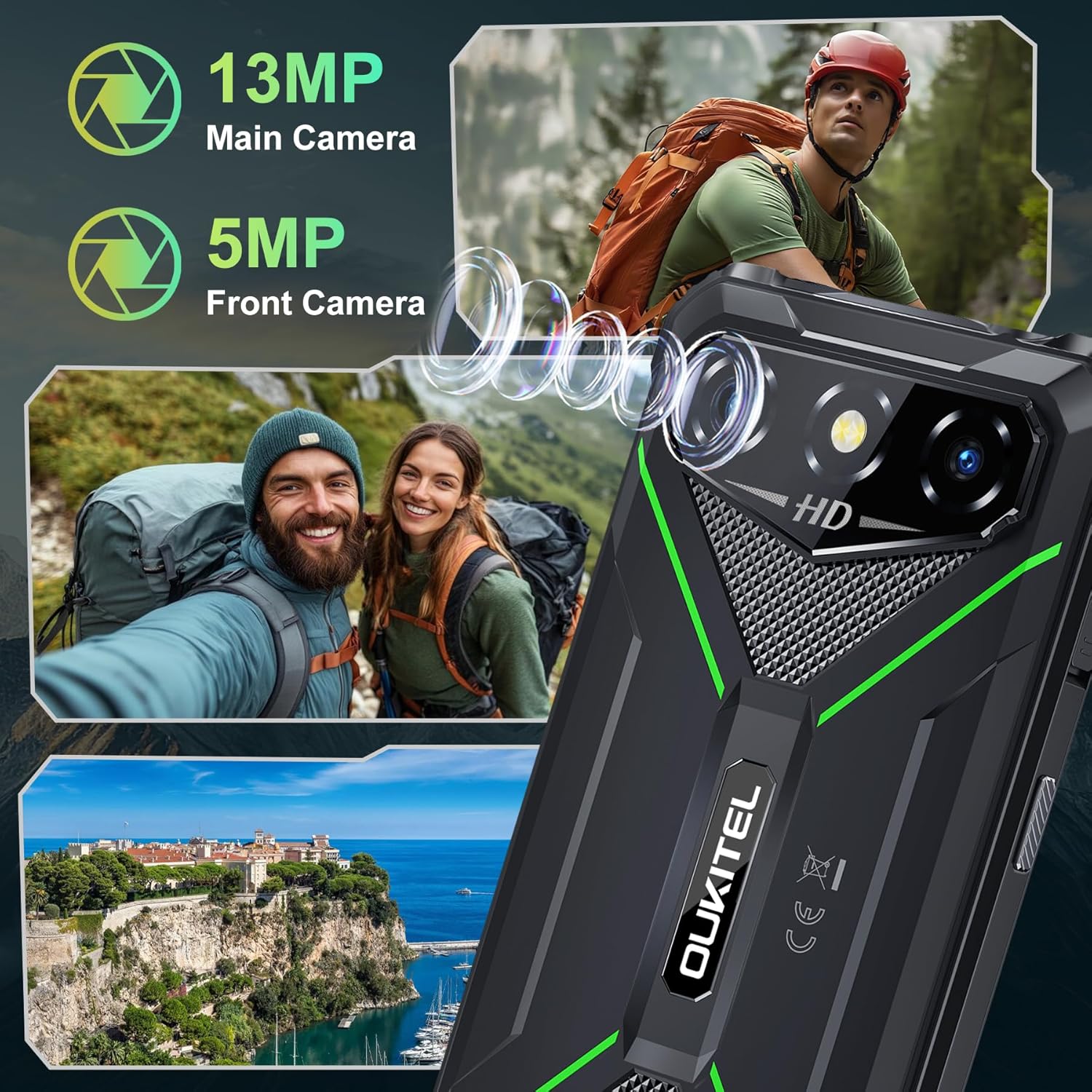
Image: The OUKITEL G3 rugged smartphone shown with water splashing on it, illustrating its waterproof capabilities.
5.2 Battery Optimization
To maximize the life of your 6300mAh battery:
- బ్యాటరీని తరచుగా పూర్తిగా డిశ్చార్జ్ చేయడాన్ని నివారించండి.
- Reduce screen brightness and disable unnecessary features like Bluetooth or Wi-Fi when not in use.
- Close background applications that consume excessive power.
- The phone supports reverse charging, allowing it to act as a power bank for other devices.
6. ట్రబుల్షూటింగ్
If you encounter issues with your OUKITEL G3, try the following steps:
- పరికరం స్పందించడం లేదు: రీస్టార్ట్ చేయమని బలవంతం చేయడానికి పవర్ బటన్ను దాదాపు 10 సెకన్ల పాటు నొక్కి పట్టుకోండి.
- ఛార్జింగ్ సమస్యలు: Ensure the charger and cable are properly connected and undamaged. Try a different outlet.
- నెట్వర్క్ సమస్యలు: Check if your SIM card is correctly inserted. Verify your mobile data or Wi-Fi connection settings.
- యాప్ క్రాష్లు: సెట్టింగ్లు > యాప్లలో సమస్యాత్మక యాప్ యొక్క కాష్ మరియు డేటాను క్లియర్ చేయండి. సమస్య కొనసాగితే, యాప్ను అన్ఇన్స్టాల్ చేసి, మళ్లీ ఇన్స్టాల్ చేయండి.
- ఫ్యాక్టరీ రీసెట్: చివరి ప్రయత్నంగా, మీరు ఫ్యాక్టరీ రీసెట్ చేయవచ్చు (సెట్టింగ్లు > సిస్టమ్ > రీసెట్ ఎంపికలు > అన్ని డేటాను తొలగించండి). Warning: This will erase all data on your phone. Back up important information first.
7. స్పెసిఫికేషన్లు
| ఫీచర్ | వివరాలు |
|---|---|
| మోడల్ పేరు | OUKITEL G3 |
| ఆపరేటింగ్ సిస్టమ్ | ఆండ్రాయిడ్ 14 |
| ప్రదర్శన పరిమాణం | 6 అంగుళాలు |
| RAM మెమరీ ఇన్స్టాల్ చేయబడిన పరిమాణం | 16 GB |
| మెమరీ స్టోరేజ్ కెపాసిటీ | 64 జీబీ (1 టీబీ వరకు విస్తరించుకోవచ్చు) |
| బ్యాటరీ పవర్ రేటింగ్ | 6300 mAh |
| ఫోన్ టాక్ టైమ్ | 45 గంటలు |
| వెనుక కెమెరా | 13 ఎంపీ |
| ఫ్రంట్ కెమెరా | 5 ఎంపీ |
| సెల్యులార్ టెక్నాలజీ | 4G |
| Wireless Carrier Support | T-Mobile (Not AT&T or Verizon) |
| కనెక్టివిటీ టెక్నాలజీస్ | Bluetooth, USB, Wi-Fi (2.4G+5G) |
| ప్రత్యేక లక్షణాలు | Built-In GPS, Dual SIM, Rugged Body, Supports USB OTG, Face ID, 3.5mm Audio Jack |
| IP రేటింగ్ | IP68, IP69K |
| సైనిక ప్రమాణం | MIL-STD-810H |
| వస్తువు బరువు | 1.22 పౌండ్లు |
| ప్యాకేజీ కొలతలు | 8.11 x 4.5 x 2.16 అంగుళాలు |
8. వారంటీ మరియు మద్దతు
Your OUKITEL G3 Rugged Smartphone comes with a manufacturer's warranty. Please refer to the warranty certificate included in your package for specific terms and conditions.
For technical support, troubleshooting assistance, or warranty claims, please contact OUKITEL customer service through their official webసైట్ లేదా మీ వారంటీ డాక్యుమెంటేషన్లో అందించిన సంప్రదింపు సమాచారం.


