1. పరిచయం
This manual provides detailed instructions for the OUKITEL WP210 Rugged Phone. The WP210 is a durable smartphone designed for demanding environments, featuring a 6.7-inch FHD+ AMOLED display, a powerful MTK Dimensity 8200 processor, a 108MP triple camera system, and a large 8800mAh battery. It operates on Android 15 and includes advanced features like an under-screen fingerprint sensor, NFC, and WiFi 6. This guide will help you set up, operate, maintain, and troubleshoot your device.
2. పెట్టెలో ఏముంది
ప్యాకేజీని తెరిచినప్పుడు, క్రింద జాబితా చేయబడిన అన్ని అంశాలు ఉన్నాయని నిర్ధారించుకోండి:
- 1x OUKITEL WP210 Smartphone
- 1x ఛార్జర్
- 1x టైప్-సి కేబుల్
- 1x Maintenance Card
- 1x రక్షణ కేసు
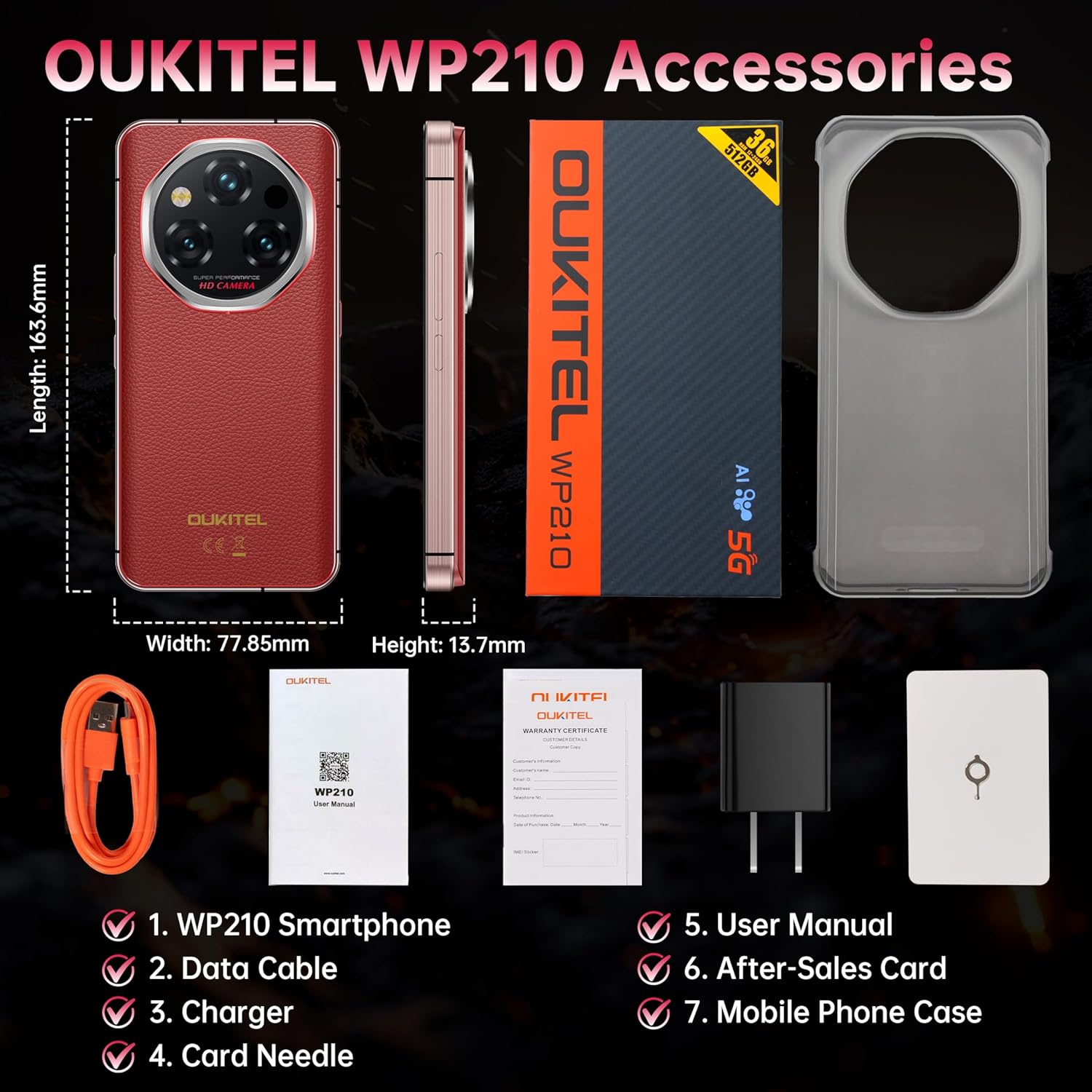
Figure 2.1: Package contents of the OUKITEL WP210, including the smartphone, charger, Type-C cable, maintenance card, and protective case.
3. ప్రారంభ సెటప్
3.1 సిమ్ కార్డులను చొప్పించడం
The OUKITEL WP210 supports dual SIM cards. Use the provided card needle to open the SIM card tray located on the side of the device. Insert your Nano-SIM cards into the designated slots. Ensure the tray is securely closed to maintain water and dust resistance.
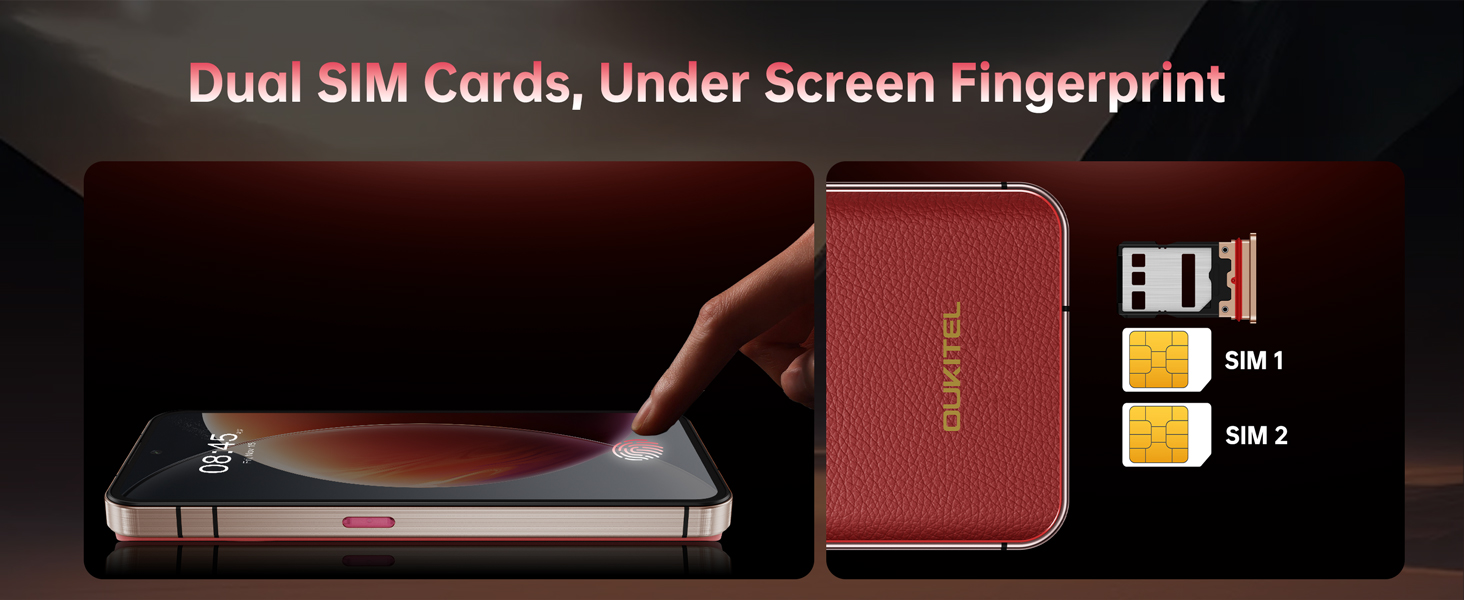
Figure 3.1: Illustration of the dual SIM card slots and the under-screen fingerprint sensor on the OUKITEL WP210.
3.2 పవర్ చేయడం ఆన్/ఆఫ్
To power on the device, press and hold the Power button (located on the side) until the OUKITEL logo appears. To power off, press and hold the Power button, then select 'Power off' from the options on the screen.
3.3 ప్రారంభ కాన్ఫిగరేషన్
Follow the on-screen prompts to complete the initial setup, including language selection, Wi-Fi connection, Google account setup, and security settings (fingerprint, Face ID, PIN/pattern).
4. Key Features Overview
4.1 దృఢమైన డిజైన్ మరియు మన్నిక
The OUKITEL WP210 is engineered for extreme conditions, certified with IP68/IP69K for water and dust resistance, and meeting MIL-STD-810H standards for shockproof durability. It can withstand immersion in 1.5 meters of water for 30 minutes and operates in temperatures ranging from -20°C to 55°C. The device features a durable aluminum alloy frame and Corning Gorilla Glass 5 for enhanced protection.
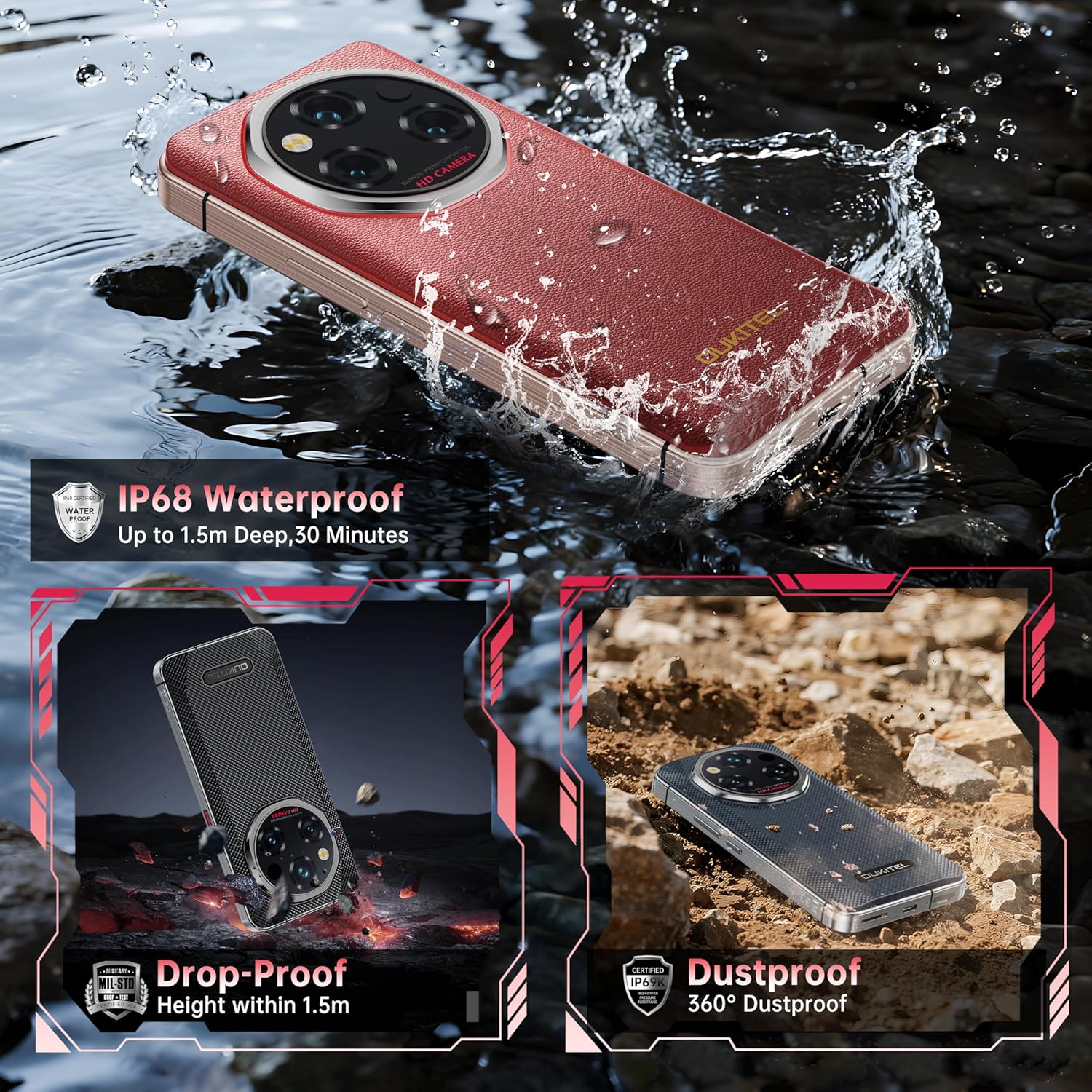
Figure 4.1: The OUKITEL WP210 is shown submerged in water, dropped, and in a dusty environment, highlighting its IP68, IP69K, and MIL-STD-810H certifications.

Figure 4.2: Visual representation of the OUKITEL WP210's ruggedness, emphasizing its IP68, IP69K, and MIL-STD-810H ratings for water, dust, and drop resistance.
4.2 High-Performance Display
The device features a 6.7-inch FHD+ AMOLED display with a 120Hz refresh rate, providing vivid visuals and smooth scrolling. The screen is protected by Corning Gorilla Glass 5.

Figure 4.3: The OUKITEL WP210's 6.7-inch FHD+ AMOLED display, highlighting its 120Hz refresh rate, 1080*2412 resolution, 394PPI, 20:9 aspect ratio, and 500nit brightness.

Figure 4.4: The OUKITEL WP210's 6.7-inch FHD+ AMOLED display, emphasizing its 120Hz refresh rate, HDR support, 500 Nit brightness, 91% screen-to-body ratio, and Corning Gorilla Glass 5 protection.
4.3 శక్తివంతమైన పనితీరు
Powered by the MTK Dimensity 8200 octa-core CPU (up to 3.1GHz) and running on Android 15, the WP210 offers smooth multitasking and gaming. It comes with 36GB (12GB + 24GB extended) RAM and 512GB of internal storage, expandable via microSD.

Figure 4.5: The OUKITEL WP210's MediaTek Dimensity 8200 5G Octa-core Processor, highlighting its 4nm processing, 5G speed, and Mali-G610 MP6 GPU.
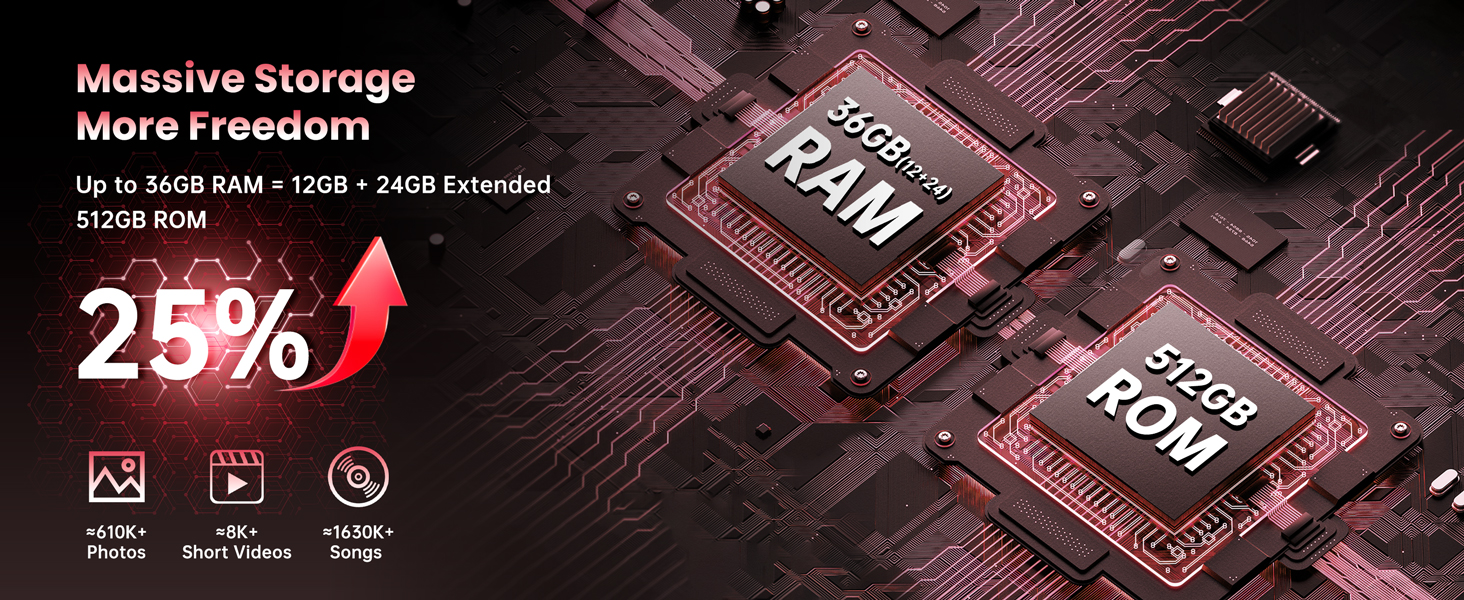
Figure 4.6: The OUKITEL WP210's massive storage capabilities, featuring up to 36GB RAM (12GB + 24GB Extended) and 512GB ROM, capable of storing thousands of photos, videos, and songs.
4.4 అధునాతన కెమెరా వ్యవస్థ
The WP210 features a versatile triple camera setup: a 108MP main camera, a 2MP macro lens, and a 0.3MP depth sensor. The front camera is 32MP for high-quality selfies. It also includes a night vision camera for low-light conditions.
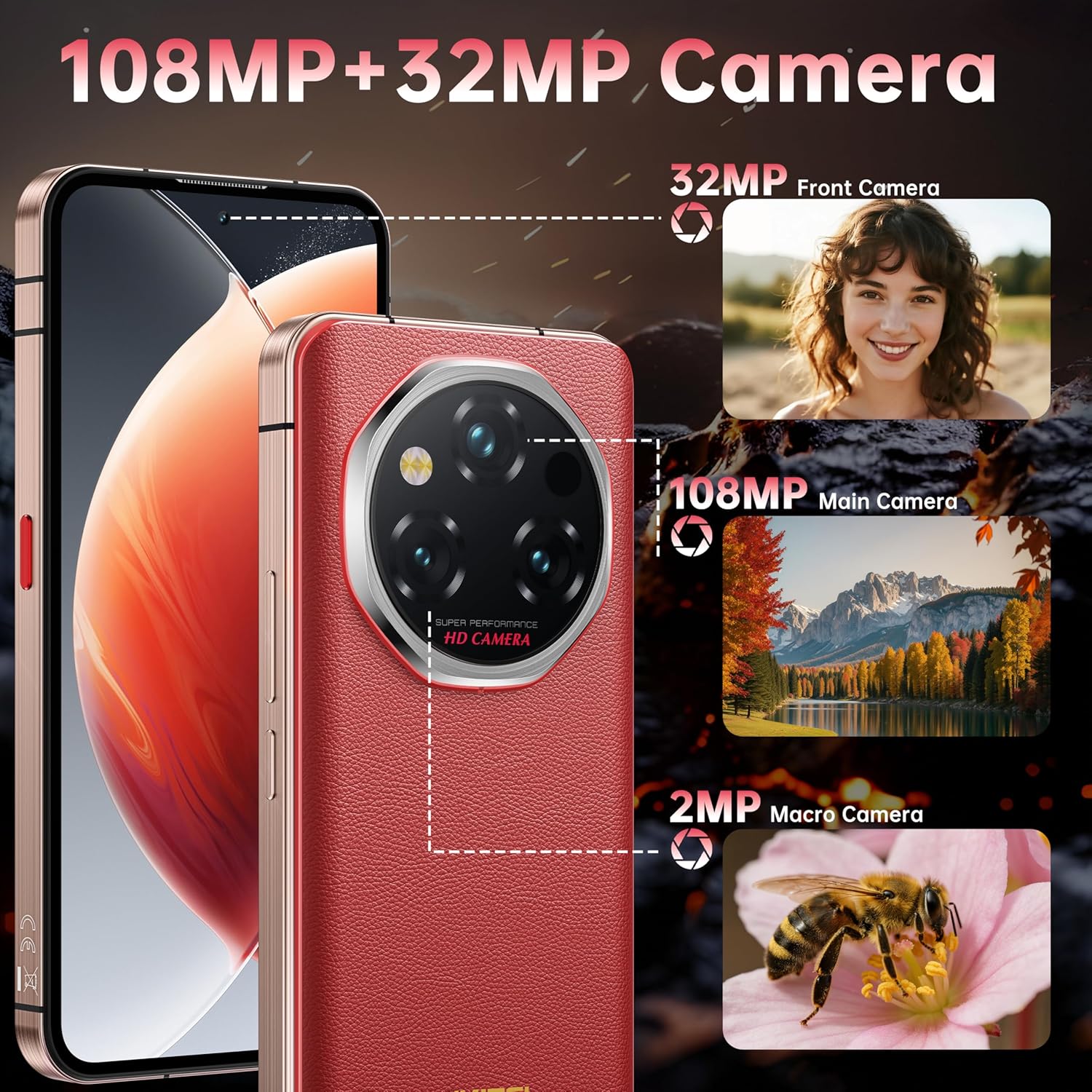
మూర్తి 4.7: వివరంగా view of the OUKITEL WP210's camera system, including the 108MP main camera, 32MP front camera, and 2MP macro camera.

Figure 4.8: The OUKITEL WP210's triple camera setup, highlighting the 108MP main camera, 2MP macro camera, and 0.3MP depth camera for various photography needs.
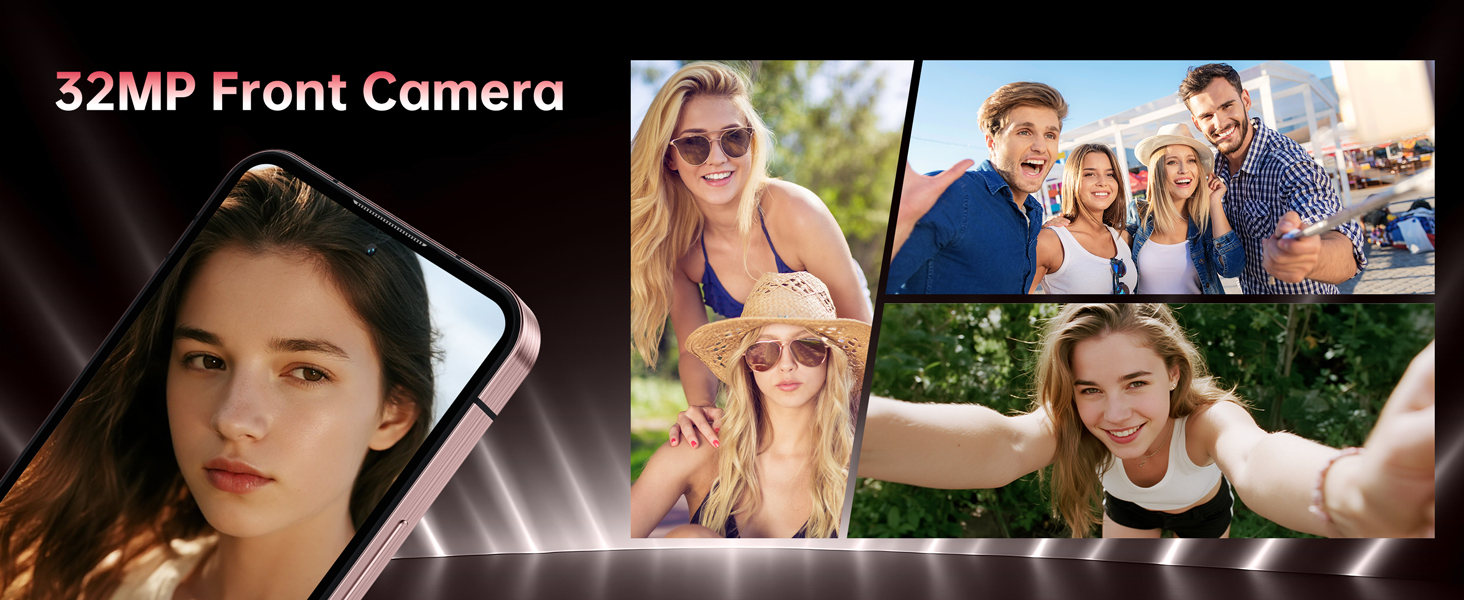
Figure 4.9: The OUKITEL WP210's 32MP front camera, capable of capturing clear and detailed selfies.

చిత్రం 4.10: ఉదాamples of photos taken with the OUKITEL WP210's 2MP macro camera and 0.3MP depth camera, showcasing their ability to capture fine details and create professional portrait effects.
4.5 Secondary Display
The OUKITEL WP210 features a customizable secondary display on the rear, allowing quick access to time, notifications, music controls, and more without activating the main screen.
4.6 Connectivity and Navigation
Stay connected with 5G, WiFi 6, NFC for contactless payments, and precise navigation thanks to GPS, GLONASS, Beidou, and Galileo support.

Figure 4.11: The OUKITEL WP210's support for WiFi 6, ensuring fast and reliable internet connectivity.
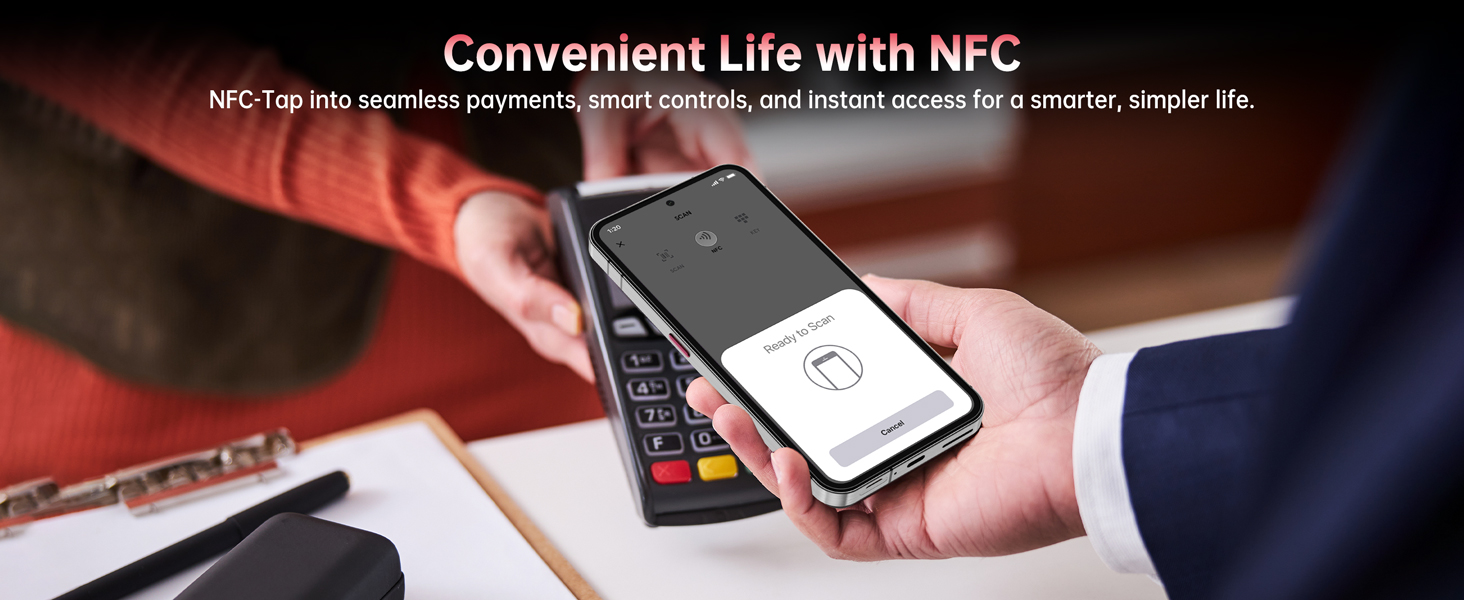
Figure 4.12: The OUKITEL WP210's NFC functionality, enabling seamless payments and smart controls.
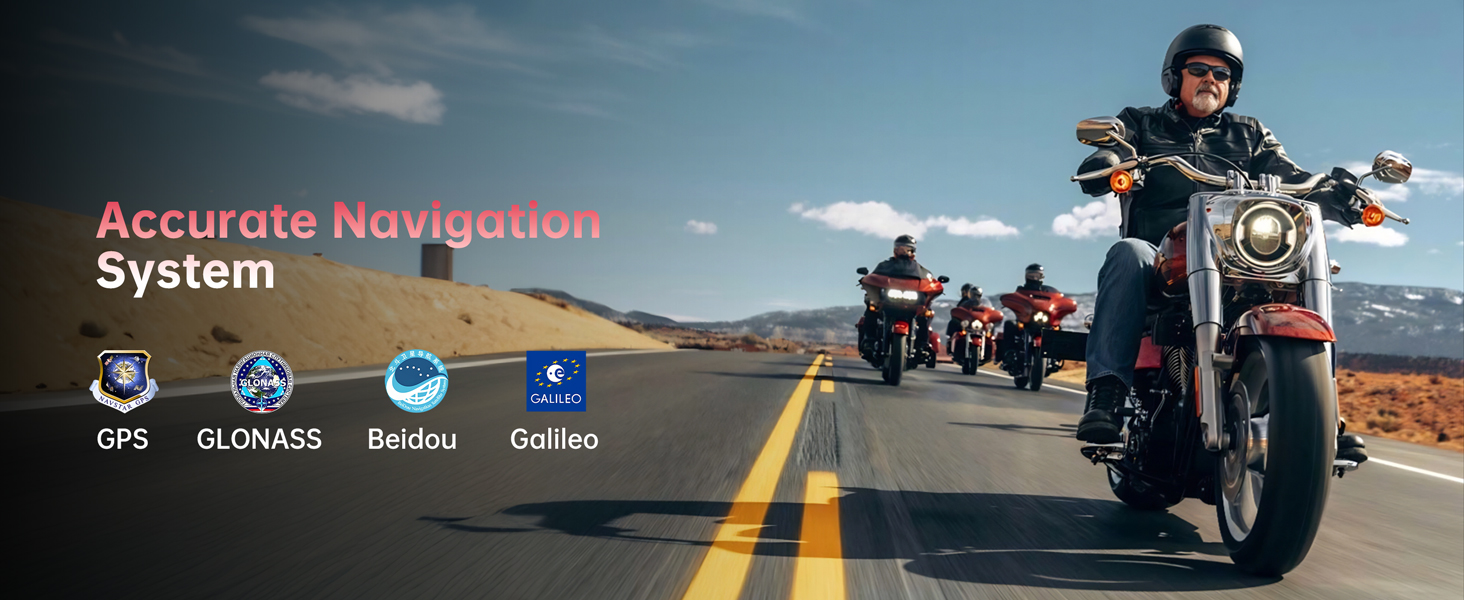
Figure 4.13: The OUKITEL WP210's accurate navigation system, supported by GPS, GLONASS, Beidou, and Galileo.
5. ఆపరేటింగ్ సూచనలు
5.1 Using the Secondary Display
The secondary display on the rear of the WP210 can be customized with various clock faces and widgets. Swipe left/right or up/down on the secondary display to access different functions like battery status, music player, camera shortcut, and calendar. Notifications can also be viewed.
5.2 Customizable Action Button
The side action button can be programmed for various shortcuts:
- సింగిల్ క్లిక్: Open flashlight (default)
- రెండుసార్లు నొక్కు: Take a screenshot (default)
- లాంగ్ ప్రెస్: Launch a selected application (e.g., calculator, camera, SOS)
These actions can be configured in the phone's settings under 'Side Key Function'.
5.3 Fingerprint Sensor and Face ID
Unlock your phone securely using the under-screen fingerprint sensor or Face ID. Register your fingerprint(s) and face data in the security settings for quick and convenient access.
6. కెమెరా వినియోగం
6.1 Taking Photos and Videos
Open the Camera app to access various modes:
- ఫోటో మోడ్: Use the 108MP main camera for high-resolution images.
- మాక్రో మోడ్: Switch to the 2MP macro lens for detailed close-up shots.
- పోర్ట్రెయిట్ మోడ్: Utilize the 0.3MP depth sensor for professional portrait effects.
- రాత్రి దృష్టి: Activate the night vision camera to capture images in complete darkness.
- వీడియో మోడ్: 4Kతో సహా వివిధ రిజల్యూషన్లలో వీడియోలను రికార్డ్ చేయండి.
Video 6.1: A demonstration of the OUKITEL WP210's camera capabilities, including night vision and general usage.
X ఫ్రంట్ కెమెరా
The 32MP front camera is ideal for selfies and video calls. Use various beauty modes and filters available in the camera app.
7. బ్యాటరీ నిర్వహణ
The OUKITEL WP210 is equipped with a massive 8800mAh battery, providing extended usage times. It supports 45W fast charging and reverse charging.
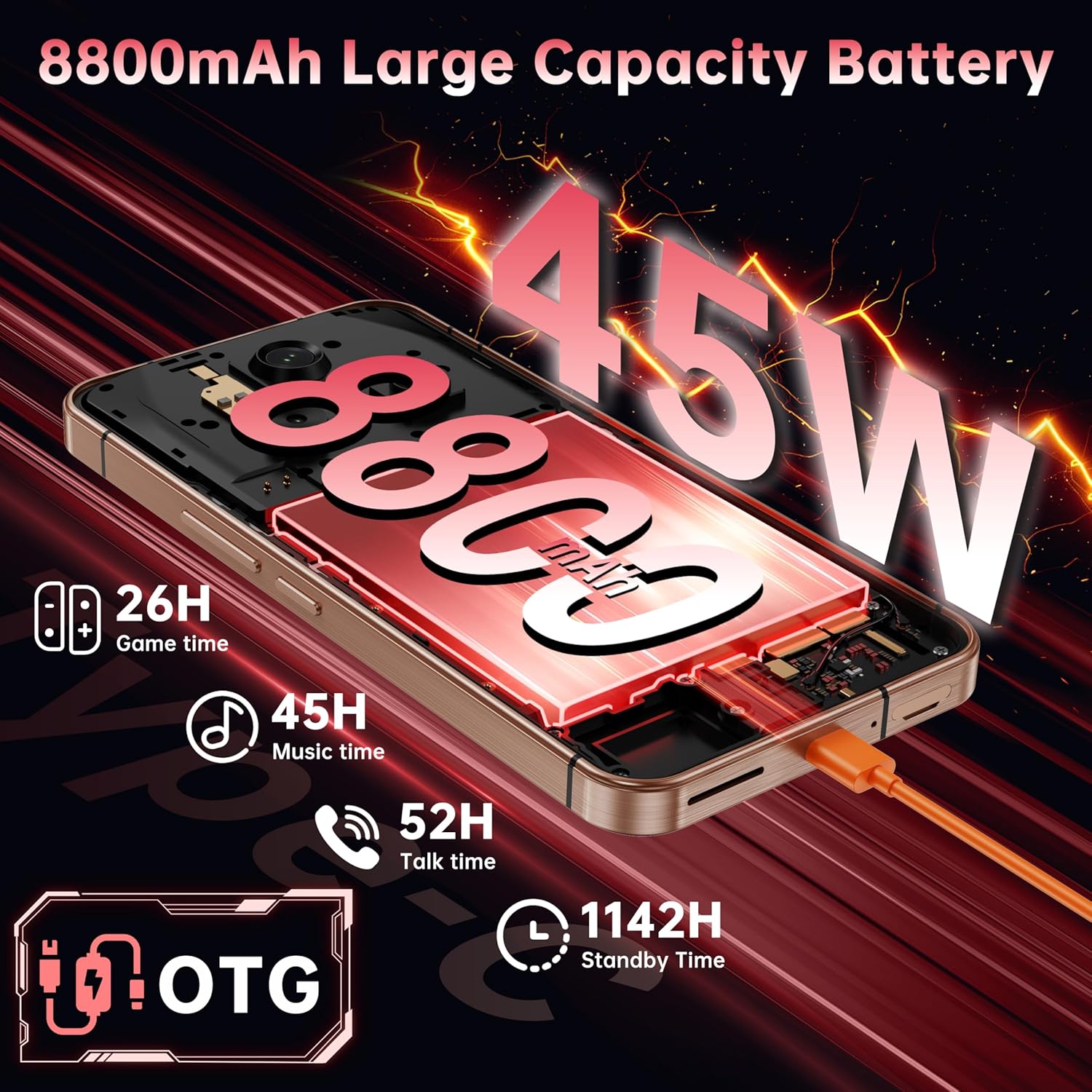
Figure 7.1: The OUKITEL WP210's 8800mAh battery, illustrating its long standby time (1142H), talk time (52H), music time (45H), game time (26H), and 45W fast charging with OTG support.

Figure 7.2: The OUKITEL WP210's 8800mAh massive battery, emphasizing its long-lasting fun and 45W fast charging capability.
7.1 మీ పరికరాన్ని ఛార్జ్ చేస్తోంది
Connect the provided Type-C cable to the phone's charging port and the charger to a power outlet. The 45W fast charging ensures quick replenishment of the battery.
7.2 Reverse Charging
The WP210 supports OTG reverse charging, allowing you to use your phone as a power bank to charge other devices. Connect the Type-C cable to your WP210 and the other device, then enable OTG in your phone's settings.
8. స్పెసిఫికేషన్లు
| ఫీచర్ | వివరాలు |
|---|---|
| మోడల్ పేరు | WP210 |
| ఆపరేటింగ్ సిస్టమ్ | ఆండ్రాయిడ్ 15 |
| CPU మోడల్ | మీడియాటెక్ డైమెన్సిటీ 8200 |
| CPU వేగం | 3.1 GHz |
| RAM | 12 GB (expandable to 36GB) |
| నిల్వ | 512 GB |
| స్క్రీన్ పరిమాణం | 6.7 అంగుళాలు |
| రిజల్యూషన్ | 2400 x 1080 |
| రిఫ్రెష్ రేట్ | 120 Hz |
| ప్రధాన కెమెరా | 108MP |
| ఫ్రంట్ కెమెరా | 32MP |
| బ్యాటరీ కెపాసిటీ | 8800 మిల్లీamp గంటలు |
| ఫాస్ట్ ఛార్జింగ్ | 45W |
| మన్నిక | IP68/IP69K & MIL-STD-810H |
| కనెక్టివిటీ | 5G, Bluetooth, NFC, Wi-Fi 6 |
| నావిగేషన్ | GPS, గ్లోనాస్, బీడౌ, గెలీలియో |
| కొలతలు | 6.44 x 3.06 x 0.54 అంగుళాలు |
| బరువు | 11 ఔన్సులు (311 గ్రాములు) |
9. నిర్వహణ
9.1 మీ పరికరాన్ని శుభ్రపరచడం
To clean your OUKITEL WP210, use a soft, damp cloth. Avoid using harsh chemicals or abrasive materials that could damage the device's rugged coating or screen. Ensure all port covers are securely closed before cleaning with water.
9.2 సాఫ్ట్వేర్ నవీకరణలు
Regularly check for software updates to ensure your device has the latest features, security patches, and performance improvements. Go to Settings > System > System updates to check for and install available updates.
10. ట్రబుల్షూటింగ్
10.1 పరికరం ఆన్ కావడం లేదు
Ensure the battery is charged. Connect the device to the charger and wait a few minutes before attempting to power it on again. If the issue persists, contact customer support.
10.2 Poor Network Connectivity
Check if your SIM cards are correctly inserted and activated. Ensure you are within network coverage. Try restarting the device or toggling Airplane Mode on and off.
10.3 Secondary Display Not Responding
Verify that the secondary display is enabled in the phone's settings. If it's enabled and still unresponsive, try restarting the device.
11. వారంటీ మరియు మద్దతు
OUKITEL offers a 30-day return policy and long-term technical support. For any issues or inquiries, please contact OUKITEL Official Service. You can find contact information on the OUKITEL website or through the provided maintenance card.


