1. పరిచయం
This manual provides essential information for the safe and efficient operation of your JIKEFUN CZ26 RC Drone. Please read this manual thoroughly before operating the drone to ensure proper usage and to prevent damage or injury. The CZ26 is a compact quadcopter equipped with an HD camera, optical flow positioning, and various flight modes designed for both indoor and outdoor use.

Figure 1.1: JIKEFUN CZ26 RC Drone with its remote control and packaging.
2. భద్రతా మార్గదర్శకాలు
- Operate the drone in open areas, away from people, animals, and obstacles.
- విద్యుత్ లైన్లు, భవనాలు మరియు నీటి వనరుల నుండి సురక్షితమైన దూరాన్ని పాటించండి.
- బలమైన గాలులు లేదా ప్రతికూల వాతావరణ పరిస్థితుల్లో పనిచేయవద్దు.
- Ensure all propellers are securely attached and undamaged before flight.
- తిరిగే ప్రొపెల్లర్ల నుండి వేళ్లు మరియు వెంట్రుకలను దూరంగా ఉంచండి.
- 14 సంవత్సరాల కంటే తక్కువ వయస్సు ఉన్న వినియోగదారులకు పెద్దల పర్యవేక్షణ సిఫార్సు చేయబడింది.
- డ్రోన్ లేదా దాని భాగాలను సవరించడానికి ప్రయత్నించవద్దు.
3. ప్యాకేజీ విషయాలు
ప్యాకేజీలో అన్ని అంశాలు ఉన్నాయని నిర్ధారించుకోండి:
- CZ26 RC Drone (x1)
- రిమోట్ కంట్రోల్ (x1)
- స్పేర్ బ్లేడ్లు (x4)
- బ్యాటరీ (x1)
- USB కేబుల్ (x1)
- స్క్రూడ్రైవర్ (x1)
- సూచనలు (x2)
4. కాంపోనెంట్ ఐడెంటిఫికేషన్
4.1 డ్రోన్ భాగాలు

మూర్తి 4.1: టాప్ view of the CZ26 drone highlighting its LED lights and central body.
- HD కెమెరా: Located at the front of the drone, capable of capturing photos and videos.
- ప్రొపెల్లర్లు: Four propellers with protective guards for safe flight.
- LED లైట్లు: Integrated lights for visibility and aesthetic appeal.
- బ్యాటరీ కంపార్ట్మెంట్: Located on the underside of the drone for battery insertion.
- పవర్ బటన్: Located on the top surface of the drone for powering on/off.
4.2 రిమోట్ కంట్రోల్ భాగాలు

Figure 4.2: Detailed layout of the remote control functions.
- ఎడమ జాయ్స్టిక్ (థ్రోటిల్/యా): ఎత్తు మరియు భ్రమణాన్ని నియంత్రిస్తుంది.
- కుడి జాయ్స్టిక్ (పిచ్/రోల్): ముందుకు/వెనుకకు మరియు ఎడమ/కుడి కదలికలను నియంత్రిస్తుంది.
- One-Click Takeoff/Landing Button: ఆటోమేటిక్ టేకాఫ్ లేదా ల్యాండింగ్ను ప్రారంభిస్తుంది.
- స్పీడ్ స్విచ్: Adjusts flight speed (low, medium, high).
- Photo/Video Buttons: చిత్రాలను సంగ్రహిస్తుంది లేదా వీడియో రికార్డింగ్ను ప్రారంభిస్తుంది/ఆపివేస్తుంది.
- 360° Roll Button: Executes a stunt roll.
- Headless Mode/Return Button: Activates headless mode or initiates return-to-home.
- Adjustable Camera Control: Lever to adjust the camera angle.
- ఫోన్ హోల్డర్: Mount for a smartphone to view నిజ-సమయ footage.
5. సెటప్
5.1 బ్యాటరీ ఛార్జింగ్ మరియు ఇన్స్టాలేషన్
- Charge the drone battery using the provided USB cable. The battery features a USB-C charging port.
- పూర్తిగా ఛార్జ్ చేయబడిన బ్యాటరీని డ్రోన్ యొక్క బ్యాటరీ కంపార్ట్మెంట్లోకి అది క్లిక్ అయ్యే వరకు చొప్పించండి.
- Install 3 AAA batteries (not included) into the remote control's battery compartment.
5.2 రిమోట్ కంట్రోల్ మరియు యాప్ సెటప్
- Attach the phone holder to the remote control.
- Download the dedicated control app to your smartphone.
- Place your smartphone securely in the phone holder.
- Power on the drone by pressing and holding its power button.
- Power on the remote control by sliding the power switch.
- మీ స్మార్ట్ఫోన్ను డ్రోన్ యొక్క Wi-Fi నెట్వర్క్కు కనెక్ట్ చేయండి.
- Open the app to establish a connection with the drone for real-time image transmission.

Figure 5.1: Drone and remote control setup for app-controlled flight and real-time image viewing.
6. ఆపరేషన్
6.1 ప్రాథమిక విమాన నియంత్రణలు
- పవర్ ఆన్: Press and hold the power button on the drone until LED lights illuminate. Turn on the remote control.
- జత చేయడం: Ensure the drone and remote control are paired. If not, follow the instructions in the manual to pair them.
- ఒక-క్లిక్ టేకాఫ్: Press the one-click takeoff button on the remote control. The drone will automatically ascend and hover.
- ఎత్తు నియంత్రణ: Use the left joystick to increase or decrease altitude.
- దిశ నియంత్రణ: Use the right joystick to move the drone forward, backward, left, or right.
- ఒక క్లిక్ ల్యాండింగ్: Press the one-click landing button. The drone will automatically descend and land.
Video 6.1: Demonstration of the CZ26 RC Quadcopter's basic flight functions, including one-click takeoff and landing.
6.2 కెమెరా ఆపరేషన్
- Adjustable Camera: Use the dedicated lever on the remote control to adjust the camera's angle (up to 90°).
- ఫోటో క్యాప్చర్: Press the photo button on the remote control to take a still image.
- వీడియో రికార్డింగ్: Press the video button to start recording. Press again to stop.
- Real-Time Transmission: View live camera feed on your smartphone via the app.
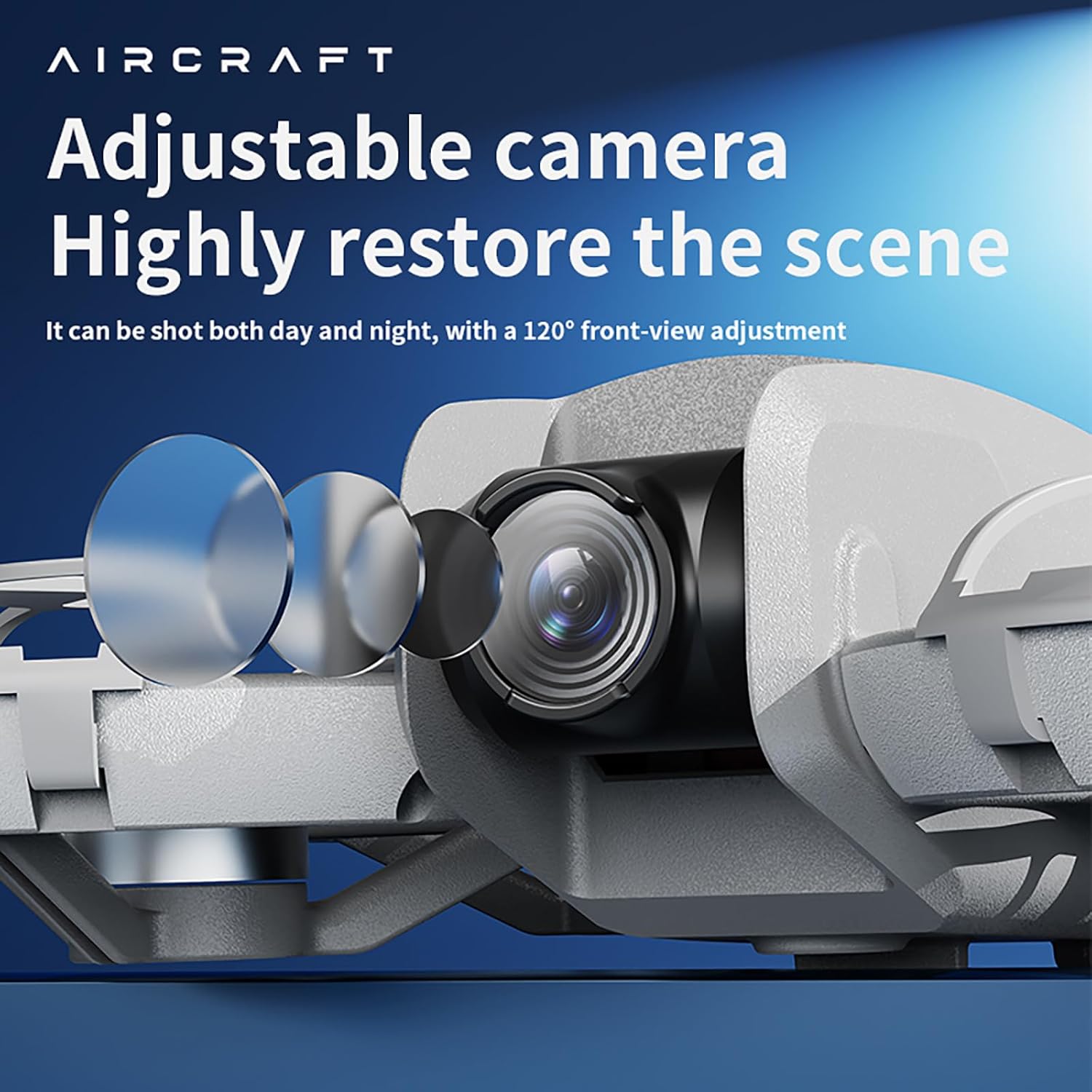
Figure 6.2: The drone features an adjustable camera for varied perspectives.
6.3 అధునాతన ఫీచర్లు
- ఆప్టికల్ ఫ్లో పొజిషనింగ్: Provides stable hovering and precise positioning, suitable for both indoor and outdoor environments.
- 360° రోల్: ఒకే బటన్ ప్రెస్తో ఆకట్టుకునే వైమానిక విన్యాసాలను అమలు చేయండి.
- అడ్డంకి నివారణ: The drone is equipped with sensors to detect and avoid obstacles, enhancing flight safety.
- ట్రాజెక్టరీ ఫ్లైట్: మీ స్మార్ట్ఫోన్ స్క్రీన్పై విమాన మార్గాన్ని గీయండి, డ్రోన్ స్వయంచాలకంగా దానిని అనుసరిస్తుంది.
- Multi-Gear Speed Switching: Select between different speed modes (low, medium, high) for varied flight experiences.
వీడియో 6.3: ముగిసిందిview of the drone's advanced features including optical flow positioning, 360° roll, and high-speed flight capabilities.
7. నిర్వహణ
- శుభ్రపరచడం: Use a soft, dry cloth to clean the drone and remote control. Avoid water or harsh chemicals.
- ప్రొపెల్లర్ ప్రత్యామ్నాయం: If a propeller is damaged, use the provided screwdriver to replace it with a spare blade. Ensure the new blade is securely fastened.
- బ్యాటరీ సంరక్షణ: Store batteries in a cool, dry place. Do not overcharge or over-discharge.
- నిల్వ: When not in use, store the drone and its accessories in the provided carrying case to protect them from dust and damage.
8. ట్రబుల్షూటింగ్
- డ్రోన్ ఆన్ కావడం లేదు: బ్యాటరీ పూర్తిగా ఛార్జ్ చేయబడిందని మరియు సరిగ్గా ఇన్స్టాల్ చేయబడిందని నిర్ధారించుకోండి.
- రిమోట్ కంట్రోల్ కనెక్ట్ కావడం లేదు: Check if the remote control batteries are installed correctly and have sufficient charge. Ensure the drone and remote are powered on and within range.
- అస్థిర విమాన ప్రయాణం: Calibrate the drone before flight. Check for damaged propellers and replace if necessary. Ensure optical flow sensors are clean.
- No image on app: Verify that your smartphone is connected to the drone's Wi-Fi network and the app is open.
- తక్కువ విమాన సమయం: Ensure batteries are fully charged. Flight time can vary based on usage and environmental conditions.
9. స్పెసిఫికేషన్లు

Figure 9.1: Dimensions of the CZ26 RC Drone.
| ఫీచర్ | స్పెసిఫికేషన్ |
|---|---|
| మోడల్ పేరు | CZ26 |
| వీడియో క్యాప్చర్ రిజల్యూషన్ | 4K UHD |
| ఛానెల్లను నియంత్రించండి | 2 ఛానెల్లు |
| విమాన సమయం | 5-10 నిమిషాలు |
| రిమోట్ దూరం | 80-100 మీటర్లు |
| ఛార్జింగ్ సమయం | దాదాపు 60 నిమిషాలు |
| డ్రోన్ బరువు | About 123g (4.3 ounces) |
| ఉత్పత్తి కొలతలు | 6.69"లీ x 5.91"వా x 1.57"హ |
| మెటీరియల్ | ప్లాస్టిక్ |
| కనెక్టివిటీ టెక్నాలజీ | Wi-Fi |
| బ్యాటరీ సెల్ కంపోజిషన్ | లిథియం పాలిమర్ |
| కంట్రోలర్ బ్యాటరీ | 3*AAA (Not Included) |
| ఆపరేటర్ నైపుణ్య స్థాయి | బిగినర్స్, ఇంటర్మీడియట్ |
10. వారంటీ మరియు మద్దతు
For warranty information, technical support, or service inquiries, please refer to the contact details provided with your purchase or visit the official JIKEFUN webసైట్. ఏవైనా వారంటీ క్లెయిమ్ల కోసం మీ కొనుగోలు రుజువును ఉంచుకోండి.


