1. పరిచయం
This manual provides essential information for the proper use and maintenance of your Samsung Galaxy Book4 360 2-in-1 AI PC Laptop, model NP750QGK. This device offers versatile functionality, transitioning between laptop, tent, stand, and tablet modes to suit various tasks and environments. Please read this manual thoroughly before operating your device.
2. పెట్టెలో ఏముంది
ఉత్పత్తి ప్యాకేజింగ్లో అన్ని అంశాలు ఉన్నాయని నిర్ధారించుకోండి:
- SAMSUNG Galaxy Book4 360 laptop
- పవర్ కార్డ్తో 65W AC అడాప్టర్
- వినియోగదారు మాన్యువల్
3. ఉత్పత్తి ముగిసిందిview
The Samsung Galaxy Book4 360 is a versatile 2-in-1 laptop designed for flexibility and performance. It features a 15.6-inch FHD AMOLED touchscreen display and a durable, lightweight design.
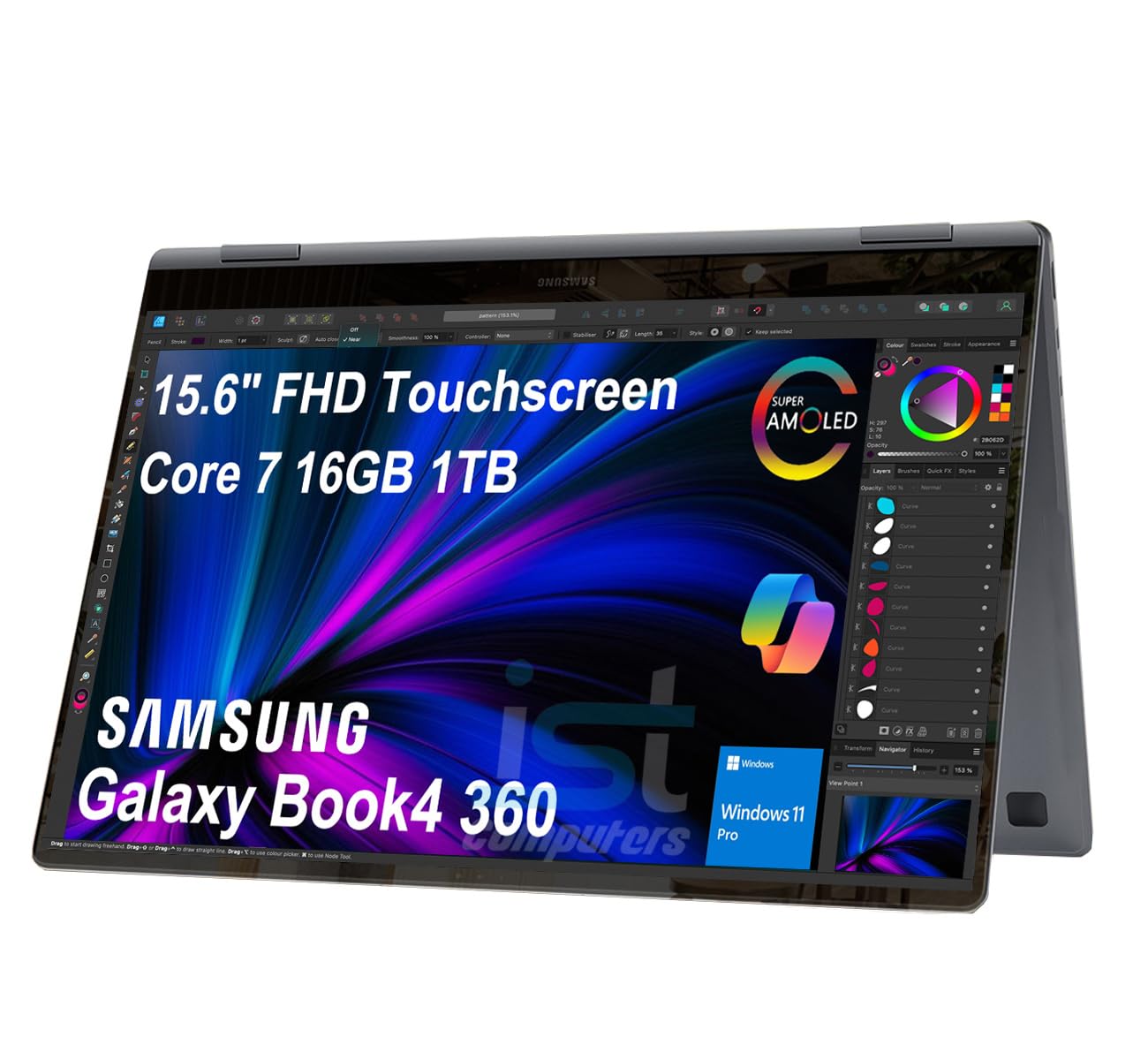
Image: The Samsung Galaxy Book4 360 laptop shown in its open, traditional laptop configuration.
3.1. భౌతిక లక్షణాలు
- 15.6" FHD AMOLED టచ్స్క్రీన్: Provides vibrant visuals and interactive control.
- బ్యాక్లిట్ కీబోర్డ్: Allows for comfortable typing in various lighting conditions.
- వేలిముద్ర రీడర్: సురక్షితమైన మరియు అనుకూలమైన లాగిన్ కోసం ఇంటిగ్రేటెడ్.
- 1080p FHD Webక్యామ్: For clear video conferencing.
3.2. పోర్ట్లు మరియు కనెక్టర్లు
The device is equipped with a range of ports for connectivity:

చిత్రం: వివరణాత్మకం view of the laptop's side ports, including HDMI, Thunderbolt 4, microSD card slot, USB 3.2 Type-A, and a 3.5mm headphone/microphone combo jack.
- 2x Thunderbolt 4 Ports: హై-స్పీడ్ డేటా బదిలీ, వీడియో అవుట్పుట్ మరియు ఛార్జింగ్ కోసం.
- HDMI v1.4b Port: బాహ్య డిస్ప్లేలకు కనెక్ట్ చేయండి.
- USB 3.2 టైప్-A పోర్ట్: ప్రామాణిక USB పరికరాల కోసం.
- microSD Reader: నిల్వను విస్తరించండి లేదా బదిలీ చేయండి fileమెమరీ కార్డ్ల నుండి లు.
- 3.5pi Headphone out/Mic-in Combo Jack: ఆడియో ఇన్పుట్ మరియు అవుట్పుట్ కోసం.
4. సెటప్
4.1. ప్రారంభ పవర్ ఆన్
- ల్యాప్టాప్ మరియు అన్ని ఉపకరణాలను అన్ప్యాక్ చేయండి.
- Connect the 65W AC adapter to the laptop's Thunderbolt 4 port and then to a power outlet.
- Open the laptop lid. The device may power on automatically, or you may need to press the power button located on the side.
- భాష ఎంపిక, నెట్వర్క్ కనెక్షన్ మరియు వినియోగదారు ఖాతా సృష్టితో సహా ప్రారంభ Windows 11 Pro సెటప్ను పూర్తి చేయడానికి స్క్రీన్పై ఉన్న సూచనలను అనుసరించండి.
4.2 బ్యాటరీని ఛార్జ్ చేస్తోంది
For optimal battery life, fully charge the laptop before its first use. The 65W AC adapter provides fast charging capabilities.

Image: A close-up of the laptop connected to a USB-C charger, illustrating its fast-charging capability, reaching 39% charge in 30 minutes.
5. ఆపరేటింగ్ సూచనలు
5.1. ఉపయోగ పద్ధతులు
The Galaxy Book4 360 offers four primary modes:
- ల్యాప్టాప్ మోడ్: టైపింగ్ మరియు ఉత్పాదకత కోసం ప్రామాణిక కాన్ఫిగరేషన్.
- టెంట్ మోడ్: ప్రెజెంటేషన్లకు అనువైనది లేదా viewing content in a confined space.
- స్టాండ్ మోడ్: Positions the screen for entertainment or video calls.
- టాబ్లెట్ మోడ్: Fully folded back for interactive touch-based use.
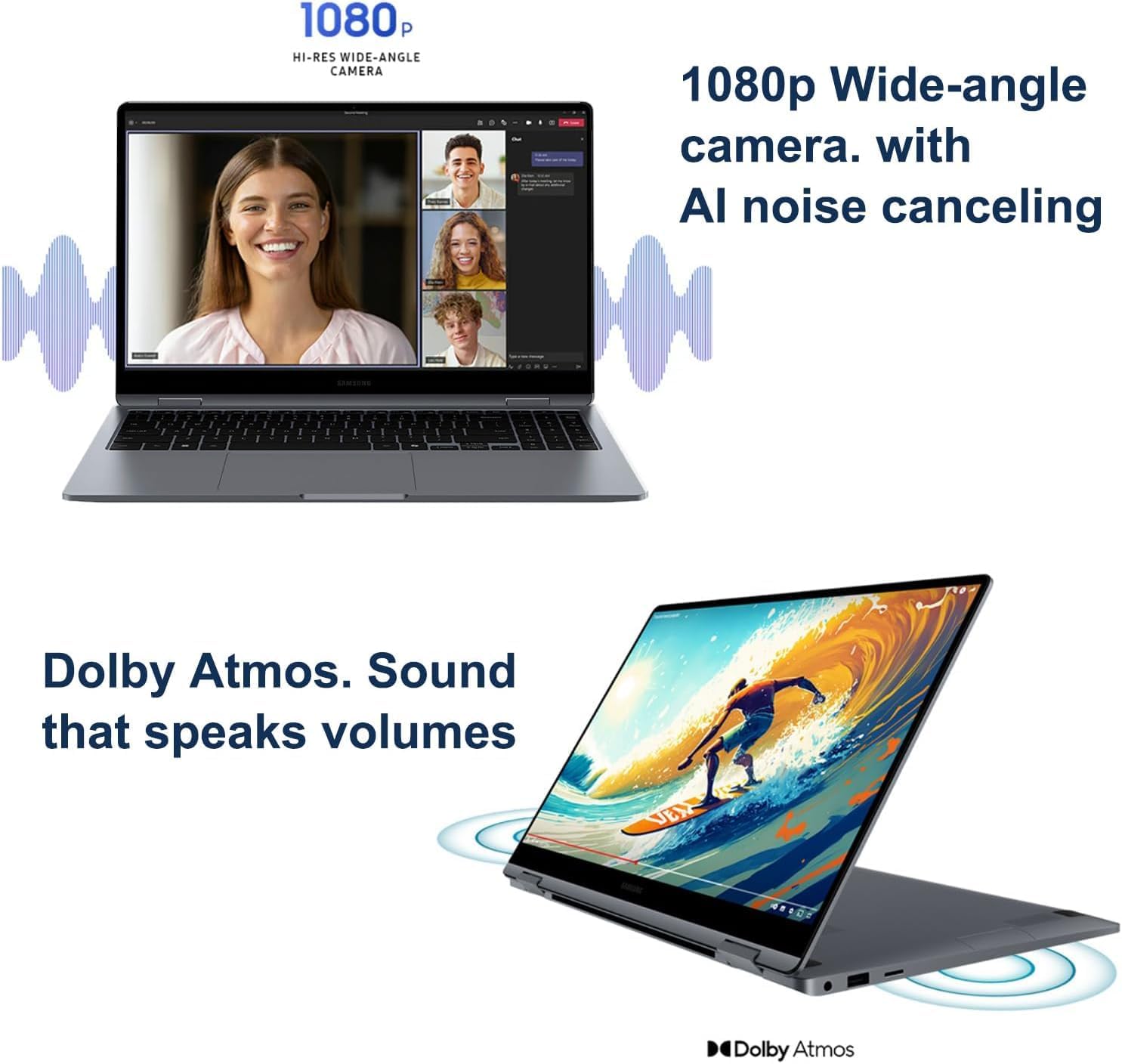
Image: The laptop configured in tent mode, suitable for media consumption or presentations.
5.2. Display and External Monitors
The 15.6-inch FHD AMOLED display provides a resolution of 1920x1080 pixels with 370 nits brightness. You can expand your workspace by connecting up to three external monitors via the HDMI and Thunderbolt 4 ports, supporting resolutions up to 4K@60Hz (without a docking station).

Image: The laptop's AMOLED display showcasing vibrant and rich colors, highlighting its visual quality.
5.3 ప్రదర్శన
Equipped with an Intel Core 7 150U processor (10-Core, 12 Threads, up to 5.4 GHz), 16GB DDR5 6000MT/s RAM, and a 1TB PCIe NVMe M.2 SSD, the Galaxy Book4 360 delivers efficient performance for various tasks.
5.4 కనెక్టివిటీ
The laptop supports Intel Wi-Fi 6E for fast wireless internet and Bluetooth 5.3 for seamless pairing with compatible devices.
5.5 Webకామ్ మరియు ఆడియో
The integrated 1080p FHD Webcam ensures clear video calls, complemented by high-quality microphones with AI noise canceling. The dual-speaker system with Dolby Atmos provides immersive audio.

Image: A split image showing the laptop's 1080p wide-angle camera in use during a video call and the laptop's speakers emitting sound, indicating Dolby Atmos audio.
5.6. Samsung Ecosystem Features
- బడ్స్ ఆటో స్విచ్: Seamlessly switch audio output between your Galaxy Book4 360 and paired Galaxy Buds during calls or media playback.
- Use Your Phone as a Connected Camera: Enhance video call quality by using your Samsung Galaxy smartphone as an external webకామ్.
- Samsung Studio: Create and edit content across Samsung Galaxy devices, utilizing Quick Share for easy transfers.
- Photo Remaster: An AI-powered tool to enhance old or low-quality photos, remove blur, and adjust lighting.
- Messages Integration: Seamlessly manage messages and interact with your smartphone directly from your laptop.

Image: A visual representation of the Buds Auto Switch feature, demonstrating how audio seamlessly transitions between the Galaxy Book4 360 and a smartphone when paired with Galaxy Buds.

Image: Individuals using a Samsung Galaxy smartphone as a connected camera to enhance the video quality of a call on the Galaxy Book4 360.

Image: The Samsung Studio interface displayed on both the laptop and a mobile phone, illustrating seamless video creation and editing across devices.

Image: The laptop screen displaying the AI Photo Remaster tool, demonstrating its ability to improve image quality with a single tap.

Image: The laptop and a smartphone displaying integrated messaging features, allowing users to manage communications across devices.
6. నిర్వహణ
6.1. శుభ్రపరచడం
- స్క్రీన్ మరియు బాహ్య ఉపరితలాలను శుభ్రం చేయడానికి మృదువైన, మెత్తటి బట్టను ఉపయోగించండి.
- మొండి గుర్తులకు, తేలికగా dampనీటితో లేదా స్క్రీన్-క్లీనింగ్ ద్రావణంతో వస్త్రాన్ని తుడవండి. కఠినమైన రసాయనాలను నివారించండి.
- శుభ్రపరిచే ముందు పరికరం ఆఫ్ చేయబడిందని మరియు అన్ప్లగ్ చేయబడిందని నిర్ధారించుకోండి.
6.2. నిల్వ
- ల్యాప్టాప్ను ప్రత్యక్ష సూర్యకాంతి మరియు తీవ్రమైన ఉష్ణోగ్రతలకు దూరంగా చల్లని, పొడి ప్రదేశంలో నిల్వ చేయండి.
- If storing for an extended period, ensure the battery is charged to approximately 50% to preserve its health.
7. ట్రబుల్షూటింగ్
If you encounter issues with your Galaxy Book4 360, refer to the following common solutions:
7.1. విద్యుత్ సమస్యలు
- పరికరం ఆన్ చేయడం లేదు: AC అడాప్టర్ సురక్షితంగా కనెక్ట్ చేయబడిందని మరియు పవర్ అవుట్లెట్ పనిచేస్తుందని నిర్ధారించుకోండి. వేరే అవుట్లెట్ను ప్రయత్నించండి.
- బ్యాటరీ ఛార్జింగ్ కాదు: Verify the charging cable and adapter are not damaged. Ensure the connection to the laptop's Thunderbolt 4 port is firm.
7.2. డిస్ప్లే సమస్యలు
- ప్రదర్శన లేదు: ల్యాప్టాప్ అంతర్గత డిస్ప్లేతో సమస్య ఉందో లేదో తనిఖీ చేయడానికి బాహ్య మానిటర్ను కనెక్ట్ చేయండి. ల్యాప్టాప్ను పునఃప్రారంభించండి.
- బాహ్య మానిటర్ కనుగొనబడలేదు: Ensure the cable is properly connected. Check display settings in Windows to detect the monitor.
7.3. కనెక్టివిటీ సమస్యలు
- Wi-Fi కనెక్ట్ కావడం లేదు: Check if Wi-Fi is enabled. Restart your router and the laptop. Ensure correct password entry.
- బ్లూటూత్ పరికరం జత కావడం లేదు: బ్లూటూత్ పరికరం జత చేసే మోడ్లో మరియు పరిధిలో ఉందని నిర్ధారించుకోండి. ల్యాప్టాప్లో బ్లూటూత్ సెట్టింగ్లను తనిఖీ చేయండి.
నిరంతర సమస్యల కోసం, కస్టమర్ మద్దతును సంప్రదించండి.
8. స్పెసిఫికేషన్లు
| ఫీచర్ | స్పెసిఫికేషన్ |
|---|---|
| మోడల్ పేరు | Galaxy Book4 360 |
| అంశం మోడల్ సంఖ్య | NP750QGK పరిచయం |
| స్టాండింగ్ స్క్రీన్ డిస్ప్లే సైజు | 15.6 అంగుళాలు |
| స్క్రీన్ రిజల్యూషన్ | 1920 x 1080 pixels (FHD AMOLED) |
| ప్రాసెసర్ | Intel Core 7 150U (10-Core, up to 5.4 GHz) |
| RAM | 16 GB LPDDR5X (6000 MHz) |
| హార్డ్ డ్రైవ్ | 1 TB SSD (PCIe NVMe M.2) |
| గ్రాఫిక్స్ కోప్రాసెసర్ | ఇంటెల్ గ్రాఫిక్స్ (ఇంటిగ్రేటెడ్) |
| వైర్లెస్ రకం | 802.11.be (Wi-Fi 6E), Bluetooth 5.3 |
| ఓడరేవులు | 2x Thunderbolt 4, 1x HDMI v1.4b, 1x USB 3.0 (Type-A), microSD Reader, 3.5pi HP/MIC Combo |
| ఆపరేటింగ్ సిస్టమ్ | Windows 11 ప్రో |
| సగటు బ్యాటరీ జీవితం | 22 గంటల వరకు |
| వస్తువు బరువు | 3.22 పౌండ్లు |
| ఉత్పత్తి కొలతలు | 13.99 x 8.98 x 0.54 అంగుళాలు |
| ప్రత్యేక లక్షణాలు | Anti Glare Coating, Backlit Keyboard, Fingerprint Reader, Touchscreen |
9. వారంటీ మరియు మద్దతు
Your Samsung Galaxy Book4 360 NP750QGK comes with the following warranty coverage:
- Upgraded SSD: Three-year warranty from Issaquah Highlands Tech.
- Remaining Components: One-year warranty from the manufacturer (Samsung).
For technical support or warranty claims, please refer to the contact information provided with your purchase documentation or visit the official Samsung support webసైట్.


