1. పరిచయం
Thank you for choosing the SMUG Adjustable Height Electric Standing Desk. This manual provides essential information for the safe assembly, operation, and maintenance of your new desk. This electric standing desk is designed to offer a versatile workspace, allowing you to easily switch between sitting and standing positions to promote a healthier work environment.

Image 1.1: The SMUG Adjustable Height Electric Standing Desk in Modern Black, showcasing దాని సొగసైన డిజైన్ మరియు ample workspace with a laptop, monitor, and accessories.
2. భద్రతా సమాచారం
Please read all safety instructions before using the desk to prevent injury or damage. Keep this manual for future reference.
- గరిష్ట బరువు పరిమితిని మించకూడదు 176 పౌండ్లు (80 కిలోలు). Overloading the desk can cause instability and damage.
- Be aware of the anti-collision system and safety lock features. Ensure there are no obstructions in the desk's path during height adjustments to prevent injuries or damage to property.
- Always ensure the desk is placed on a level surface and is properly assembled according to the instructions to prevent tipping.
- ఆపరేషన్ సమయంలో పిల్లలు మరియు పెంపుడు జంతువులను డెస్క్ నుండి దూరంగా ఉంచండి.
- డెస్క్ మీద కూర్చోవద్దు లేదా నిలబడవద్దు.
- శుభ్రపరిచే ముందు లేదా ఏదైనా నిర్వహణ చేసే ముందు విద్యుత్తును డిస్కనెక్ట్ చేయండి.
3. అసెంబ్లీ సూచనలు
The SMUG Electric Standing Desk is designed for straightforward assembly. All necessary tools and clear instructions are included in the package. Most users can complete assembly in under 30 minutes.
3.1. ప్యాకేజీ విషయాలు
అసెంబ్లీని ప్రారంభించే ముందు, అన్ని భాగాలు ఉన్నాయని నిర్ధారించుకోండి:
- Desktop (may be in two splicing boards)
- డెస్క్ కాళ్ళు (2)
- నియంత్రణ ప్యానెల్
- మోటార్ మరియు పవర్ అడాప్టర్
- Headphone Hook (2)
- కేబుల్ నిర్వహణ గ్రోమెట్స్ (2)
- అసెంబ్లీ హార్డ్వేర్ (స్క్రూలు, బోల్ట్లు, మొదలైనవి)
- అసెంబ్లీ ఉపకరణాలు (అల్లెన్ రెంచ్, స్క్రూడ్రైవర్)
- వినియోగదారు మాన్యువల్
3.2. అసెంబ్లీ దశలు
- అన్ని భాగాలను విప్పి, గీతలు పడకుండా ఉండటానికి వాటిని శుభ్రమైన, మృదువైన ఉపరితలంపై వేయండి.
- Follow the detailed step-by-step instructions provided in the separate assembly guide included with your desk.
- Attach the desk legs to the desktop, ensuring all screws are securely tightened.
- Install the control panel and connect the motor and power cables as directed.
- Attach the headphone hooks and insert the cable management grommets into the designated holes.
- Once assembled, carefully flip the desk upright. It is recommended to have assistance for this step due to the desk's weight.

Image 3.1: A diagram illustrating the product dimensions (47.24"W x 23.62"D, height adjustable from 28.7" to 48") and key features such as two wire holes, two sturdy hooks, and two splicing boards for the desktop.
4. ఆపరేషన్
Your SMUG Electric Standing Desk features intuitive controls for height adjustment and memory presets.
4.1 ఎత్తు సర్దుబాటు
The desk can be adjusted effortlessly from a minimum height of 28.7 అంగుళాలు to a maximum height of 46.5 అంగుళాలు. The quiet dual motors operate at less than 55dB.
- నొక్కండి మరియు పట్టుకోండి Up arrow (▲) డెస్క్ పైకి లేపడానికి బటన్.
- నొక్కండి మరియు పట్టుకోండి Down arrow (▼) డెస్క్ కిందకి దించడానికి బటన్.
- Release the button at your desired height. The current height will be displayed on the LED screen.
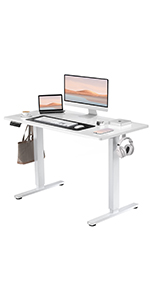
Image 4.1: Close-up of the desk's control panel, showing the LED display, up/down arrows, and three memory preset buttons (1, 2, 3).
4.2. మెమరీ ప్రీసెట్లు
The desk features 3 memory presets to store and recall your preferred sitting and standing heights.
- పైకి/క్రిందికి బటన్లను ఉపయోగించి డెస్క్ను మీకు కావలసిన ఎత్తుకు సర్దుబాటు చేయండి.
- నొక్కండి 'ఎం' బటన్. LED డిస్ప్లే 'S-' ని చూపుతుంది.
- 3 సెకన్లలోపు, నంబర్ బటన్లలో ఒకదాన్ని నొక్కండి (1, 2, లేదా 3) to save the current height to that preset. The display will show 'S-1', 'S-2', or 'S-3' to confirm.
- సేవ్ చేసిన ఎత్తును రీకాల్ చేయడానికి, సంబంధిత నంబర్ బటన్ను నొక్కండి (1, 2, లేదా 3). The desk will automatically move to the stored position.
4.3. ఢీకొనకుండా నిరోధించే వ్యవస్థ
The desk is equipped with an anti-collision system that automatically stops and slightly reverses the desk's movement if it encounters an obstruction during adjustment. This feature helps prevent damage and ensures user safety.
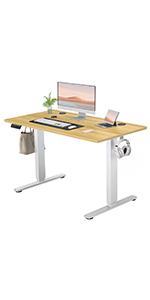
Image 4.2: A visual representation of the anti-collision system, showing the desk stopping and reversing upon encountering an obstacle.
4.4. కేబుల్ నిర్వహణ
The desk includes integrated cable management features to help keep your workspace tidy.
- Wire Holes: Two desktop wire holes allow for neat routing of power and data cables.
- హెడ్ఫోన్ హుక్స్: Two sturdy side hooks provide convenient storage for headphones or bags.
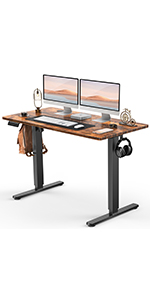
Image 4.3: Desktop wire hole for cable organization.
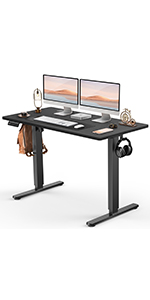
Image 4.4: Side hook for headphones or accessories.
5. నిర్వహణ
Proper care will ensure the longevity and optimal performance of your standing desk.
- శుభ్రపరచడం: Wipe the desk surface with a dry cloth. For stubborn marks, use a slightly damp cloth with a mild, non-abrasive cleaner, then dry immediately. Avoid harsh chemicals.
- తనిఖీ: అన్ని స్క్రూలు మరియు కనెక్షన్లు బిగుతుగా ఉన్నాయని నిర్ధారించుకోవడానికి కాలానుగుణంగా వాటిని తనిఖీ చేయండి. అవసరమైతే తిరిగి బిగించండి.
- కేబుల్ నిర్వహణ: Ensure cables are not pinched or tangled, which could affect desk operation or damage wiring.
- బరువు పంపిణీ: స్థిరత్వాన్ని కాపాడుకోవడానికి మరియు లిఫ్టింగ్ మెకానిజంపై ఒత్తిడిని నివారించడానికి డెస్క్టాప్ అంతటా బరువును సమానంగా పంపిణీ చేయండి.
6. ట్రబుల్షూటింగ్
If you encounter issues with your SMUG Electric Standing Desk, refer to the following common solutions:
- డెస్క్ కదలడం లేదు:
- పవర్ కార్డ్ డెస్క్ మరియు పనిచేసే పవర్ అవుట్లెట్ రెండింటిలోనూ సురక్షితంగా ప్లగ్ చేయబడిందో లేదో తనిఖీ చేయండి.
- Ensure the safety lock (if applicable) is disengaged.
- If an error code is displayed, refer to the specific troubleshooting section in the full assembly manual or contact customer support.
- డెస్క్ వొబుల్స్:
- అన్ని అసెంబ్లీ స్క్రూలు బిగించబడ్డాయని ధృవీకరించండి.
- డెస్క్ సమతల ఉపరితలంపై ఉందని నిర్ధారించుకోండి. అవసరమైతే లెవలింగ్ పాదాలను సర్దుబాటు చేయండి.
- Reduce the weight on the desk if it exceeds the maximum capacity.
- మెమరీ ప్రీసెట్లు పని చేయడం లేదు:
- Ensure you are following the correct procedure for setting and recalling presets (Section 4.2).
- Try resetting the desk by unplugging it for 30 seconds and then plugging it back in.
For issues not covered here, please contact SMUG customer support.
7. స్పెసిఫికేషన్లు
| ఫీచర్ | వివరాలు |
|---|---|
| బ్రాండ్ | SMUG |
| మోడల్ పేరు | ELT-P4824V3-BK |
| ఉత్పత్తి కొలతలు (D x W x H) | 23.6"డి x 47.2"వా x 46.5"హ |
| కనిష్ట ఎత్తు | 28.7 అంగుళాలు |
| గరిష్ట ఎత్తు | 46.5 అంగుళాలు |
| రంగు | మోడరన్ బ్లాక్ |
| టాప్ మెటీరియల్ రకం | ఇంజినీర్డ్ వుడ్ |
| బేస్ మెటీరియల్ | Metal (Leg) |
| గరిష్ట బరువు సిఫార్సు | 176 పౌండ్లు (80 కిలోలు) |
| మోటార్ రకం | Dual Electric Motors (<55dB) |
| ప్రత్యేక లక్షణాలు | Adjustable Height, Electric, Memory Presets, Anti-Collision System, Headphone Hook, Cable Management |
| అసెంబ్లీ అవసరం | అవును (అన్ని సాధనాలు చేర్చబడ్డాయి) |
| ఉత్పత్తి బరువు | 41.9 పౌండ్లు |
| UPC | 720314569320 |
8. వారంటీ & సపోర్ట్
The SMUG Adjustable Height Electric Standing Desk comes with a పరిమిత వారంటీ. నిర్దిష్ట నిబంధనలు మరియు షరతుల కోసం దయచేసి మీ ప్యాకేజీలో చేర్చబడిన వారంటీ కార్డును చూడండి.
For any questions, assistance with assembly, operation, or troubleshooting, SMUG offers 24/7 కస్టమర్ మద్దతు. Please contact the manufacturer directly using the contact information provided in your product packaging or on the official SMUG webసైట్.


