1. పరిచయం
The Glocusent N15 Stereo Sunrise Alarm Clock is designed to enhance your sleep and wake-up experience. It features a sunrise simulation light, multiple white noise tracks, various color light options, Bluetooth speaker functionality, FM radio, and TF card support. This manual provides detailed instructions for setting up and operating your device.
2. ప్యాకేజీ విషయాలు
- 1x Glocusent N15 Sunrise Alarm Clock
- 1x పవర్ అడాప్టర్
- 1x 59-inch USB-C Cable
- 1x వినియోగదారు మాన్యువల్
3. ఉత్పత్తి ముగిసిందిview
3.1 ఫ్రంట్ ప్యానెల్ నియంత్రణలు

చిత్రం: ముందు view of the Glocusent N15 Sunrise Alarm Clock, highlighting the touch-sensitive control buttons around the digital display.
- Alarm Clock 1 Setting: Set or adjust Alarm 1.
- గడియార సెట్టింగ్: Set or adjust the current time.
- Decrease Brightness/Time (-): Decrease light brightness or adjust time/duration.
- లైట్ మోడ్ స్విచ్: Cycle through light modes (warm white, RGB colors).
- Increase Brightness/Time (+): Increase light brightness or adjust time/duration.
- Sleep Mode Setting: Activate or adjust sleep aid mode.
- Alarm Clock 2 Setting: Set or adjust Alarm 2.
- ఆగే: అలారాన్ని తాత్కాలికంగా పాజ్ చేయండి.
3.2 వెనుక ప్యానెల్ నియంత్రణలు మరియు పోర్ట్లు

చిత్రం: వెనుక view of the Glocusent N15 Sunrise Alarm Clock, showing the various ports and control buttons.
- Next Track/Volume Up (V+): Skip to the next track or increase volume.
- ప్లే/పాజ్: ఆడియోను ప్లే చేయండి లేదా పాజ్ చేయండి.
- Previous Track/Volume Down (V-): Go to the previous track or decrease volume.
- Power On/Off/Audio Mode Switch (MODE): Power the device on/off or switch between audio modes.
- USB స్లాట్: USB పరికరాలను కనెక్ట్ చేయడానికి.
- TF కార్డ్ స్లాట్: For inserting a TF (MicroSD) card.
- ప్రదర్శన ప్రకాశం సర్దుబాటు: Adjust the brightness of the digital time display.
- టైప్-సి ఇన్పుట్ పోర్ట్: పరికరం కోసం పవర్ ఇన్పుట్.
4. సెటప్
4.1 ప్రారంభ పవర్ ఆన్
Connect the provided USB-C cable to the Type-C input port on the rear of the alarm clock and plug the power adapter into a wall outlet. The device will power on automatically.
4.2 సమయ సెట్టింగ్
ప్రస్తుత సమయాన్ని సెట్ చేయడానికి:
- నొక్కండి గడియార అమరిక button once. The hour display will start blinking.
- ఉపయోగించండి + or - గంటను సర్దుబాటు చేయడానికి బటన్లు.
- నొక్కండి గడియార అమరిక button again. The minute display will start blinking.
- ఉపయోగించండి + or - నిమిషాలను సర్దుబాటు చేయడానికి బటన్లు.
- నొక్కండి గడియార అమరిక సమయ సెట్టింగ్ మోడ్ను నిర్ధారించడానికి మరియు నిష్క్రమించడానికి మూడవసారి బటన్ను నొక్కండి.
- To switch between 12-hour and 24-hour format, long press the గడియార అమరిక బటన్.
గమనిక: When connected via Bluetooth, the clock's time will automatically update.
4.3 Alarm Setting (Alarm 1 & Alarm 2)
The device supports two independent alarms. To set an alarm:
- నొక్కండి అలారం గడియారం 1 సెట్టింగ్ (లేదా అలారం గడియారం 2 సెట్టింగ్) button once. The hour display will blink.
- ఉపయోగించండి + or - అలారం గంటను సర్దుబాటు చేయడానికి బటన్లు.
- నొక్కండి అలారం గడియారం 1 సెట్టింగ్ (లేదా అలారం గడియారం 2 సెట్టింగ్) button again. The minute display will blink.
- ఉపయోగించండి + or - అలారం నిమిషాలను సర్దుబాటు చేయడానికి బటన్లు.
- నొక్కండి అలారం గడియారం 1 సెట్టింగ్ (లేదా అలారం గడియారం 2 సెట్టింగ్) button again to set the alarm duration (10, 20, 30, or 40 minutes for sunrise simulation). Use + or - ఎంచుకోవడానికి.
- నొక్కండి అలారం గడియారం 1 సెట్టింగ్ (లేదా అలారం గడియారం 2 సెట్టింగ్) button again to select the alarm tone (14 white noise tracks). Use + or - ఎంచుకోవడానికి.
- నొక్కండి అలారం గడియారం 1 సెట్టింగ్ (లేదా అలారం గడియారం 2 సెట్టింగ్) button one more time to confirm the alarm settings. The alarm icon will appear on the display.
- To turn an alarm off, long press its respective అలారం గడియారం సెట్టింగ్ button. Long press again to turn it back on.
5. ఆపరేటింగ్ సూచనలు
5.1 సూర్యోదయ అనుకరణ అలారం

చిత్రం: The Glocusent N15 Sunrise Alarm Clock showing its light gradually increasing in brightness over time, simulating a natural sunrise.
The sunrise alarm gradually brightens over your chosen duration (10, 20, 30, or 40 minutes) before your set alarm time. The selected white noise track will also gradually increase in volume, providing a gentle wake-up experience.
వీడియో: This video demonstrates the sunrise simulation feature of the Glocusent N15 Alarm Clock, showing how the light gradually brightens to gently wake the user.
5.2 Sleep Aid Mode (Sunset Simulation)

చిత్రం: The Glocusent N15 Sunrise Alarm Clock displaying a white noise option (rain) and a softly dimming light, indicating its sleep aid function.
The sleep aid mode allows you to wind down with gradually dimming light and softening sound over 30, 60, 90, or 120 minutes. Choose from 14 white noise tracks or play audio via Bluetooth, FM radio, or TF card. To activate, press the స్లీప్ మోడ్ సెట్టింగ్ బటన్ మరియు ఉపయోగించండి + or - to select the desired duration. The light will dim and sound will fade until it turns off. Long press the స్లీప్ మోడ్ సెట్టింగ్ button to exit anytime.
5.3 కాంతి విధులు

చిత్రం: The Glocusent N15 Sunrise Alarm Clock showcasing its ability to display various RGB colors and warm white light, with stepless dimming indicated.
The device offers 1800–3400K warm white light and 7 RGB color options. Press the లైట్ మోడ్ స్విచ్ button to cycle through warm white and RGB colors. Use the + or - buttons to adjust the brightness (10 levels) of the light. Long press + or - to continuously adjust brightness.
5.4 ఆడియో మోడ్లు

చిత్రం: The Glocusent N15 Sunrise Alarm Clock shown as an audio hub, indicating support for Bluetooth, FM Radio, and TF Card playback.
The N15 features dual 5W stereo speakers and supports multiple audio input modes:
- Built-in White Noise: 14 professionally recorded sounds (e.g., birdsong, rain, ocean waves). Select during alarm or sleep aid setup.
- FM రేడియో: Long press the rear మోడ్ button to switch to FM radio. Long press the ప్లే/పాజ్ చేయండి button to auto-scan and save stations (up to 15). Short press Previous Track/Volume Down (V-) or Next Track/Volume Up (V+) to switch between saved stations.
- TF కార్డ్ ప్లే: Insert a TF (MicroSD) card into the TF Card Slot on the rear. Long press the rear మోడ్ button to switch to TF Play mode.
- బ్లూటూత్ స్పీకర్: Long press the rear మోడ్ బ్లూటూత్ మోడ్కి మారడానికి బటన్. కోసం వెతకండి "N15" on your phone's Bluetooth settings to connect.
In any audio mode, long press Previous Track/Volume Down (V-) or Next Track/Volume Up (V+) to adjust the volume (16 levels, 0–75dB). Short press ప్లే/పాజ్ చేయండి ప్లేబ్యాక్ను ప్రారంభించడానికి లేదా పాజ్ చేయడానికి.
5.5 Dual Alarms & Snooze
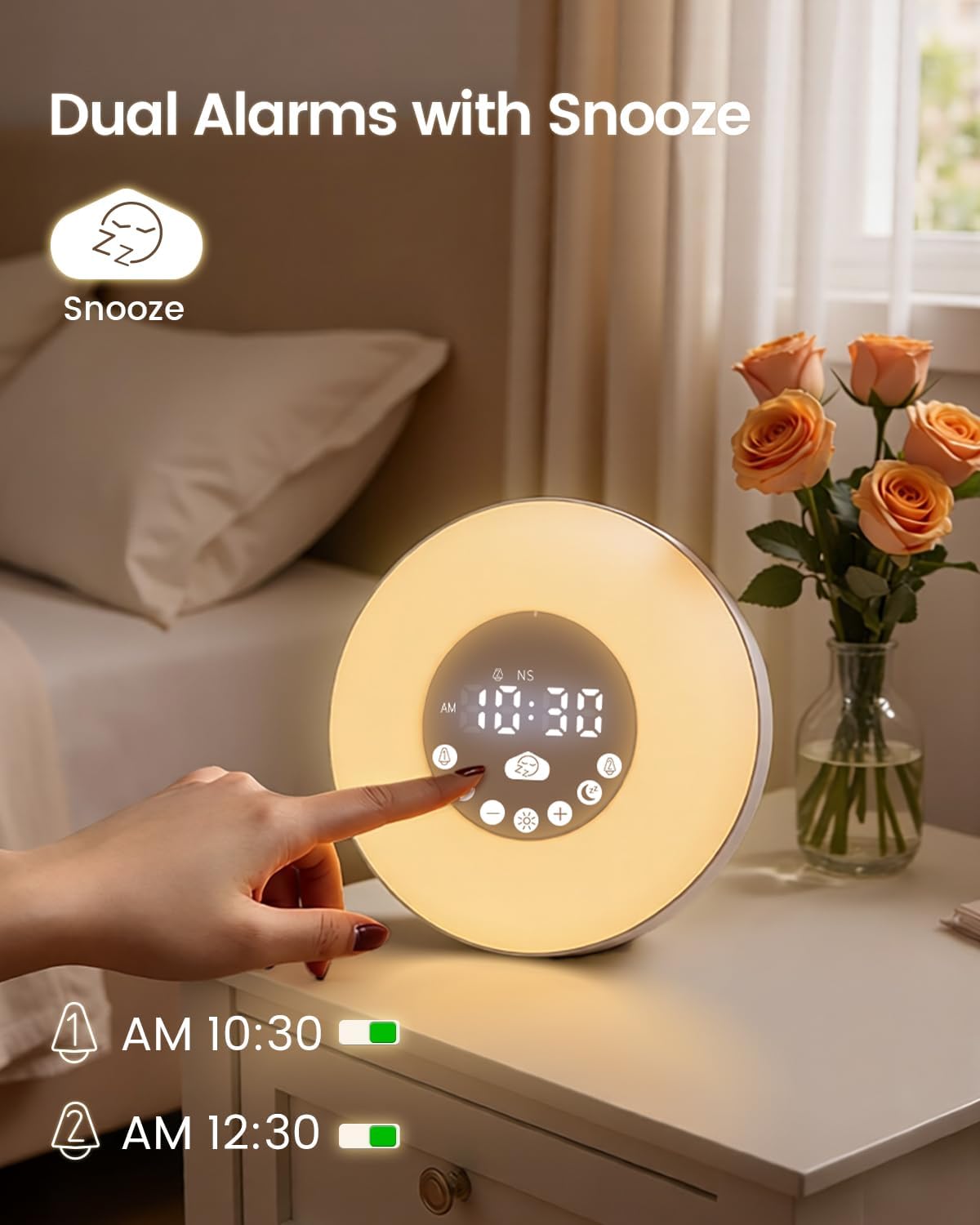
చిత్రం: The Glocusent N15 Sunrise Alarm Clock displaying two active alarms and the snooze icon, indicating its dual alarm and snooze capabilities.
The N15 allows setting two independent alarms. When an alarm sounds, press the large తాత్కాలికంగా ఆపివేయండి button to activate snooze. The snooze function provides 9-minute cycles, up to 3 times (total 27 minutes).
6. నిర్వహణ
To ensure the longevity and optimal performance of your Glocusent N15 Sunrise Alarm Clock, follow these maintenance guidelines:
- శుభ్రపరచడం: Use a soft, dry cloth to wipe the surface of the device. Avoid using abrasive cleaners, solvents, or strong chemicals, as these can damage the finish.
- నిల్వ: పరికరాన్ని ఎక్కువసేపు ఉపయోగించనప్పుడు ప్రత్యక్ష సూర్యకాంతి మరియు తీవ్రమైన ఉష్ణోగ్రతలకు దూరంగా చల్లని, పొడి ప్రదేశంలో నిల్వ చేయండి.
- నిర్వహణ: Handle the device with care to prevent drops or impacts that could damage internal components.
- శక్తి: Always use the provided power adapter and USB-C cable. Do not attempt to use incompatible power sources.
7. ట్రబుల్షూటింగ్
| సమస్య | సాధ్యమైన పరిష్కారం |
|---|---|
| పరికరం పవర్ ఆన్ చేయదు. | Ensure the power adapter is securely connected to the device and a working power outlet. Check if the outlet is functional. |
| అలారం మోగడం లేదు లేదా వెలిగించడం లేదు. | Verify that the alarm is set and activated (alarm icon visible). Check the alarm volume and light brightness settings. |
| బ్లూటూత్ కనెక్షన్ విఫలమైంది. | Ensure the device is in Bluetooth mode. Turn off and on Bluetooth on your phone, then search for "N15" and try pairing again. Make sure the device is within range. |
| FM రేడియో రిసెప్షన్ పేలవంగా ఉంది. | Ensure the USB-C cable is connected, as it acts as an antenna. Try repositioning the device or the cable for better reception. Perform an auto-scan for stations again. |
| Time display is too bright/dim. | ఉపయోగించండి ప్రకాశం సర్దుబాటు ప్రదర్శించు on the rear panel to adjust the brightness of the digital time display. |
8. స్పెసిఫికేషన్లు
- బ్రాండ్: గ్లోకసెంట్
- మోడల్ సంఖ్య: N15
- ఉత్పత్తి కొలతలు: 5.3"అడుగు x 6.7"అడుగు
- వస్తువు బరువు: 1.19 పౌండ్లు
- మెటీరియల్: యాక్రిలోనిట్రైల్ బుటాడిన్ స్టైరీన్ (ABS)
- ప్రదర్శన రకం: డిజిటల్
- ప్రత్యేక లక్షణాలు: Adjustable Brightness, Adjustable Volume, Alarm, Bluetooth, Noise Machine, Sunrise Simulation, Sunset Simulation, Dual Alarms, Snooze, FM Radio, TF Card Support, 7 Color RGB Light, Warm White Light (1800-3400K)
- ఆడియో అవుట్పుట్: 2x5W Stereo Sound
- పవర్ ఇన్పుట్: 5V-2A
- బ్యాటరీలు: 1 Nonstandard Battery (included for backup)
9. వారంటీ మరియు మద్దతు
Glocusent offers a 30-day return policy and a 24-month warranty for your purchase. For any questions or assistance, please contact our Customer Experience Team, available 24/7.
For further support, please visit the official Glocusent webసైట్ లేదా మీ ఉత్పత్తి ప్యాకేజింగ్లో అందించిన సంప్రదింపు సమాచారాన్ని చూడండి.


