1. పరిచయం
This manual provides detailed instructions for the setup, operation, and maintenance of your Dexnor Keyboard Case for the Samsung Galaxy Tab A9+ Plus. Please read this manual thoroughly before using the product to ensure proper functionality and longevity.
2. అనుకూలత
This keyboard case is specifically designed for the 11-inch Samsung Galaxy Tab A9+ Plus (2023) with model numbers SM-X210, SM-X215, SM-X216, and SM-X218. It is not compatible with Samsung Galaxy Tab A9, S9+ Plus, S9 FE+ Plus, S9 Ultra, S9, or S9 FE models. Please verify your tablet's model number before use.
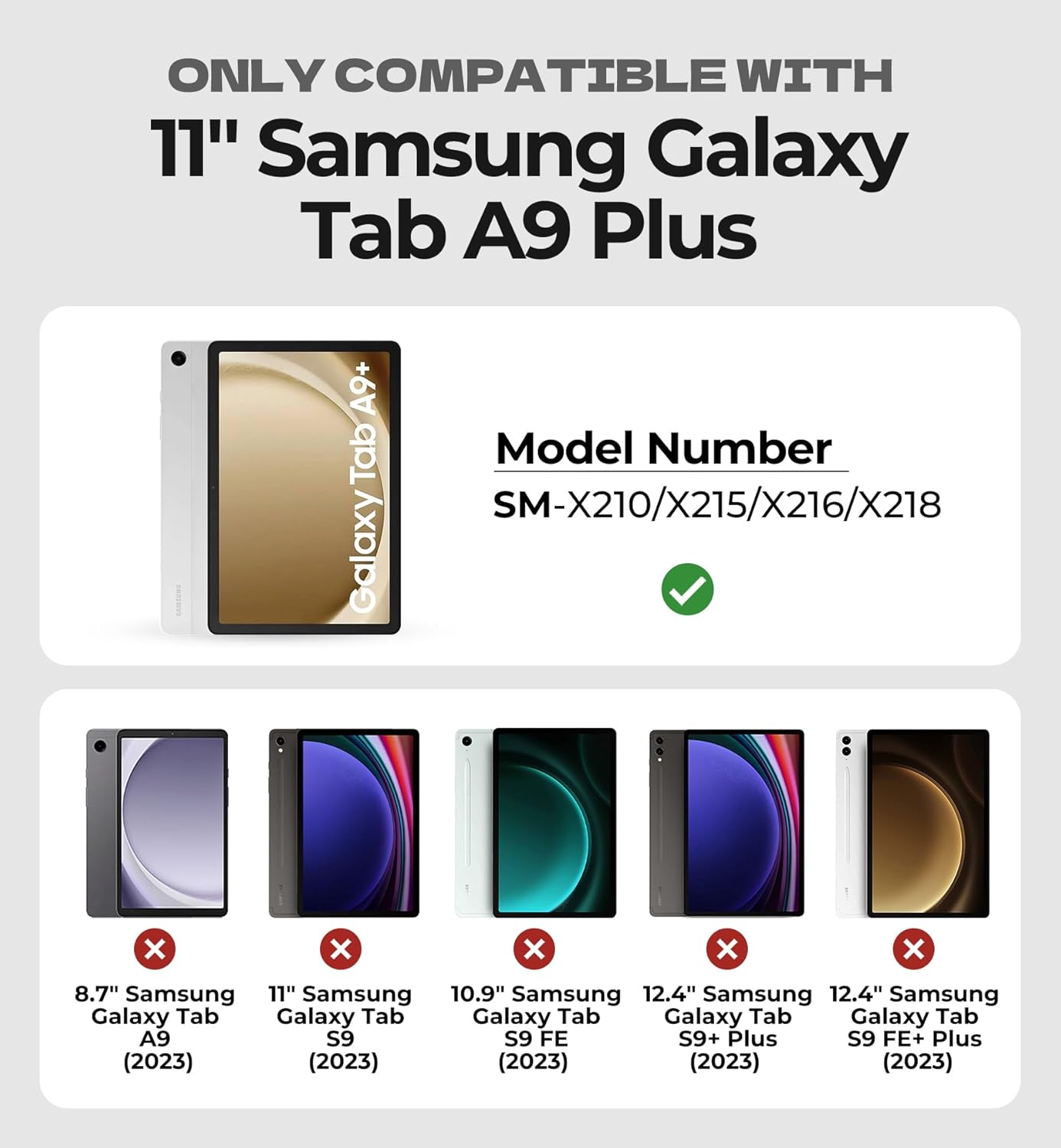
Image: Compatibility chart for Dexnor Keyboard Case, highlighting supported and unsupported Samsung Galaxy Tab models.
3. ప్యాకేజీ విషయాలు
- 1 x Dexnor Keyboard Case for Samsung Galaxy Tab A9+ Plus
- 1 x USB-C ఛార్జింగ్ కేబుల్
- 1 x Quick-start Guide
- 1 x యూజర్ మాన్యువల్ (ఈ పత్రం)
4. ఉత్పత్తి లక్షణాలు
- Ultra-Stable Magnetic Support: Strong magnets securely attach the tablet to the keyboard case, providing a stable viewing and typing experience. The ergonomic design allows for a 120-degree viewing కోణం.
- Multi-Touch Trackpad: Features a built-in trackpad that supports multi-finger gestures for precise navigation, file నిర్వహణ, web browsing, and app switching. The trackpad can be disabled by pressing Fn + Spacebar.
- బ్యాక్లిట్ కీబోర్డ్: Single-color backlight with three adjustable brightness levels for comfortable typing in low-light conditions.
- పునర్వినియోగపరచదగిన బ్యాటరీ: Equipped with a 650mAh lithium polymer battery, offering up to 720 hours of standby time, 200 hours of use without backlight, and 10 hours of continuous use with the brightest backlight. A full charge takes approximately 3 hours.
- All-around Protection: The case provides protection against drops, scratches, and daily wear. It includes a built-in stylus holder (stylus not included).
- Laptop-like Typing: Features perfectly spaced, responsive scissor-switch keys and a full row of shortcut keys for quick access to media functions, screen brightness, and volume.
- Upgraded Power-saving Design: The keyboard automatically powers on when the case is opened and wakes the tablet. Closing the case turns off the keyboard and puts the tablet to sleep. The keyboard enters sleep mode after 30 minutes of inactivity, and the backlight sleeps after 45 seconds of inactivity.

Image: Dexnor Keyboard Case with Samsung Galaxy Tab A9+ Plus in use.
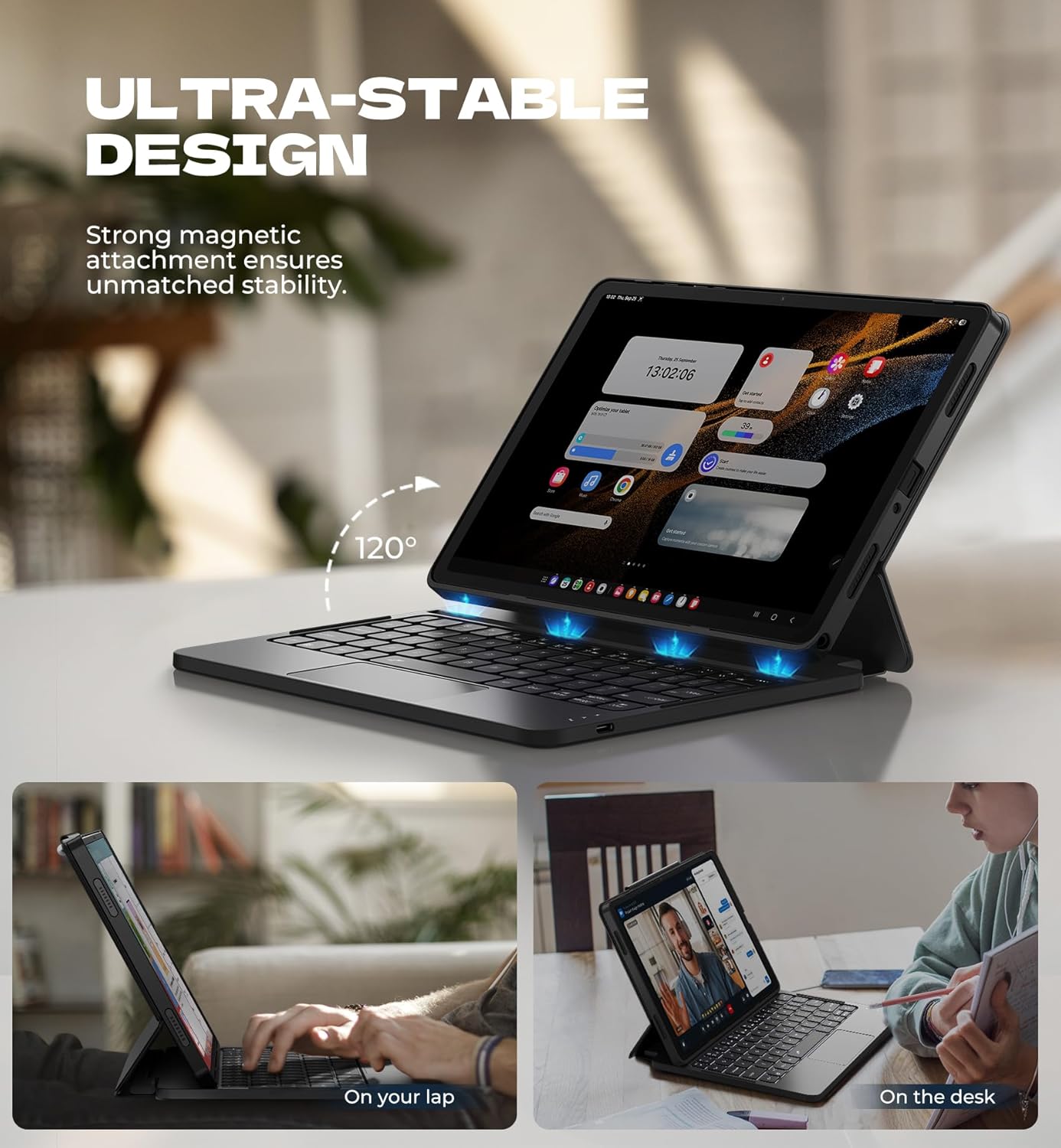
Image: Ultra-stable design of the keyboard case.

Image: Multi-touch trackpad features.
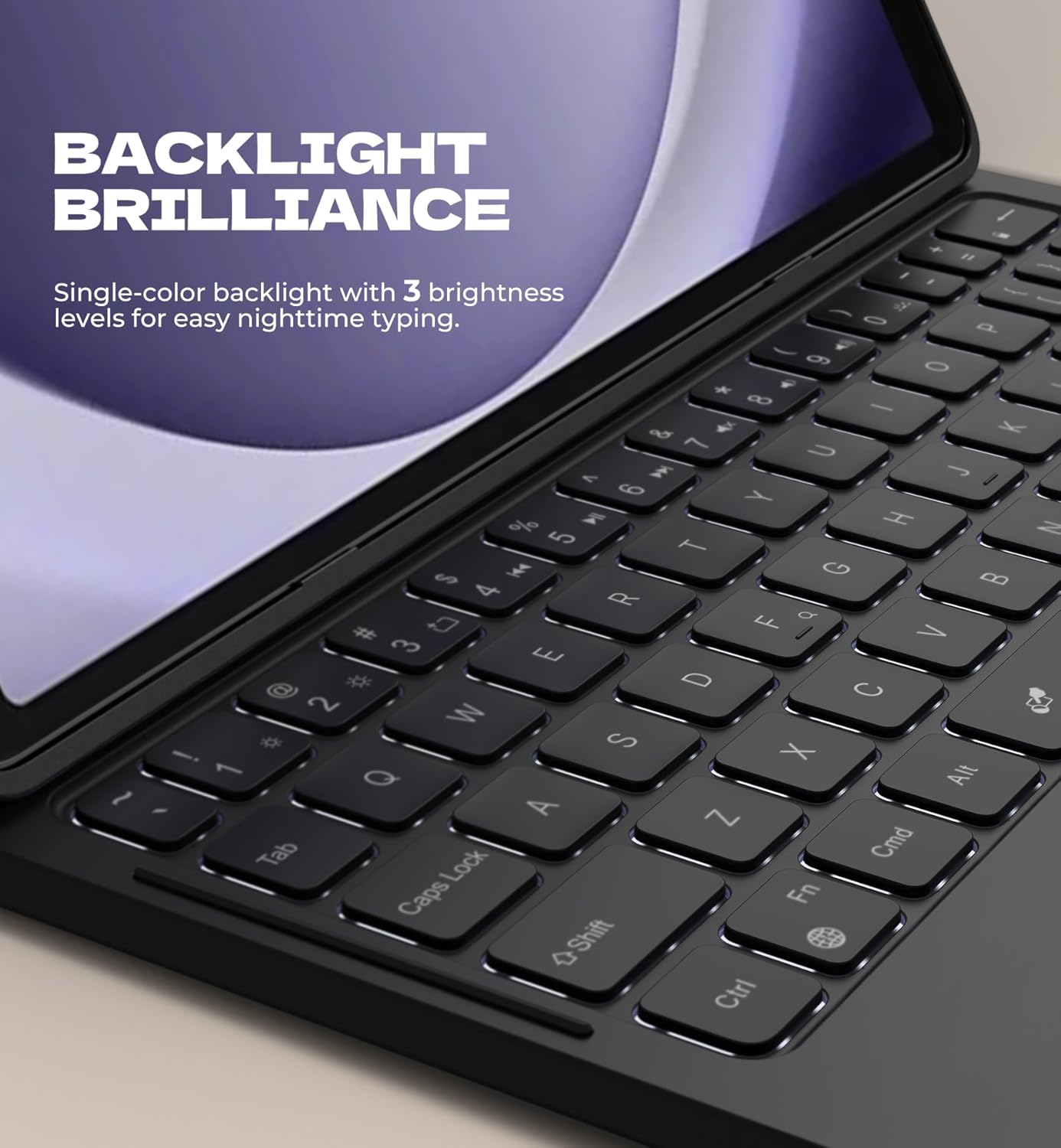
Image: Backlit keyboard for low-light typing.
Video: Demonstrates the ease of use and portability of the Dexnor Keyboard Case, showing a user attaching the tablet, typing, and carrying the device.
5. సెటప్ సూచనలు
- ఇన్సర్ట్ టాబ్లెట్: Gently place your Samsung Galaxy Tab A9+ Plus into the protective PC case. Ensure all ports and buttons align correctly. The strong magnets in the case will secure the tablet.
- కీబోర్డ్ను పవర్ ఆన్ చేయండి: Open the keyboard case. The keyboard will automatically power on.
- బ్లూటూత్ ద్వారా జత చేయండి:
- On your Samsung Galaxy Tab A9+ Plus, go to Settings > Connected devices > Bluetooth.
- బ్లూటూత్ ఆన్ చేయండి.
- కీబోర్డ్లో, నొక్కండి Fn కీ మరియు C key simultaneously to enter pairing mode. The Bluetooth indicator light on the keyboard will flash.
- On your tablet, select "Dexnor Keyboard" (or similar name) from the list of available devices.
- Follow any on-screen prompts to complete the pairing process. The Bluetooth indicator light on the keyboard will turn off once successfully paired.
6. ఆపరేటింగ్ సూచనలు
6.1. Using the Trackpad
- సింగిల్ ఫింగర్ ట్యాప్: ఎడమ-క్లిక్ చేయండి.
- రెండు వేళ్ల ట్యాప్: కుడి-క్లిక్ చేయండి.
- రెండు వేళ్ల స్క్రోల్: పైకి/క్రిందికి లేదా ఎడమ/కుడికి స్క్రోల్ చేయండి.
- Pinch In/Out: జూమ్ ఇన్/అవుట్.
- Three Finger Swipe Up: View అప్లికేషన్లను తెరవండి.
- Three Finger Swipe Left/Right: ఓపెన్ అప్లికేషన్ల మధ్య మారండి.
- Disable Trackpad: నొక్కండి Fn + స్పేస్ బార్ to toggle the trackpad on/off.
6.2. బ్యాక్లైట్ సర్దుబాటు
- నొక్కండి లైట్ బల్బ్ ఐకాన్ కీ (usually near the top right of the keyboard) to cycle through backlight brightness levels (Low, Medium, High, Off).
6.3. Using Shortcut Keys
The top row of keys provides quick access to various functions. Refer to the icons on the keys for specific functions such as media control, volume adjustment, and screen brightness.
- To activate a shortcut, press the desired shortcut key.
- To use the traditional F1-F12 functions, press Fn and the corresponding shortcut key.
6.4. DeX Mode
The keyboard supports Samsung DeX mode. To activate DeX mode, press Fn + నమోదు చేయండి.
7. కీబోర్డ్ను ఛార్జ్ చేయడం
When the battery is low, the power indicator light on the keyboard will flash. To charge the keyboard:
- Connect the included USB-C charging cable to the charging port on the keyboard.
- కేబుల్ యొక్క మరొక చివరను USB పవర్ అడాప్టర్ (చేర్చబడలేదు) లేదా కంప్యూటర్ యొక్క USB పోర్ట్కు కనెక్ట్ చేయండి.
- ఛార్జింగ్ సమయంలో ఛార్జింగ్ ఇండికేటర్ లైట్ వెలుగుతుంది మరియు పూర్తిగా ఛార్జ్ అయిన తర్వాత ఆపివేయబడుతుంది.
పూర్తిగా ఛార్జ్ చేయడానికి సుమారు 3 గంటలు పడుతుంది.
8. Power Saving Features
- స్వయంచాలక ఆన్/ఆఫ్: Opening the case automatically powers on the keyboard and wakes your tablet. Closing the case powers off the keyboard and puts your tablet to sleep.
- Keyboard Sleep Mode: The keyboard will enter sleep mode after 30 minutes of inactivity to conserve power. Press any key to wake it up.
- Backlight Sleep Mode: The backlight will turn off after 45 seconds of inactivity. Press any key to reactivate it.
9. నిర్వహణ
- Keep the keyboard case away from liquids and extreme temperatures.
- Clean the surface of the case and keyboard with a soft, damp వస్త్రం. కఠినమైన రసాయనాలను ఉపయోగించడం మానుకోండి.
- Do not attempt to disassemble the keyboard or case.
10. ట్రబుల్షూటింగ్
- కీబోర్డ్ బ్లూటూత్ ద్వారా కనెక్ట్ కావడం లేదు:
- కీబోర్డ్ ఛార్జ్ అయ్యిందని నిర్ధారించుకోండి.
- Make sure Bluetooth is enabled on your tablet.
- Re-enter pairing mode on the keyboard (Fn + C).
- Forget the device on your tablet's Bluetooth settings and attempt to pair again.
- Restart both your tablet and the keyboard.
- కీలు స్పందించడం లేదు:
- Check if the keyboard is powered on and connected via Bluetooth.
- Ensure the keyboard battery is not depleted.
- సమస్య కొనసాగితే, కీబోర్డ్ను తిరిగి జత చేయడానికి ప్రయత్నించండి.
- Trackpad not working:
- Ensure the trackpad is not disabled (press Fn + Spacebar to toggle).
- Check Bluetooth connection and battery level.
11. స్పెసిఫికేషన్లు
| ఫీచర్ | వివరాలు |
|---|---|
| మోడల్ సంఖ్య | DK006 |
| అనుకూల పరికరాలు | Samsung Galaxy Tab A9+ Plus 11" (2023) |
| కనెక్టివిటీ టెక్నాలజీ | బ్లూటూత్ |
| కీబోర్డ్ వివరణ | Multi Functional, Scissor-switch keys |
| ప్రత్యేక లక్షణాలు | Backlit keys, Multi-gesture trackpad, Auto-wake/sleep, Magnetic attachment, Stylus holder |
| బ్యాటరీ కెపాసిటీ | 650mAh లిథియం పాలిమర్ |
| స్టాండ్బై సమయం | 720 గంటల వరకు |
| Working Time (no backlight) | 200 గంటల వరకు |
| Working Time (brightest backlight) | 10 గంటల వరకు |
| ఛార్జింగ్ సమయం | సుమారు 3 గంటలు |
| వస్తువు బరువు | 1.36 పౌండ్లు (సుమారు 617గ్రా) |
| మెటీరియల్ | PU leather, Polycarbonate |
| శక్తి మూలం | USB శక్తితో |
12. వారంటీ మరియు మద్దతు
For warranty information and customer support, please refer to the documentation provided with your purchase or contact Dexnor customer service through their official webఉత్పత్తిని కొనుగోలు చేసిన సైట్ లేదా రిటైలర్ వద్ద వారంటీ క్లెయిమ్ల కోసం మీ కొనుగోలు రసీదును ఉంచండి.


