పరిచయం
This manual provides instructions for the Monster Persona 4th ANC Active Noise Canceling Headphones. Please read this manual thoroughly before using the product to ensure proper operation and to understand its features.

Image: Monster Persona 4th ANC Headphones in white, showcasing మొత్తం డిజైన్.
భద్రతా సమాచారం
పరికరానికి నష్టం జరగకుండా లేదా మీకు మీరే గాయం కాకుండా ఉండటానికి క్రింది భద్రతా మార్గదర్శకాలను గమనించండి:
- హెడ్ఫోన్లను తీవ్రమైన ఉష్ణోగ్రతలు లేదా తేమకు గురిచేయవద్దు.
- హెడ్ఫోన్లను బలమైన ప్రభావాలకు గురిచేయడం లేదా పడవేయడం మానుకోండి.
- హెడ్ఫోన్లను మీరే విడదీయవద్దు లేదా రిపేర్ చేయడానికి ప్రయత్నించవద్దు.
- Clean the headphones with a soft, dry cloth. Do not use harsh chemicals.
- అధిక వాల్యూమ్ స్థాయిలలో ఎక్కువసేపు వినడం వలన వినికిడి దెబ్బతినవచ్చు.
ప్యాకేజీ విషయాలు
ప్యాకేజీలో అన్ని అంశాలు ఉన్నాయని నిర్ధారించుకోండి:
- 1x Monster Persona 4th ANC Headphones
- 1x టైప్-సి ఛార్జింగ్ కేబుల్
- 1x ఆక్స్ కేబుల్
- 1x వినియోగదారు మాన్యువల్

Image: Contents of the product box, including the headphones, charging cable, aux cable, and user manual.
ఉత్పత్తి ముగిసిందిview మరియు నియంత్రణలు
హెడ్ఫోన్ భాగాలు మరియు నియంత్రణ బటన్లతో మిమ్మల్ని మీరు పరిచయం చేసుకోండి.

Image: Diagram illustrating the location and function of the control buttons on the headphones.
- వాల్యూమ్ +: Press once to increase volume. Long press for 2 seconds for next song.
- వాల్యూమ్ -: Press once to decrease volume. Long press for 2 seconds for previous song.
- పవర్ బటన్:
- పై: 3 సెకన్ల పాటు ఎక్కువసేపు నొక్కండి.
- ఆఫ్: 5 సెకన్ల పాటు ఎక్కువసేపు నొక్కండి.
- ప్లే/పాజ్: ఒకసారి నొక్కండి.
- కాల్ కి సమాధానం ఇవ్వండి/హాంగ్ అప్ చేయండి: ఒకసారి నొక్కండి.
- కాల్ తిరస్కరించు: 2 సెకన్ల పాటు ఎక్కువసేపు నొక్కండి.
- వాయిస్ అసిస్టెంట్: 2 సెకన్ల పాటు ఎక్కువసేపు నొక్కండి.
- ANC Switching Modes: Press once to cycle through modes (Active Noise Canceling, Transparency, Standard).
సెటప్
హెడ్ఫోన్లను ఛార్జ్ చేస్తోంది
మొదటిసారి ఉపయోగించే ముందు, హెడ్ఫోన్లను పూర్తిగా ఛార్జ్ చేయండి.
- హెడ్ఫోన్లలోని ఛార్జింగ్ పోర్ట్కు టైప్-సి ఛార్జింగ్ కేబుల్ను కనెక్ట్ చేయండి.
- కేబుల్ యొక్క మరొక చివరను USB పవర్ సోర్స్కి కనెక్ట్ చేయండి (ఉదా. వాల్ అడాప్టర్, కంప్యూటర్ USB పోర్ట్).
- ఇండికేటర్ లైట్ ఛార్జింగ్ స్థితిని చూపుతుంది. పూర్తిగా ఛార్జ్ చేయడానికి దాదాపు 2 గంటలు పడుతుంది.
10 నిమిషాల ఛార్జ్ దాదాపు 5 గంటల ప్లేబ్యాక్ను అందిస్తుంది.

Image: Visual representation of the headphone's battery life and fast charging capability.
పవర్ ఆన్/ఆఫ్
- పవర్ ఆన్ చేయడానికి: పవర్ బటన్ను 3 సెకన్ల పాటు ఎక్కువసేపు నొక్కండి.
- పవర్ ఆఫ్ చేయడానికి: పవర్ బటన్ను 5 సెకన్ల పాటు ఎక్కువసేపు నొక్కండి.
బ్లూటూత్ పెయిరింగ్
బ్లూటూత్ ద్వారా మీ హెడ్ఫోన్లను పరికరానికి కనెక్ట్ చేయడానికి:
- హెడ్ఫోన్లు పవర్ ఆఫ్లో ఉన్నాయని నిర్ధారించుకోండి.
- Long press the Power button for 3 seconds to power on and enter pairing mode (indicator light will flash).
- మీ పరికరంలో (స్మార్ట్ఫోన్, టాబ్లెట్, కంప్యూటర్), బ్లూటూత్ను ప్రారంభించి, అందుబాటులో ఉన్న పరికరాల కోసం శోధించండి.
- Select "Monster Persona 4th ANC" from the list of devices.
- కనెక్ట్ చేసిన తర్వాత, సూచిక లైట్ మెరుస్తూ ఆగిపోతుంది.

Image: Close-up of the internal Bluetooth 6.0 chip, indicating advanced wireless connectivity.
మల్టీ-పాయింట్ కనెక్షన్
The headphones support connecting to two Bluetooth devices simultaneously.
- Connect the headphones to the first device as described in the Bluetooth Pairing section.
- మొదటి పరికరంలో బ్లూటూత్ను తాత్కాలికంగా డిస్కనెక్ట్ చేయండి.
- హెడ్ఫోన్లను రెండవ పరికరానికి కనెక్ట్ చేయండి.
- మొదటి పరికరంలో బ్లూటూత్ను తిరిగి కనెక్ట్ చేయండి. హెడ్ఫోన్లు ఇప్పుడు రెండు పరికరాలకు కనెక్ట్ చేయబడాలి.

Image: Headphones connected simultaneously to a smartphone and a laptop, demonstrating multi-point connection.
వైర్డు కనెక్షన్
వైర్డు కనెక్షన్తో హెడ్ఫోన్లను ఉపయోగించడానికి:
- Connect the included Aux Cable to the 3.5mm audio jack on the headphones.
- Connect the other end of the Aux Cable to your audio source's 3.5mm output.
Note: The wired connection on mobile devices only supports Type-C port input and output if using a Type-C to 3.5mm adapter (not included).
ఆపరేటింగ్
Music Playback and Volume
- ప్లే/పాజ్: పవర్ బటన్ని ఒకసారి నొక్కండి.
- తదుపరి పాట: Long press Volume + for 2 seconds.
- మునుపటి పాట: Long press Volume - for 2 seconds.
- వాల్యూమ్ పెంచండి: Press Volume + once.
- వాల్యూమ్ తగ్గించండి: Press Volume - once.
కాల్ నిర్వహణ
- సమాధానం/హాంగ్ అప్: పవర్ బటన్ని ఒకసారి నొక్కండి.
- కాల్ని తిరస్కరించండి: పవర్ బటన్ను 2 సెకన్ల పాటు ఎక్కువసేపు నొక్కండి.
వాయిస్ అసిస్టెంట్
- వాయిస్ అసిస్టెంట్ను సక్రియం చేయండి: పవర్ బటన్ను 2 సెకన్ల పాటు ఎక్కువసేపు నొక్కండి.
Sound Modes (ANC, Transparency, Standard)
The headphones offer three listening modes:
- Active Noise Canceling (ANC) Mode: పరిసర శబ్దాన్ని తగ్గిస్తుంది.
- పారదర్శకత మోడ్: ఆడియో వింటున్నప్పుడు మీ పరిసరాలను వినడానికి మిమ్మల్ని అనుమతిస్తుంది.
- ప్రామాణిక మోడ్: Balanced sound for everyday listening without noise cancellation or transparency.
To switch between modes, press the ANC Switching Modes button once.
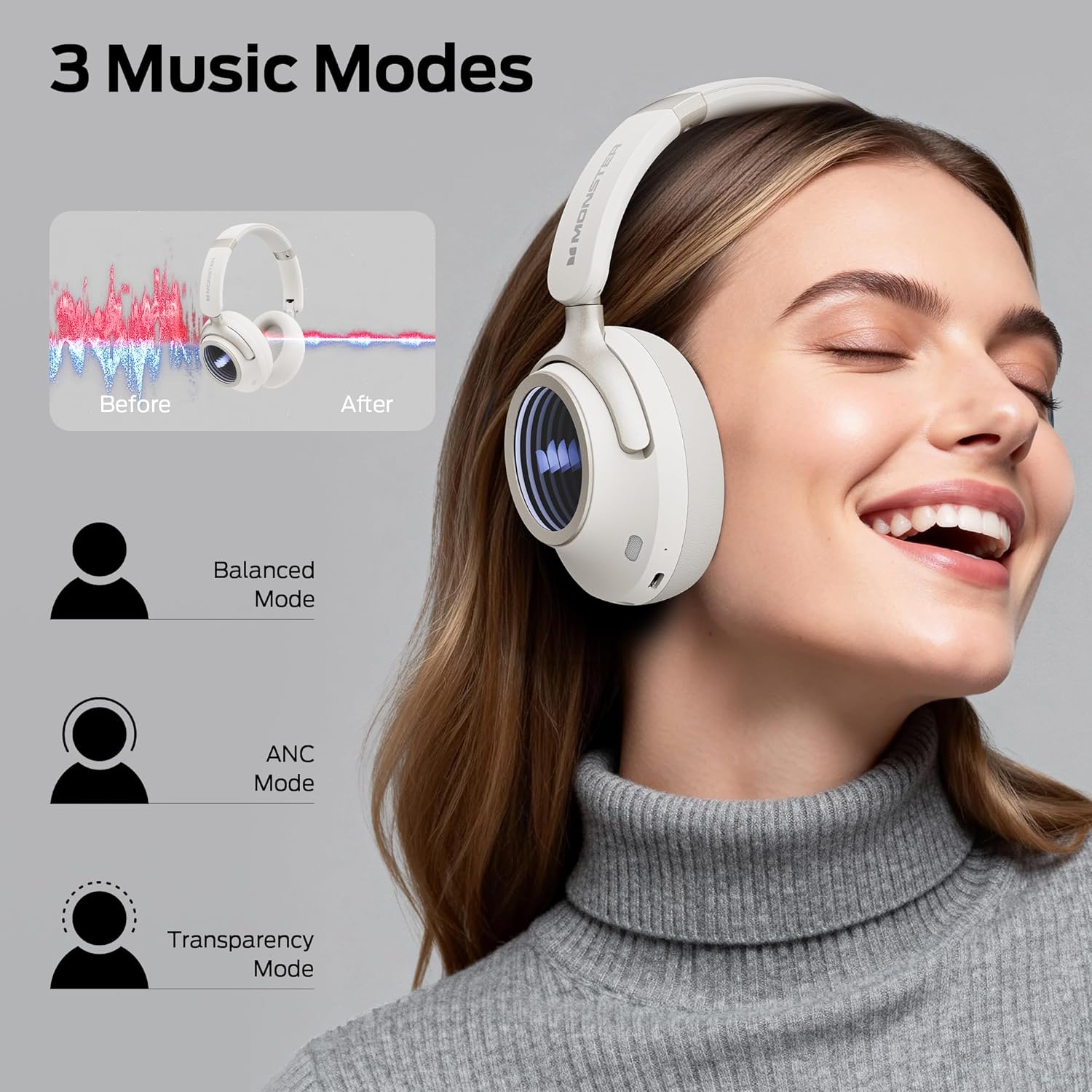
Image: Illustration of the three available music modes: Balanced, ANC, and Transparency, with a user demonstrating the headphones.
హెడ్ఫోన్లు ధరించడం
Adjust the headband and earcups for a comfortable and secure fit. The earcups rotate for flexible adjustments.

Image: Close-up of an earcup, highlighting the breathable cushion design for comfort.

Image: Diagrams showing the dimensions of the headphones for both wireless and wired configurations.
నిర్వహణ
- శుభ్రపరచడం: Use a soft, dry, lint-free cloth to clean the headphones. Do not use liquid cleaners or aerosols.
- నిల్వ: ఉపయోగంలో లేనప్పుడు, హెడ్ఫోన్లను చల్లని, పొడి ప్రదేశంలో, ప్రత్యక్ష సూర్యకాంతి మరియు తీవ్రమైన ఉష్ణోగ్రతలకు దూరంగా నిల్వ చేయండి. ఫోల్డబుల్ డిజైన్ కాంపాక్ట్ నిల్వను అనుమతిస్తుంది.
- బ్యాటరీ సంరక్షణ: బ్యాటరీ జీవితకాలాన్ని కాపాడుకోవడానికి, తరచుగా ఉపయోగించకపోయినా, హెడ్ఫోన్లను క్రమం తప్పకుండా ఛార్జ్ చేయండి. ఎక్కువసేపు బ్యాటరీని పూర్తిగా డిశ్చార్జ్ చేయకుండా ఉండండి.
ట్రబుల్షూటింగ్
| సమస్య | పరిష్కారం |
|---|---|
| హెడ్ఫోన్లు పవర్ ఆన్ చేయవు. | హెడ్ఫోన్లు ఛార్జ్ అయ్యాయని నిర్ధారించుకోండి. టైప్-సి కేబుల్ ఉపయోగించి పవర్ సోర్స్కి కనెక్ట్ చేయండి. |
| బ్లూటూత్ ద్వారా జత చేయడం సాధ్యం కాదు. | Ensure headphones are in pairing mode (flashing indicator light). Turn off and on Bluetooth on your device. Forget previous pairings and try again. Ensure headphones are within range. |
| శబ్దం లేదు లేదా తక్కువ వాల్యూమ్ ఉంది. | Check headphone and device volume levels. Ensure headphones are properly connected (Bluetooth or wired). Try restarting both devices. |
| Active Noise Canceling (ANC) is not effective. | Ensure ANC mode is activated. Check that the earcups form a good seal around your ears. ANC is most effective against low-frequency sounds. |
| కాల్స్ సమయంలో మైక్రోఫోన్ పనిచేయడం లేదు. | Ensure the headphones are connected via Bluetooth. Check your device's audio input settings to confirm the headphones are selected as the microphone. |
స్పెసిఫికేషన్లు
| ఫీచర్ | వివరాలు |
|---|---|
| మోడల్ పేరు | Monster Persona 4th ANC |
| కనెక్టివిటీ టెక్నాలజీ | వైర్డు, వైర్లెస్ (బ్లూటూత్ 6.0) |
| హెడ్ఫోన్స్ జాక్ | 3.5 మి.మీ జాక్ |
| వైర్లెస్ కమ్యూనికేషన్ టెక్నాలజీ | బ్లూటూత్ |
| మెటీరియల్ | తోలు, ప్లాస్టిక్ |
| ఛార్జింగ్ సమయం | 2 గంటలు |
| బ్యాటరీ సగటు జీవితం | 70 గంటలు (ANC ఆఫ్), 50 గంటలు (ANC ఆన్) |
| నియంత్రణ రకం | బటన్ నియంత్రణ |
| వస్తువు బరువు | 0.2 కిలోలు |
| నీటి నిరోధక స్థాయి | వాటర్ రెసిస్టెంట్ |
| గరిష్ట ఆపరేటింగ్ దూరం | 33 అడుగులు |
| నాయిస్ కంట్రోల్ | యాక్టివ్ నాయిస్ రద్దు |
| ఫారమ్ ఫ్యాక్టర్ | ఓవర్ చెవి |
| ఉత్పత్తి కొలతలు | 17.4 x 8 x 19.5 సెం.మీ |
వారంటీ మరియు మద్దతు
Monster products are designed and manufactured to the highest quality standards. For warranty information and customer support, please refer to the warranty card included in your package or visit the official Monster webవారంటీ క్లెయిమ్ల కోసం మీ కొనుగోలు రుజువును ఉంచండి.
If you encounter any issues not covered in this manual, please contact customer support for assistance.


