పరిచయం
This manual provides essential information for setting up, operating, and maintaining your Acer Aspire Lite 15 AL15-36P-C0M7 laptop. Designed for efficient everyday computing, this device features an Intel N150 processor, 4GB RAM, and a 128GB PCIe SSD for fast performance. Please read this manual thoroughly to ensure proper use and longevity of your device.
పెట్టెలో ఏముంది
- Acer Aspire Lite 15 AL15-36P-C0M7 Laptop
- పవర్ అడాప్టర్
- త్వరిత ప్రారంభ గైడ్
- వారంటీ కార్డ్
సెటప్
ప్రారంభ సెటప్
- అన్ప్యాకింగ్: ప్యాకేజింగ్ నుండి ల్యాప్టాప్ మరియు అన్ని ఉపకరణాలను జాగ్రత్తగా తీసివేయండి.
- పవర్ కనెక్ట్ చేయండి: Plug the power adapter into the laptop's charging port and then into a power outlet.
- మొదటి బూట్: Open the laptop lid. The system should power on automatically. If not, press the power button.
- విండోస్ సెటప్: భాష, ప్రాంతం, నెట్వర్క్ కనెక్షన్ మరియు వినియోగదారు ఖాతా సృష్టితో సహా Windows 11 హోమ్ సెటప్ను పూర్తి చేయడానికి స్క్రీన్పై ఉన్న సూచనలను అనుసరించండి.
పెరిఫెరల్స్ కనెక్ట్ చేస్తోంది
The Acer Aspire Lite 15 AL15-36P-C0M7 includes various ports for connecting external devices.
- USB పోర్ట్లు: Connect USB devices such as mice, keyboards, or external storage drives to the available USB 2.0 (1 port) and USB 3.0 (2 ports) ports.
- HDMI పోర్ట్: Use the HDMI port to connect to an external monitor or TV for extended display options.
- ఆడియో జాక్: హెడ్ఫోన్లు లేదా బాహ్య స్పీకర్లను 3.5mm ఆడియో జాక్కి కనెక్ట్ చేయండి.

Figure 1: Right side ports including USB 2.0 and audio jack.

Figure 2: Left side ports including power, USB-C, HDMI, and USB 3.0 ports.
మీ ల్యాప్టాప్ను ఆపరేట్ చేయడం
పవర్ మేనేజ్మెంట్
- పవర్ ఆన్/ఆఫ్: Press the power button to turn the laptop on or off.
- స్లీప్ మోడ్: Close the lid or select "Sleep" from the Start menu to enter sleep mode, conserving battery while keeping your work open.
- బ్యాటరీ లైఫ్: The laptop offers extended battery life for on-the-go use. For optimal battery health, avoid frequent full discharges and keep the battery between 20% and 80% charge when possible.
డిస్ప్లే మరియు విజువల్స్
The 15.6-inch Full HD (1920x1080) display provides clear visuals for various tasks.
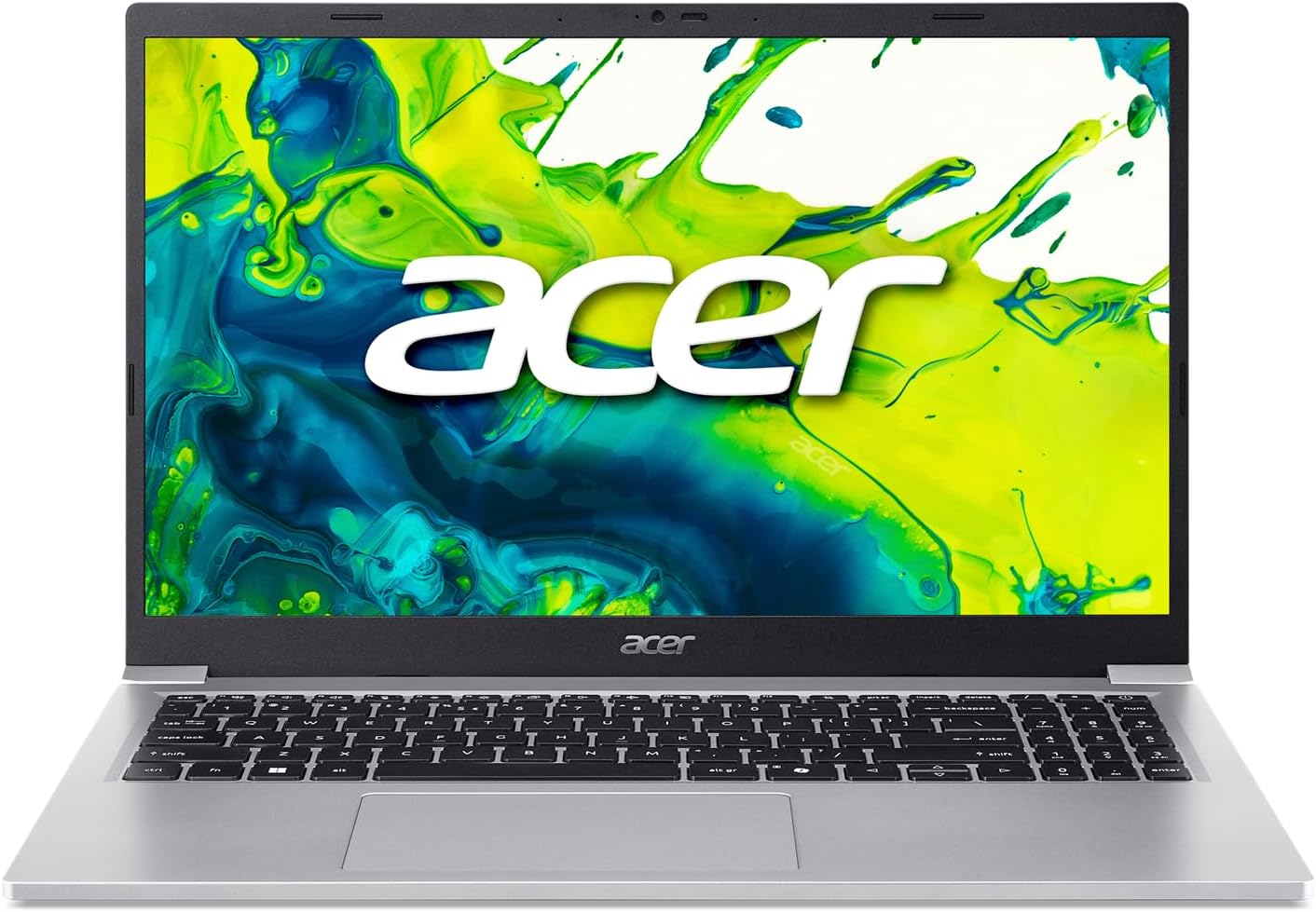
Figure 3: Acer Aspire Lite 15 laptop with its 15.6-inch Full HD display.

చిత్రం 4: కోణీయ view highlighting the laptop's design and screen clarity.
ప్రదర్శన
Equipped with an Intel N150 processor and 4GB DDR4 RAM, this laptop is designed for efficient multitasking and smooth application performance. The 128GB PCIe SSD ensures rapid boot times and quick access to your files.

Figure 5: The laptop powered by Intel technology.
Acer Intelligent Space
Utilize Acer Intelligent Space, your central hub for intelligent device features. It detects your system hardware and recommends compatible AI applications, helping you optimize performance, enhance your experiences, and discover new tools effortlessly.
నిర్వహణ
క్లీనింగ్
- స్క్రీన్: ఎలక్ట్రానిక్స్ కోసం ప్రత్యేకంగా రూపొందించిన మృదువైన, మెత్తటి బట్టను ఉపయోగించండి. D.ampen slightly with water or a screen cleaner.
- Keyboard/Chassis: మెత్తని గుడ్డను ఉపయోగించండి. మొండి ధూళి కోసం, కొద్దిగా damp తేలికపాటి సబ్బు ఉన్న వస్త్రాన్ని ఉపయోగించవచ్చు, తద్వారా ద్రవం రంధ్రాలలోకి ప్రవేశించదు.
సాఫ్ట్వేర్ నవీకరణలు
- సిస్టమ్ స్థిరత్వం మరియు భద్రతను నిర్ధారించడానికి విండోస్ నవీకరణలను క్రమం తప్పకుండా తనిఖీ చేసి, ఇన్స్టాల్ చేయండి.
- Keep Acer drivers and software updated for optimal performance.
బ్యాటరీ సంరక్షణ
- ల్యాప్టాప్ను తీవ్రమైన ఉష్ణోగ్రతలకు గురిచేయకుండా ఉండండి.
- దీర్ఘకాలిక నిల్వ కోసం, బ్యాటరీని దాదాపు 50% వరకు ఛార్జ్ చేసి, చల్లని, పొడి ప్రదేశంలో నిల్వ చేయండి.
ట్రబుల్షూటింగ్
సాధారణ సమస్యలు మరియు పరిష్కారాలు
- ల్యాప్టాప్ ఆన్ కావడం లేదు: పవర్ అడాప్టర్ సురక్షితంగా కనెక్ట్ చేయబడిందని మరియు బ్యాటరీ తగినంత ఛార్జ్ కలిగి ఉందని నిర్ధారించుకోండి. వేరే పవర్ అవుట్లెట్ను ప్రయత్నించండి.
- నెమ్మది పనితీరు: Close unnecessary applications, check for malware, ensure sufficient free storage space, and update drivers.
- Wi-Fi కనెక్షన్ సమస్యలు: Restart your router and laptop. Check network settings and ensure Wi-Fi drivers are updated.
- Screen issues (no display/flickering): Connect to an external monitor to determine if the issue is with the laptop's display or graphics card. Restart the laptop.
For more detailed troubleshooting or persistent issues, refer to the Acer support webసైట్ లేదా కస్టమర్ సేవను సంప్రదించండి.
స్పెసిఫికేషన్లు
సాంకేతిక లక్షణాలు
| ఫీచర్ | వివరాలు |
|---|---|
| మోడల్ సంఖ్య | AL15-36P-C0M7 |
| ప్రాసెసర్ | Intel Processor N150 (1 GHz) |
| RAM | 4GB DDR4 SDRAM |
| నిల్వ | 128GB PCIe SSD |
| ప్రదర్శించు | 15.6 అంగుళాలు, 1920 x 1080 పిక్సెల్స్ (పూర్తి HD) |
| గ్రాఫిక్స్ | ఇంటిగ్రేటెడ్ ఇంటెల్ గ్రాఫిక్స్ |
| ఆపరేటింగ్ సిస్టమ్ | Windows 11 హోమ్ |
| వైర్లెస్ కనెక్టివిటీ | 801.11ac |
| ఓడరేవులు | 1x USB 2.0, 2x USB 3.0, HDMI, USB-C, Audio Jack |
| కొలతలు (LxWxH) | 9.28 x 14.09 x 0.57 అంగుళాలు |
| రంగు | వెండి |
వారంటీ మరియు మద్దతు
వారంటీ సమాచారం మరియు సాంకేతిక మద్దతు కోసం, దయచేసి మీ ఉత్పత్తితో చేర్చబడిన డాక్యుమెంటేషన్ను చూడండి లేదా అధికారిక Acer మద్దతును సందర్శించండి. webసైట్. ఏవైనా వారంటీ క్లెయిమ్లకు కొనుగోలు రుజువుగా మీ కొనుగోలు రసీదును ఉంచండి.


