1. పరిచయం
Thank you for choosing the Monster Open Ear AC225 Headphones. These wireless earbuds are designed to provide a comfortable listening experience while allowing you to remain aware of your surroundings. Featuring Bluetooth 6.0 connectivity, clear call quality with ENC technology, and IPX6 water resistance, the AC225 is suitable for various activities. This manual provides detailed instructions for setup, operation, and maintenance to ensure optimal performance.
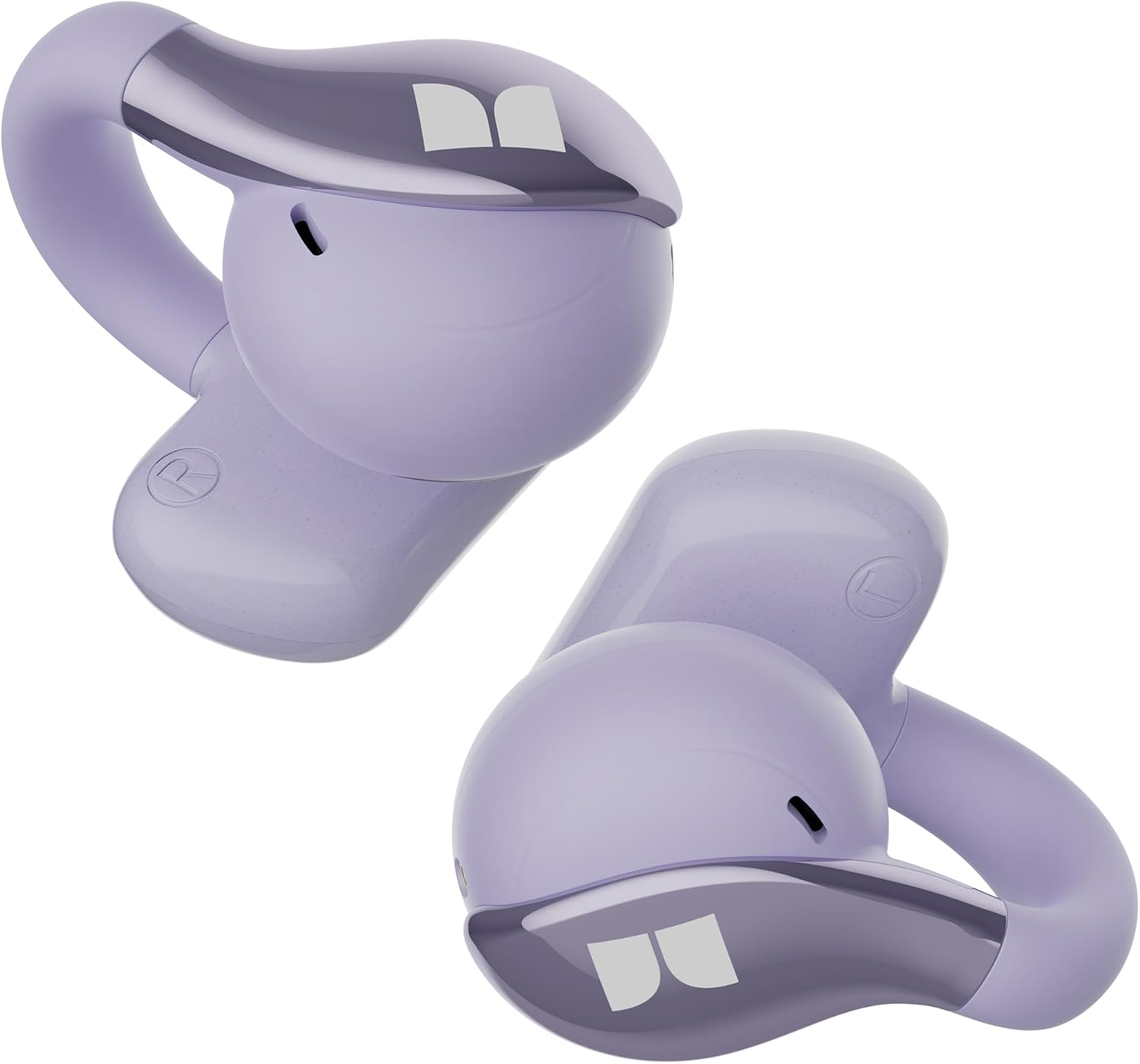
Image 1: Monster Open Ear AC225 Headphones. This image displays the two purple earbuds, highlighting their open-ear design.
2. ప్యాకేజీ విషయాలు
దయచేసి ఈ క్రింది అంశాల కోసం ప్యాకేజీని తనిఖీ చేయండి:
- Monster Open Ear AC225 Earbuds (Left and Right)
- ఛార్జింగ్ కేసు
- USB-C ఛార్జింగ్ కేబుల్
- వినియోగదారు మాన్యువల్ (ఈ పత్రం)
3. ఉత్పత్తి ముగిసిందిview
The Monster AC225 headphones feature an ergonomic clip-on design for secure and comfortable wear. Each earbud is equipped with a 13mm dynamic driver for audio output and an ENC-enhanced microphone for clear communication.
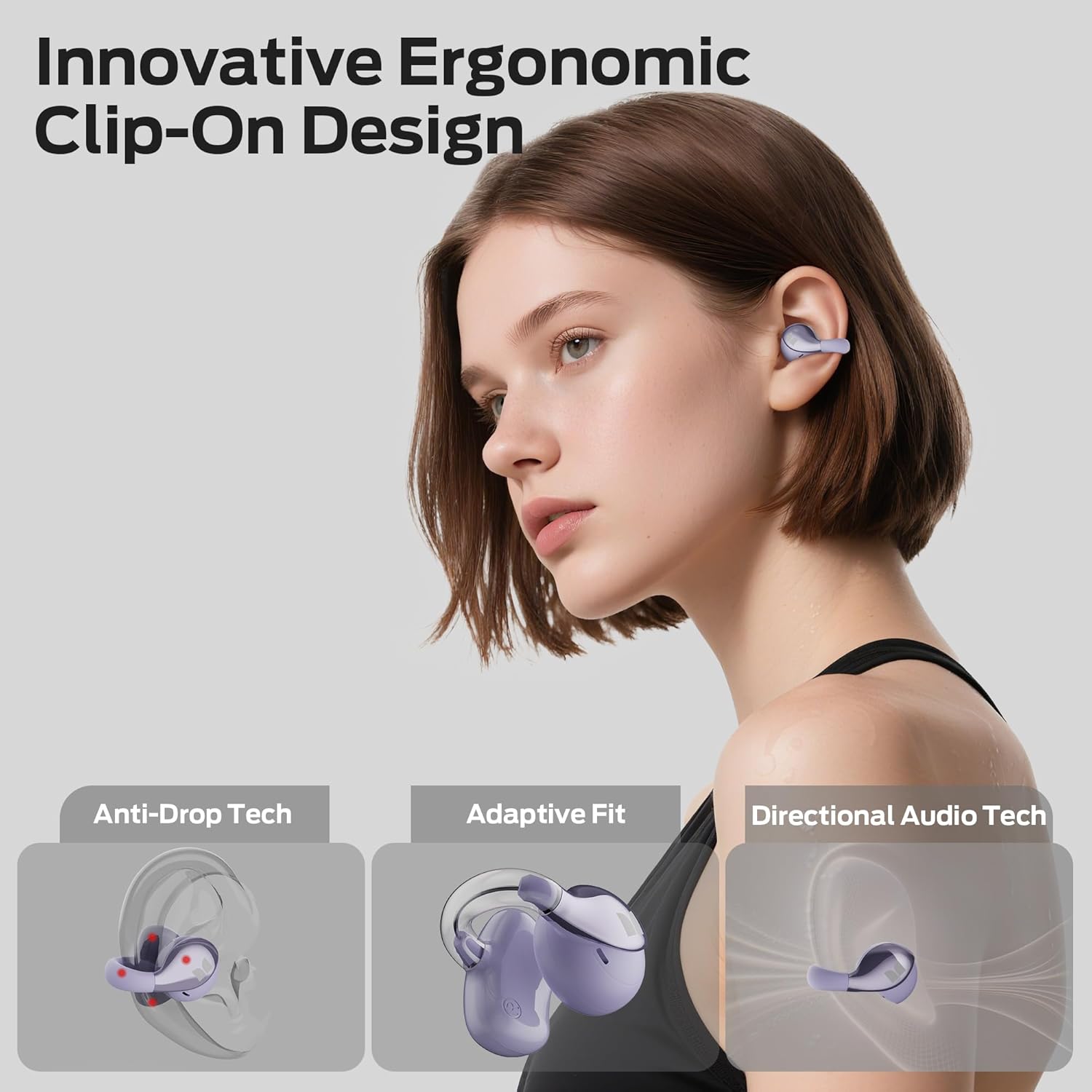
Image 2: 13mm Dynamic Driver. This diagram illustrates the internal structure of the earbud's 13mm dynamic driver, responsible for audio reproduction.
4. ఇయర్బడ్లు మరియు కేస్ను ఛార్జ్ చేయడం
Before first use, fully charge the earbuds and the charging case. The charging case provides additional power for the earbuds, extending their usage time.
4.1 ఇయర్బడ్లను ఛార్జ్ చేస్తోంది
- ఇయర్బడ్లను ఛార్జింగ్ కేసులో ఉంచండి. అవి వాటి సంబంధిత స్లాట్లలో సరిగ్గా అమర్చబడ్డాయని నిర్ధారించుకోండి (ఎడమవైపు L, కుడివైపు R).
- The indicator lights on the earbuds will show their charging status.
4.2 కేసును ఛార్జ్ చేయడం
- USB-C ఛార్జింగ్ కేబుల్ను కేస్లోని ఛార్జింగ్ పోర్ట్కు మరియు మరొక చివరను పవర్ సోర్స్కి (ఉదా. USB వాల్ అడాప్టర్, కంప్యూటర్ USB పోర్ట్) కనెక్ట్ చేయండి.
- ఛార్జింగ్ కేస్లోని ఇండికేటర్ లైట్ ఛార్జింగ్ స్థితిని చూపించడానికి వెలుగుతుంది.
- A full charge provides approximately 8 hours of listening time for the earbuds, with the charging case extending total playtime up to 36 hours.

చిత్రం 3: బ్యాటరీ జీవితకాలం ముగిసిందిview. This image shows the earbuds and charging case, highlighting the 8-hour single charge and 36-hour total playtime.
5. Setup and Bluetooth Pairing
The AC225 headphones utilize Bluetooth 6.0 for a stable and efficient wireless connection.
5.1 ప్రారంభ జత చేయడం
- ఇయర్బడ్లు ఛార్జ్ అయ్యాయని నిర్ధారించుకోండి.
- ఛార్జింగ్ కేస్ను తెరవండి. ఇయర్బడ్లు ఆటోమేటిక్గా జత చేసే మోడ్లోకి ప్రవేశిస్తాయి, ఇది ఫ్లాషింగ్ LED లైట్ ద్వారా సూచించబడుతుంది.
- మీ పరికరంలో (స్మార్ట్ఫోన్, టాబ్లెట్, ల్యాప్టాప్), బ్లూటూత్ను ప్రారంభించండి.
- కోసం వెతకండి available Bluetooth devices and select "Monster Open Ear AC225" from the list.
- కనెక్ట్ చేసిన తర్వాత, ఇయర్బడ్ ఇండికేటర్ లైట్లు ఫ్లాషింగ్ ఆగిపోతాయి మరియు మీరు వినగల నిర్ధారణను వింటారు.
5.2 తిరిగి కనెక్ట్ చేస్తోంది
After initial pairing, the earbuds will automatically reconnect to the last paired device when removed from the charging case and within Bluetooth range.

Image 4: Bluetooth Pairing. This image shows the earbuds alongside a smartphone, illustrating the Bluetooth connection process.
6. ఇయర్బడ్స్ ధరించడం
The AC225 headphones feature an open-ear, clip-on design for comfort and situational awareness.
- ఎడమ (L) మరియు కుడి (R) ఇయర్బడ్లను గుర్తించండి.
- Gently clip each earbud onto your ear, ensuring the speaker portion is positioned over your ear canal without entering it.
- Adjust the adaptive bridge for a secure and comfortable fit. The design allows you to hear ambient sounds while enjoying your audio.
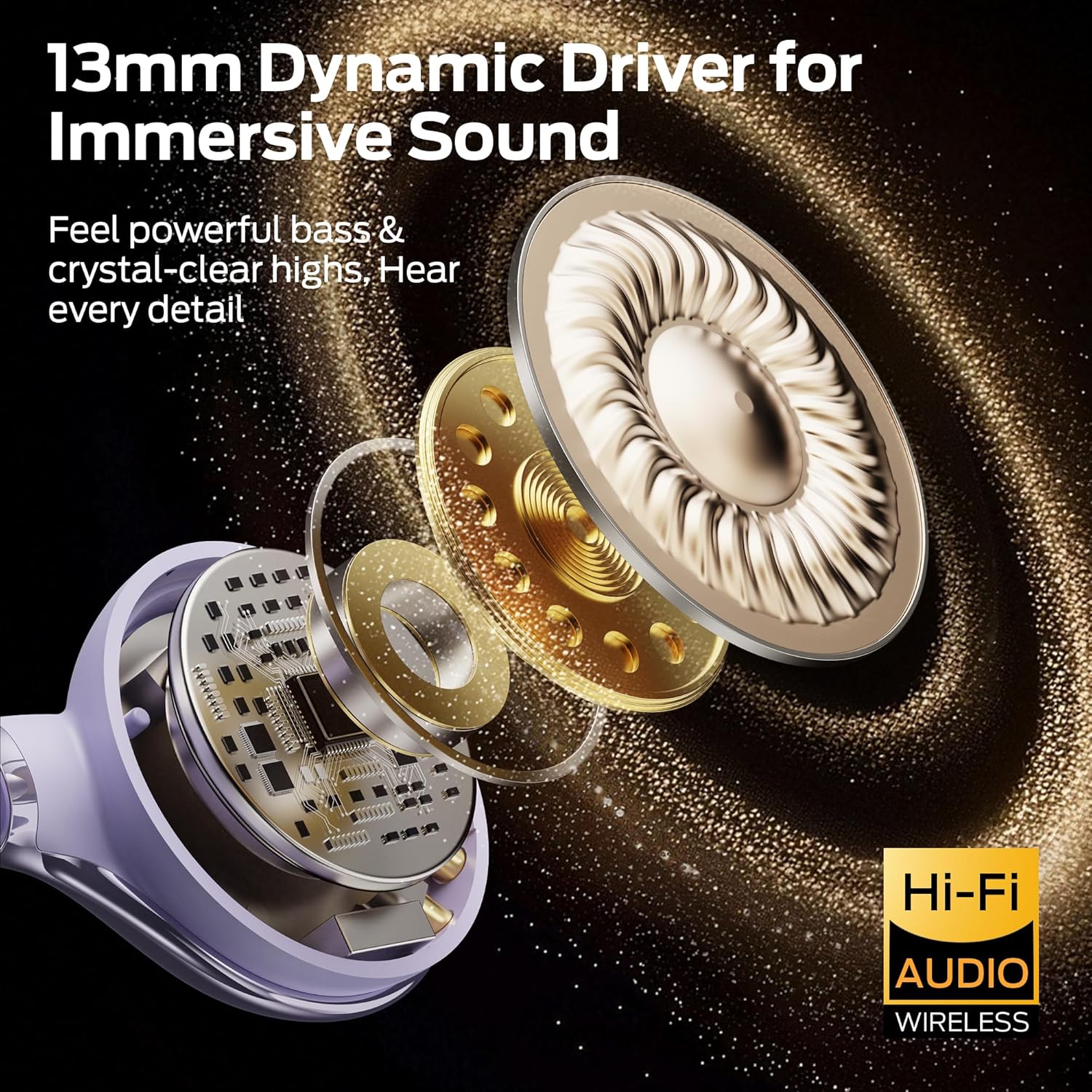
Image 5: Ergonomic Clip-On Design. This diagram highlights the secure and comfortable fit of the earbuds, including features like anti-drop technology and adaptive fit.
7. Operating Controls (Touch Control)
The AC225 earbuds are equipped with smart touch controls for easy management of audio playback, calls, and voice assistants.
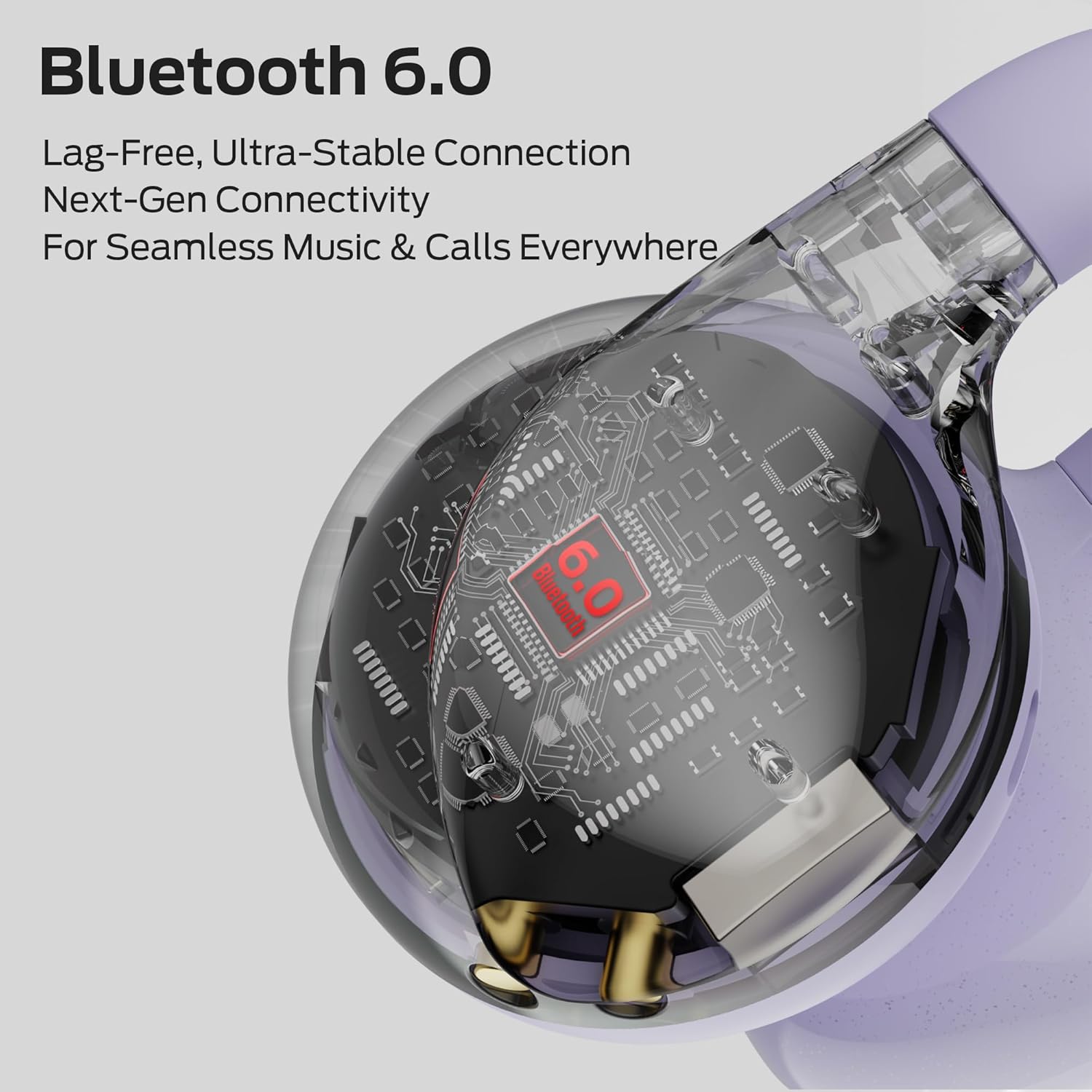
Image 6: Touch Control Guide. This diagram provides a visual guide to the various touch gestures for controlling the earbuds' functions.
- ప్లే/పాజ్: Double-tap L/R earbud.
- తదుపరి పాట: Triple-tap R earbud.
- మునుపటి పాట: Triple-tap L earbud.
- ధ్వని పెంచు: Single-tap R earbud.
- వాల్యూమ్ డౌన్: Single-tap L earbud.
- సమాధానం/ముగింపు కాల్: Double-tap L/R earbud.
- కాల్ని తిరస్కరించండి: Press and hold L/R earbud for 2 seconds.
- వాయిస్ అసిస్టెంట్ను సక్రియం చేయండి: Press and hold L/R earbud for 2 seconds (when not on a call).
8. నీటి నిరోధకత (IPX6)
The Monster AC225 headphones are rated IPX6 water-resistant. This means they are protected against high-pressure water jets from any direction. They are suitable for use during workouts, running, and in light rain. However, they are not designed for submersion in water (e.g., swimming or showering).

Image 7: IPX6 Water Resistance. This image depicts the earbuds with water droplets, signifying their IPX6 waterproof capability.
9. నిర్వహణ మరియు సంరక్షణ
సరైన నిర్వహణ మీ హెడ్ఫోన్ల దీర్ఘాయువు మరియు పనితీరును నిర్ధారిస్తుంది.
- శుభ్రపరచడం: ఇయర్బడ్లు మరియు ఛార్జింగ్ కేసును శుభ్రం చేయడానికి మృదువైన, పొడి, మెత్తటి బట్టను ఉపయోగించండి. అబ్రాసివ్ క్లీనర్లు, ఆల్కహాల్ లేదా రసాయన ద్రావకాలను ఉపయోగించవద్దు.
- నిల్వ: ఉపయోగంలో లేనప్పుడు, దుమ్ము మరియు నష్టం నుండి రక్షించడానికి ఇయర్బడ్లను వాటి ఛార్జింగ్ కేసులో నిల్వ చేయండి. తీవ్రమైన ఉష్ణోగ్రతలకు దూరంగా చల్లని, పొడి ప్రదేశంలో నిల్వ చేయండి.
- నీటి బహిర్గతం నివారించండి: While IPX6 rated, avoid prolonged exposure to water or submersion. Ensure the charging port is dry before charging.
10. ట్రబుల్షూటింగ్
If you encounter issues with your Monster AC225 headphones, refer to the following common solutions:
| సమస్య | సాధ్యమైన పరిష్కారం |
|---|---|
| ఇయర్బడ్లు పరికరంతో జత కావడం లేదు |
|
| Only one earbud connects |
|
| ధ్వని లేదా తక్కువ వాల్యూమ్ లేదు |
|
| పేలవమైన కాల్ నాణ్యత |
|
11. స్పెసిఫికేషన్లు
| ఫీచర్ | వివరాలు |
|---|---|
| మోడల్ పేరు | AC225 (E106) |
| బ్రాండ్ | రాక్షసుడు |
| కనెక్టివిటీ టెక్నాలజీ | వైర్లెస్ (బ్లూటూత్ 6.0) |
| చెవి ప్లేస్మెంట్ | చెవి తెరవండి |
| ఆడియో డ్రైవర్ రకం | 13mm డైనమిక్ డ్రైవర్ |
| నాయిస్ కంట్రోల్ | పర్యావరణ శబ్దం రద్దు (ENC) |
| నీటి నిరోధక స్థాయి | IPX6 |
| బ్యాటరీ లైఫ్ (ఇయర్బడ్స్) | 8 గంటల వరకు (ఒకసారి ఛార్జ్ చేస్తే) |
| మొత్తం ప్లేటైమ్ (కేస్తో సహా) | 36 గంటల వరకు |
| బరువు (ప్రతి ఇయర్బడ్) | 5.1గ్రా |
| మెటీరియల్ | ప్లాస్టిక్, సిలికాన్ |
| అనుకూల పరికరాలు | Cellphones, Tablets, Laptops, Smart Speakers |
12. భద్రతా సమాచారం
మీ పరికరానికి నష్టం జరగకుండా లేదా మీకు గాయం కాకుండా ఉండటానికి దయచేసి ఈ భద్రతా మార్గదర్శకాలను చదివి అనుసరించండి:
- ఉత్పత్తిని విడదీయవద్దు లేదా సవరించవద్దు.
- ఉత్పత్తిని తీవ్రమైన ఉష్ణోగ్రతలు, ప్రత్యక్ష సూర్యకాంతి మరియు బహిరంగ మంటల నుండి దూరంగా ఉంచండి.
- ఉత్పత్తిని బలమైన అయస్కాంత క్షేత్రాలకు గురిచేయకుండా ఉండండి.
- Do not use the product at excessively high volumes for prolonged periods to prevent hearing damage.
- స్థానిక నిబంధనల ప్రకారం ఉత్పత్తిని మరియు దాని బ్యాటరీని బాధ్యతాయుతంగా పారవేయండి.
13. వారంటీ మరియు మద్దతు
For warranty information or technical support, please refer to the warranty card included with your purchase or visit the official Monster website. You may also contact customer service through your retailer for assistance.


