పరిచయం
The Victrola Century Essential 5-in-1 Music Center is designed to provide versatile audio playback options in a compact, mid-century modern design. This unit integrates a 3-speed turntable, CD player, Bluetooth input, VINYLSTREAM Bluetooth output, and a 3.5mm auxiliary input. It features built-in stereo speakers for a complete audio experience.
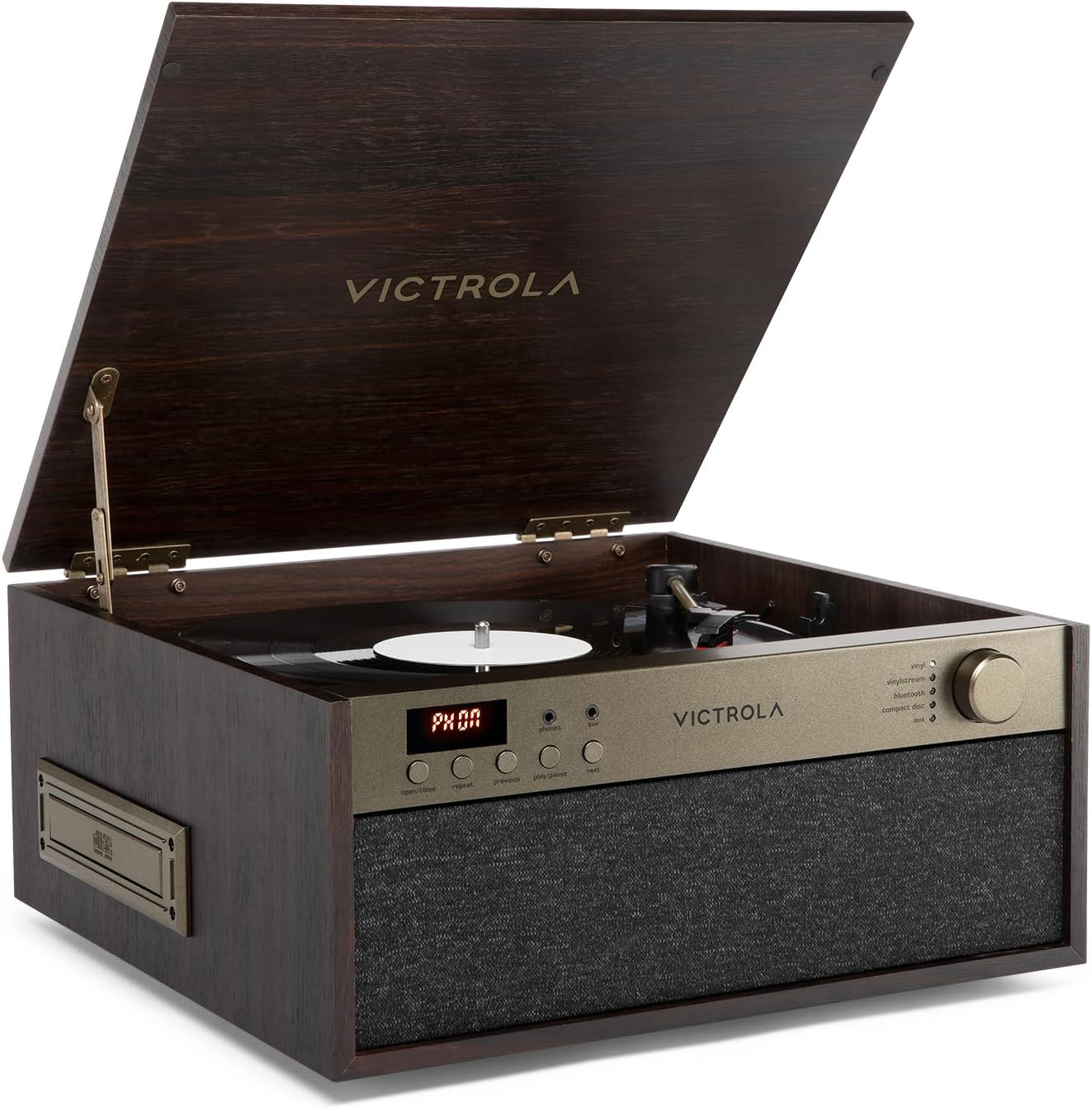
ముందు view of the Victrola Century Essential music center, showcasing its elegant espresso wood finish and integrated speaker grille. The lid is open, revealing the turntable.
భద్రతా సమాచారం
ఈ ఉత్పత్తిని ఉపయోగించే ముందు దయచేసి అన్ని భద్రతా సూచనలను చదివి అర్థం చేసుకోండి. భవిష్యత్తు సూచన కోసం ఈ సూచనలను ఉంచండి.
- యూనిట్ను వర్షం, తేమ లేదా విపరీతమైన ఉష్ణోగ్రతలకు గురిచేయవద్దు.
- సరైన వెంటిలేషన్ ఉండేలా చూసుకోండి; ఎలాంటి వెంటిలేషన్ ఓపెనింగ్లను నిరోధించవద్దు.
- తయారీదారు పేర్కొన్న జోడింపులు/యాక్సెసరీలను మాత్రమే ఉపయోగించండి.
- మెరుపు తుఫానుల సమయంలో లేదా ఎక్కువ కాలం ఉపయోగించనప్పుడు యూనిట్ను అన్ప్లగ్ చేయండి.
- అన్ని సేవలను అర్హత కలిగిన సేవా సిబ్బందికి సూచించండి.
ప్యాకేజీ విషయాలు
క్రింద జాబితా చేయబడిన అన్ని వస్తువులు మీ ప్యాకేజీలో చేర్చబడ్డాయని ధృవీకరించండి:
- Victrola Century Essential Music Center
- పవర్ అడాప్టర్
- వినియోగదారు మాన్యువల్
ఉత్పత్తి ముగిసిందిview

An annotated image illustrating the various components and functionalities of the Victrola Century Essential, including its 3-speed belt-driven turntable, CD player, Bluetooth connectivity, VINYLSTREAM output, 3.5mm auxiliary input, headphone jack, RCA output, and built-in speakers.
ముందు ప్యానెల్ నియంత్రణలు:
- డిస్ప్లే స్క్రీన్: ప్రస్తుత మోడ్ మరియు ట్రాక్ సమాచారాన్ని చూపుతుంది.
- తెరువు/మూసివేయు బటన్: For the CD tray.
- రిపీట్ బటన్: Repeats current track or entire CD.
- మునుపటి/తదుపరి బటన్లు: Navigates tracks on CD or cassette.
- ప్లే/పాజ్ బటన్: Controls playback for CD and cassette.
- ఫోన్లు జాక్: హెడ్ఫోన్ల కోసం 3.5mm అవుట్పుట్.
- Aux Jack: బాహ్య ఆడియో పరికరాల కోసం 3.5mm ఇన్పుట్.
- Volume/Mode Knob: Rotates to adjust volume, presses to cycle through input modes (Vinyl, VINYLSTREAM, Bluetooth, Compact Disc, Cassette, Aux).
వెనుక ప్యానెల్ కనెక్షన్లు:

The rear panel of the music center, displaying the RCA Line Out ports for connecting to external audio systems and the DC IN port for power.
- LINE OUT (R/L): RCA outputs for connecting to external speakers or an ampజీవితకాలం.
- DC IN: చేర్చబడిన అడాప్టర్ కోసం పవర్ ఇన్పుట్.
కొలతలు:

An image of the Victrola Century Essential with its key dimensions clearly marked, providing a visual reference for its size.
- వెడల్పు: 14.57 అంగుళాలు (370 మిమీ)
- లోతు: 14.02 అంగుళాలు (356 మిమీ)
- ఎత్తు: 6.42 అంగుళాలు (163 మిమీ)
సెటప్
- అన్ప్యాక్: దాని ప్యాకేజింగ్ నుండి యూనిట్ను జాగ్రత్తగా తొలగించండి.
- ప్లేస్మెంట్: Place the unit on a flat, stable surface away from direct sunlight, heat sources, and excessive dust or vibration.
- పవర్ కనెక్షన్: Connect the included power adapter to the DC IN port on the rear of the unit, then plug the adapter into a wall outlet.
ఆపరేటింగ్ సూచనలు
పవర్ ఆన్/ఆఫ్ & మోడ్ ఎంపిక
- యూనిట్ తిరగడానికి ON, press the Volume/Mode knob. The display will illuminate.
- యూనిట్ తిరగడానికి ఆఫ్, press and hold the Volume/Mode knob for a few seconds.
- To select an input mode (Vinyl, VINYLSTREAM, Bluetooth, Compact Disc, Cassette, Aux), press the Volume/Mode knob repeatedly until the desired mode is indicated on the display and by the corresponding LED light.
- Rotate the Volume/Mode knob to adjust the volume level.
Turntable (Vinyl) Operation
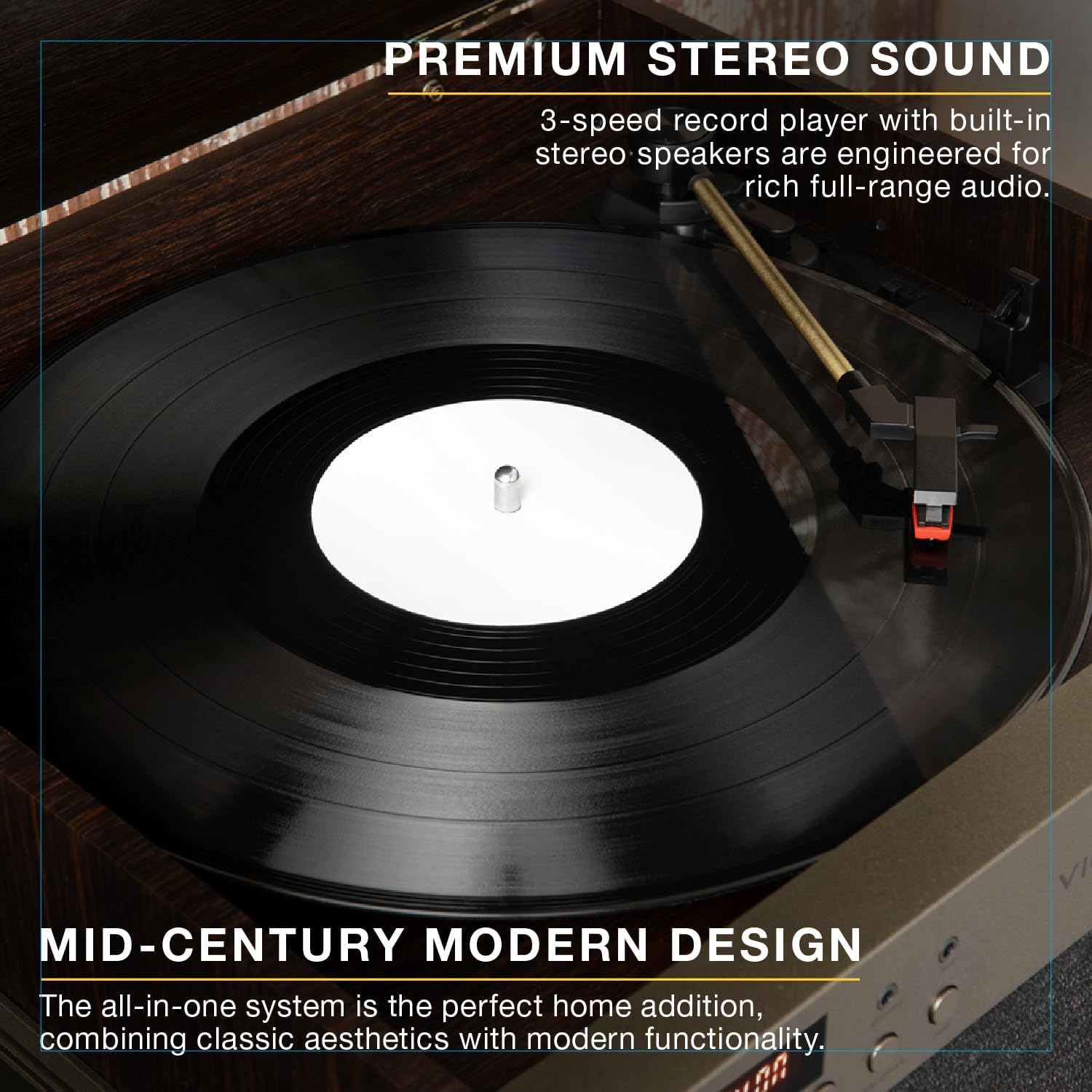
ఒక వివరణాత్మక view of the 3-speed belt-driven turntable, showcasing a vinyl record spinning and the tonearm in position, emphasizing the premium stereo sound.
- టర్న్ టేబుల్ మూత తెరవండి.
- టర్న్ టేబుల్ ప్లేట్లో వినైల్ రికార్డ్ ఉంచండి.
- Select the appropriate speed (33 1/3, 45, or 78 RPM) using the speed selector switch located near the tonearm.
- టోన్ ఆర్మ్ లాక్ని విడుదల చేయండి.
- క్యూయింగ్ లివర్ ఉపయోగించి టోన్ ఆర్మ్ను సున్నితంగా ఎత్తండి.
- టోన్ ఆర్మ్ను రికార్డ్లోని కావలసిన ట్రాక్పై ఉంచండి.
- Slowly lower the cueing lever to place the stylus onto the record. Playback will begin.
- At the end of the record, lift the tonearm, return it to its rest, and engage the tonearm lock.
CD ప్లేయర్ ఆపరేషన్

The integrated CD player of the Victrola Century Essential with its tray extended, ready for a compact disc to be inserted for playback.
- Select the "Compact Disc" mode using the Volume/Mode knob.
- CD ట్రేని తెరవడానికి "తెరువు/మూసివేయి" బటన్ను నొక్కండి.
- Place a CD onto the tray with the label side facing up.
- Press the "Open/Close" button again to close the tray. The unit will read the CD.
- Press the "Play/Pause" button to start playback.
- Use the "Previous" and "Next" buttons to skip tracks.
- Press the "Repeat" button to repeat the current track or all tracks.
Bluetooth Input Operation

A smartphone wirelessly connected to the Victrola Century Essential via Bluetooth, illustrating the ability to stream music from compatible smart devices.
- Select the "Bluetooth" mode using the Volume/Mode knob. The Bluetooth indicator light will flash.
- Enable Bluetooth on your smart device (smartphone, tablet, etc.).
- కోసం వెతకండి "Victrola Century" in your device's Bluetooth settings and select it to pair.
- జత చేసిన తర్వాత, బ్లూటూత్ ఇండికేటర్ లైట్ ఫ్లాషింగ్ ఆగిపోతుంది మరియు దృఢంగా ఉంటుంది.
- You can now stream audio from your device to the music center.
VINYLSTREAM Bluetooth Output Operation

The Victrola Century Essential actively streaming music from a vinyl record to Bluetooth-enabled headphones, demonstrating the VINYLSTREAM feature for flexible listening.
- Ensure your Bluetooth headphones or speaker are in pairing mode.
- Select the "VINYLSTREAM" mode using the Volume/Mode knob. The VINYLSTREAM indicator light will flash.
- The music center will automatically search for and connect to nearby Bluetooth audio devices.
- Once connected, the VINYLSTREAM indicator light will stop flashing and remain solid.
- Begin playing a vinyl record on the turntable. The audio will stream to your connected Bluetooth device.
సహాయక ఇన్పుట్ ఆపరేషన్
- Connect an external audio device (e.g., MP3 player, smartphone) to the 3.5mm "Aux" jack on the front panel using a 3.5mm audio cable (not included).
- Select the "Aux" mode using the Volume/Mode knob.
- Play audio from your connected external device.
హెడ్ఫోన్ జాక్ వాడకం
- Connect 3.5mm headphones to the "Phones" jack on the front panel.
- Audio will be routed to the headphones, and the built-in speakers will be muted.
RCA Output Usage
- Connect RCA cables (not included) from the "LINE OUT" ports on the rear of the unit to the audio input of an external ampలైఫైయర్ లేదా పవర్డ్ స్పీకర్లు.
- బాహ్య ఆడియో సిస్టమ్ సరైన ఇన్పుట్కు సెట్ చేయబడిందని నిర్ధారించుకోండి.
- The built-in speakers of the Victrola Century Essential will continue to play unless manually muted or turned off on the external system.
నిర్వహణ
- శుభ్రపరచడం: మెత్తటి, పొడి గుడ్డతో యూనిట్ను తుడవండి. రాపిడి క్లీనర్లు లేదా ద్రావకాలను ఉపయోగించవద్దు.
- స్టైలస్ కేర్: Handle the turntable stylus with care. Clean it periodically with a soft brush designed for styli.
- CD/క్యాసెట్ సంరక్షణ: Keep CDs and cassettes clean and free of dust and scratches.
ట్రబుల్షూటింగ్
- శక్తి లేదు: Ensure the power adapter is securely connected to the unit and a working power outlet.
- ధ్వని లేదు: Check the volume level. Ensure the correct input mode is selected. If using external speakers, verify their connection and power.
- తిప్పలేని టర్న్ టేబుల్: Ensure the unit is powered on and in Vinyl mode. Check that the platter is correctly seated.
- Skipping on Vinyl: Ensure the record is clean and free of dust. Place the unit on a stable surface to minimize vibrations.
- బ్లూటూత్ జత చేయడం సమస్యలు: Ensure the unit is in Bluetooth pairing mode and your device's Bluetooth is enabled and searching. Try restarting both devices.
స్పెసిఫికేషన్లు
| మోడల్ సంఖ్య | VTA-810SB |
| బ్రాండ్ | విక్ట్రోలా |
| కొలతలు (W x D x H) | 14.57 x 14.02 x 6.42 అంగుళాలు (370 x 356 x 163 మిమీ) |
| బరువు | 13.6 పౌండ్లు |
| టర్న్ చేయగల వేగం | 33 1/3, 45, 78 RPM |
| కనెక్టివిటీ | Bluetooth Input, VINYLSTREAM Bluetooth Output, 3.5mm Aux Input, RCA Line Out |
| మీడియా ప్లేబ్యాక్ | Vinyl Records, Compact Discs, Cassette Tapes |
| చేర్చబడిన భాగాలు | Record Player, Power Adapter |
| మెటీరియల్ | చెక్క |
వారంటీ మరియు మద్దతు
For warranty information and technical support, please refer to the documentation included with your product or visit the official Victrola webసైట్. కొనుగోలు రుజువుగా మీ కొనుగోలు రసీదుని ఉంచండి.


