1. ఉత్పత్తి ముగిసిందిview
The Thunderobot Radiant 16 is a high-performance gaming laptop designed for demanding applications and immersive gaming experiences. It features an Intel Core i9-13900HX processor, NVIDIA GeForce RTX 5080 graphics, a 16-inch QHD+ 300Hz display, 16GB DDR5 RAM, and a 1TB PCIe M.2 SSD. This manual provides essential information for setup, operation, maintenance, and troubleshooting.

Figure 1: Thunderobot Radiant 16 Gaming Laptop
2. ప్రారంభ సెటప్
2.1 అన్బాక్సింగ్ మరియు కంటెంట్లు
ప్యాకేజింగ్ నుండి అన్ని భాగాలను జాగ్రత్తగా తొలగించండి. పెట్టెలో ఇవి ఉండాలి:
- Thunderobot Radiant 16 Gaming Laptop
- పవర్ అడాప్టర్ మరియు కేబుల్
- వినియోగదారు మాన్యువల్ (ఈ పత్రం)
2.2 కనెక్ట్ పవర్
Connect the power adapter to the laptop's AC power input port and then plug the power cable into a wall outlet. It is recommended to fully charge the laptop before initial use.
2.3 మొదటి పవర్ ఆన్
Press the power button located on the laptop. The system will guide you through the initial Windows 11 Home setup process. Follow the on-screen instructions to configure your operating system, network, and user account.
2.4 Connecting Peripherals and Network
Utilize the available ports to connect external devices such as a mouse, keyboard, or external display. The laptop supports Wi-Fi 6 for wireless network connectivity and also includes an RJ45 port for wired Ethernet connections.
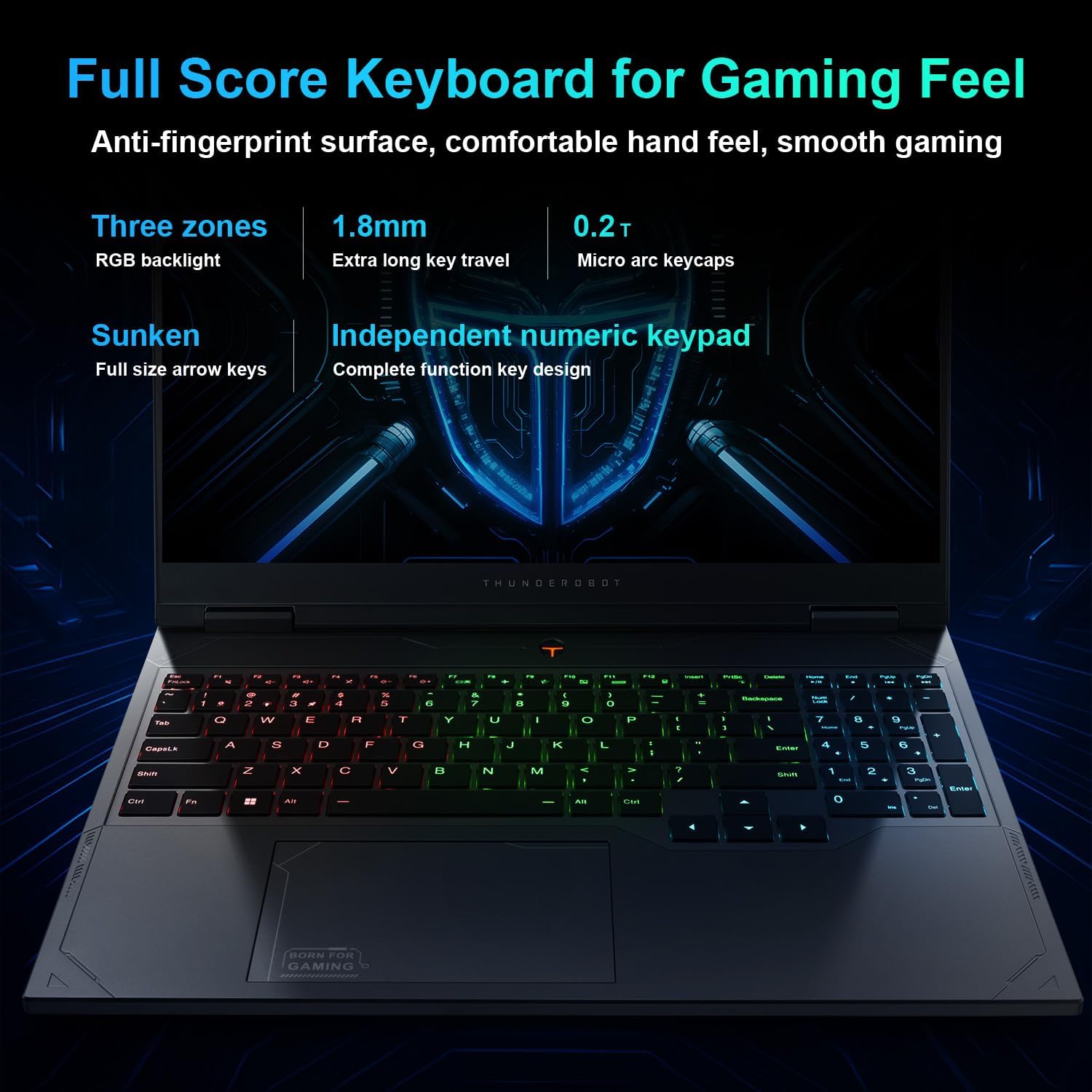
Figure 2: Laptop Ports and Slots
The laptop features multiple connectivity options:
- USB 3.1 Gen1 టైప్-A: Three ports for standard USB devices.
- USB 3.1 Gen2 Type-C: One port for high-speed data transfer and display output.
- HDMI2.1: బాహ్య మానిటర్లు లేదా టీవీలకు కనెక్ట్ చేయడానికి.
- RJ45: వైర్డు నెట్వర్క్ కనెక్షన్ కోసం ఈథర్నెట్ పోర్ట్.
- ఆడియో జాక్: హెడ్ఫోన్లు లేదా బాహ్య స్పీకర్ల కోసం.
- AC విద్యుత్ సరఫరా: పవర్ అడాప్టర్ను కనెక్ట్ చేయడానికి.
3. ఆపరేటింగ్ సూచనలు
3.1 పవర్ మేనేజ్మెంట్
To power on the laptop, press the power button. To shut down, click the Start button in Windows, then select Power > Shut down. You can also use sleep or hibernate modes for quick resume.
3.2 కీబోర్డ్ మరియు టచ్ప్యాడ్
The laptop is equipped with an RGB backlit keyboard and an independent numeric keypad. The keys feature 1.8mm extra long key travel for comfortable typing. The touchpad supports multi-touch gestures for navigation.
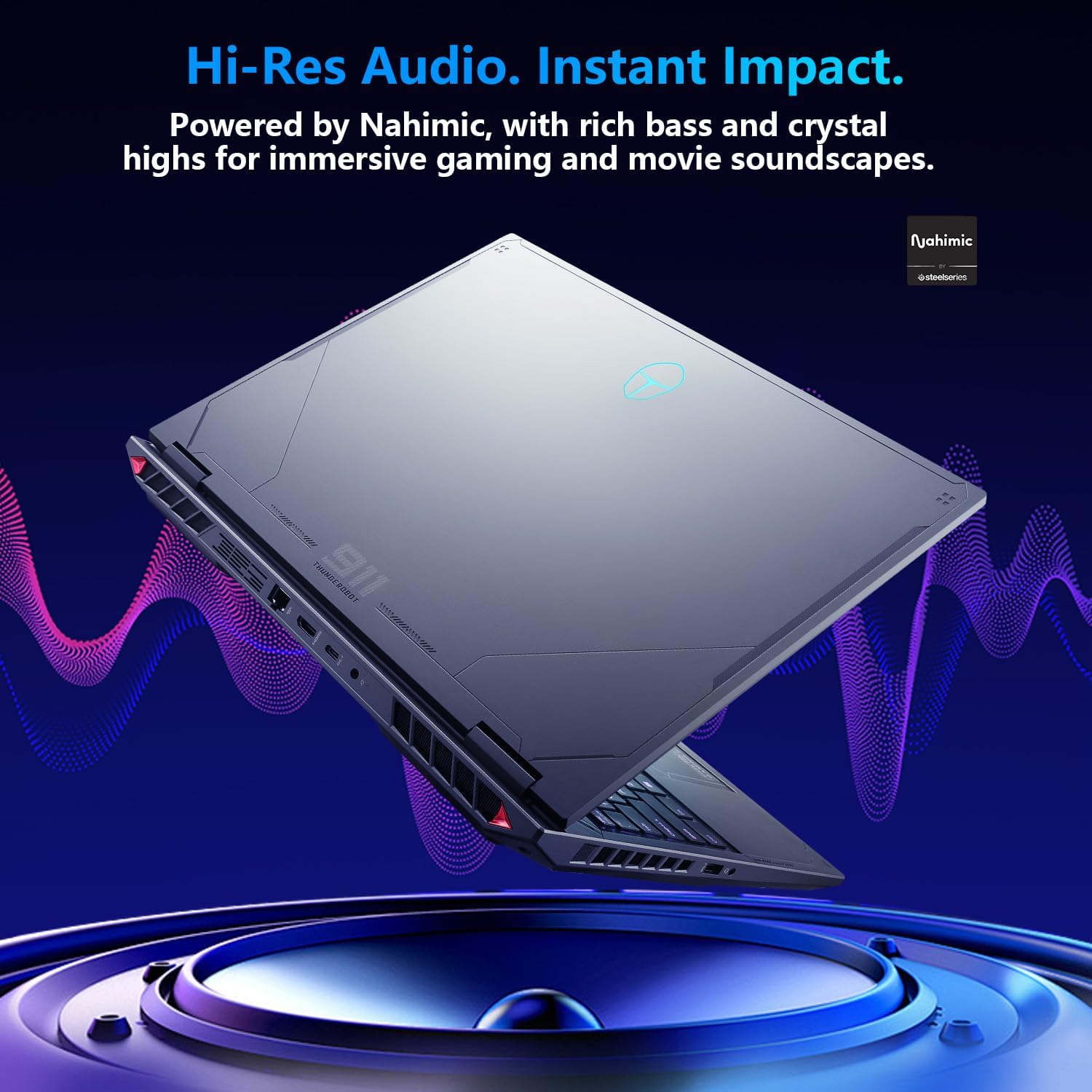
Figure 3: RGB Backlit Keyboard
3.3 ప్రదర్శన సెట్టింగ్లు
The 16-inch QHD+ (2560x1600) display offers a 300Hz refresh rate for smooth visuals. To achieve the highest refresh rate, ensure the dedicated graphics direct connection mode is enabled in the Control Center. Adjust display settings via Windows Display Settings.

Figure 4: High Refresh Rate Display
3.4 నియంత్రణ కేంద్రం
The Thunderobot Control Center software allows you to manage performance modes, fan speeds, and RGB lighting. It offers three primary performance modes:
- Berserk Mode: Full performance release for maximum power.
- గేమ్ మోడ్: Optimized for smooth gaming performance.
- Audio and Video Office Mode: Balances performance with battery life for productivity.
Note: System mode switching in Control Center requires the device to be connected to a power source.

Figure 5: Control Center Interface
3.5 ఆడియో సిస్టమ్
The laptop features Nahimic Audio for enhanced sound quality, providing 3D surround sound, treble stabilization, and noise reduction for an immersive audio experience.

Figure 6: Nahimic Audio System
4. నిర్వహణ
4.1 శుభ్రపరచడం
Regularly clean the laptop's screen with a soft, lint-free cloth and a screen-safe cleaning solution. Use compressed air to clear dust from keyboard keys and ventilation grilles. Ensure the laptop is powered off and unplugged before cleaning.
4.2 సాఫ్ట్వేర్ నవీకరణలు
Keep your operating system, drivers, and applications updated to ensure optimal performance and security. Check for Windows updates regularly and visit the Thunderobot support website for the latest driver versions.
4.3 బ్యాటరీ సంరక్షణ
To prolong battery life, avoid extreme temperatures and do not leave the laptop fully charged or fully discharged for extended periods. For long-term storage, charge the battery to approximately 50-60%.
4.4 శీతలీకరణ వ్యవస్థ
The Radiant 16 features an advanced cooling system with dual 12V fans, Glacier Six copper tubes, and 3D heat pipes. Ensure ventilation grilles are unobstructed to maintain efficient cooling. The Control Center allows for one-click turbo cooling activation for maximum performance.

Figure 7: Wind-Driven Thermal Mastery Cooling System
5. ట్రబుల్షూటింగ్
This section addresses common issues you might encounter. For more complex problems, refer to the Thunderobot support webసైట్ లేదా కస్టమర్ సేవను సంప్రదించండి.
5.1 శక్తి లేదు
- పవర్ అడాప్టర్ ల్యాప్టాప్ మరియు పనిచేసే పవర్ అవుట్లెట్ రెండింటికీ సురక్షితంగా కనెక్ట్ చేయబడిందని నిర్ధారించుకోండి.
- మరొక పరికరాన్ని ప్లగ్ చేయడం ద్వారా పవర్ అవుట్లెట్ పనిచేస్తుందో లేదో ధృవీకరించండి.
- బ్యాటరీ పూర్తిగా ఖాళీ అయిపోతే, పవర్ ఆన్ చేయడానికి ప్రయత్నించే ముందు కొన్ని నిమిషాలు ఛార్జ్ అవ్వడానికి అనుమతించండి.
5.2 ప్రదర్శన సమస్యలు
- స్క్రీన్ ఖాళీగా ఉంటే, సమస్య ల్యాప్టాప్ డిస్ప్లేతో ఉందా లేదా గ్రాఫిక్స్ అవుట్పుట్తో ఉందా అని తనిఖీ చేయడానికి బాహ్య మానిటర్ను కనెక్ట్ చేయడానికి ప్రయత్నించండి.
- డిస్ప్లే డ్రైవర్లు తాజాగా ఉన్నాయని నిర్ధారించుకోండి.
- Check display settings in Windows to confirm resolution and refresh rate.
5.3 Performance Problems
- Check the Control Center to ensure the laptop is in the appropriate performance mode (e.g., Berserk or Game Mode for demanding tasks).
- Monitor CPU and GPU temperatures. Excessive heat can lead to performance throttling. Ensure cooling vents are clear.
- అనవసరమైన నేపథ్య అనువర్తనాలను మూసివేయండి.
- Ensure graphics drivers are updated to the latest version.
6. స్పెసిఫికేషన్లు
Detailed technical specifications for the Thunderobot Radiant 16 Gaming Laptop:
| ఫీచర్ | స్పెసిఫికేషన్ |
|---|---|
| మోడల్ పేరు | రేడియంట్ 16 |
| ప్రాసెసర్ | Intel Core i9-13900HX (5.4 GHz Max Turbo, 24 Cores, 32 Threads, 36 MB Cache) |
| గ్రాఫిక్స్ | NVIDIA GeForce RTX 5080 ల్యాప్టాప్ GPU (16GB GDDR7) |
| ప్రదర్శించు | 16-inch QHD+ (2560x1600) IPS, 300Hz Refresh Rate, 100% sRGB, 500 Nits |
| RAM | 16GB DDR5 4800 MHz |
| నిల్వ | 1TB PCIe M.2 SSD |
| ఆపరేటింగ్ సిస్టమ్ | Windows 11 హోమ్ |
| వైర్లెస్ కనెక్టివిటీ | Wi-Fi 6, బ్లూటూత్ |
| ఓడరేవులు | 3x USB 3.1 Gen1 Type-A, 1x USB 3.1 Gen2 Type-C, 1x HDMI 2.1, 1x RJ45, 1x Audio Jack |
| కీబోర్డ్ | RGB Backlit, Numeric Keypad, 1.8mm Key Travel |
| ఆడియో | నహిమిక్ ఆడియో |
| కొలతలు (LxWxH) | 14.09 x 10 x 0.82 అంగుళాలు |
| బరువు | సుమారు 12 పౌండ్లు |

Figure 8: Core Component Specifications
7. వారంటీ మరియు మద్దతు
ప్రతి థండర్బోట్ ల్యాప్టాప్లో ఒక 12 నెలల వారంటీ, నిపుణుల మద్దతు, క్షుణ్ణంగా డయాగ్నస్టిక్స్ మరియు మరమ్మత్తు అవసరమైతే నిజమైన భాగాలను అందిస్తుంది. అదనంగా, a 90-రోజుల వారంటీ వారంటీ రీప్లేస్మెంట్ భాగాలన్నింటిపై అందించబడింది, ఇబ్బంది లేని మరమ్మతులను నిర్ధారిస్తుంది.
సాంకేతిక సహాయం, డ్రైవర్ డౌన్లోడ్లు లేదా వారంటీ క్లెయిమ్ల కోసం, దయచేసి అధికారిక Thunderobot మద్దతును సందర్శించండి. website or contact their customer service department. Refer to your product packaging or the Thunderobot webనిర్దిష్ట సంప్రదింపు వివరాల కోసం సైట్.


